
The AI-native ServiceStack release
ServiceStack v10.1 is our largest feature release in years. It extends end-to-end typed APIs to 15 programming languages, adds a complete modular AI application to every ServiceStack App, turns your existing APIs into safe AI capabilities, gives every API and AutoQuery data model a portable schema that renders its own UI, and introduces a full PDF lifecycle from AI-assisted design to deterministic production rendering.
There's a single idea running through all of it: your typed Request DTOs remain the one source of truth - and everything else is generated from them. No parallel schemas. No AI-specific backend. No second identity silo. No hand-maintained SDKs or admin screens.
INFO
Everything in this release works on .NET 8+ ServiceStack Apps. API Schemas and AutoQuery Schemas require nothing to install - they're part of the existing Metadata feature.
v10.1.4 Updates
MCP Two-Phase Confirmation Tokens
The MCP Server's approval policy has been upgraded from a simple boolean (RejectToolsRequiringApproval) to a three-mode ApprovalMode enum:
| Mode | Behavior |
|---|---|
ConfirmationToken |
New default. Write/destructive calls return a requires_confirmation response with a signed, short-lived token. The AI assistant presents the summary to the user for explicit confirmation, then re-invokes with the token. The server validates user identity, target API, payload hash, expiry and single-use replay before executing. |
Reject |
Fail-closed - refuses any tool requiring interactive approval (the previous default). |
DelegateToClient |
Executes immediately, relying on the MCP client's native confirmation dialog. |
Mcp = {
    ToolGroups = ["api_tools"], // Default
    ApprovalMode = McpApprovalMode.ConfirmationToken, // Default
    ConfirmationTokenExpiry = TimeSpan.FromMinutes(5), // Default
}
For production deployments, configure a shared SigningSecret (≥ 32 bytes) and register a distributed ICacheClient for cross-instance replay protection. See MCP Server - Approval for details.
The old RejectToolsRequiringApproval property is marked [Obsolete] and maps to Reject (true) or DelegateToClient (false).
[Mcp] Attribute for MCP-specific Descriptions
A new [Mcp(Description = ...)] attribute lets you provide imperative, agent-facing instructions for DTOs exposed over MCP - such as mandatory prerequisites or confirmation steps - without polluting the regular [Description] used by AI.Chat API Tools, API Explorers, Admin UIs and OpenAPI generators:
[Description("Submits and charges a coffee shop order.")]
[Mcp(Description =
    """
    Submits and charges a coffee shop order.
    IMPORTANT: Before calling this API you MUST first call PreviewCoffeeShopOrder, present the
    itemized summary and total price to the human customer verbatim, and WAIT for their explicit
    natural-language confirmation of both the items and the total in a subsequent user turn.
    """)]
[Tool("the user wants to place an order", Safety = ToolSafety.Write, RequiresApproval = true)]
public class CreateCoffeeShopOrder : IPost, IReturn<CreateCoffeeShopOrderResponse> { }
When set, MCP responses (api_search, api_describe, confirmation summaries) prefer [MCP(Description)] over the regular [Description]. All non-MCP consumers continue to see the original [Description].
Most MCP API Assistants can infer the need for confirmation from the MCP annotations, but some require explicit instructions to avoid circumventing the 2-phase confirmation without seeking explicit human approval. The [Mcp] attribute provides a way to communicate those instructions without affecting other consumers.
MCP-aware API Tool Responses
api_searchandapi_describenow return MCP-flavored summaries when called over the MCP transport.api_calloutput schema includesconfirmationToken,expiresInSeconds,summaryandinstructionfields for the two-phase flow.- Empty
argson parameterless APIs (e.g.IGetDTOs with no properties) now correctly emit{}instead ofnullto satisfy strict MCP schema validation.
Durable Agents
The motivation for this architectural upgrade came after extreme long-running agent workflows caused single thread message JSON payloads to grow past 200MB. This monolithic column approach eventually degraded database tooling (even causing database IDE JDBC drivers to run out of memory) and strained the browser DOM until the UI froze and crashed.
To scale reliably for complex autonomous tasks, the agent execution was re-architected into a durable, slice-based system that is significantly more responsive, memory-efficient, and resilient:
AI.Chat agents can now run complex, multi-step tasks that span many model and tool exchanges without being tied to a single browser request. You can close your browser, refresh the page, or lose connectivity mid-run and return to find the agent's progress exactly where it left off.
Resumable execution - Long tool-calling workflows no longer fail after hitting a fixed iteration limit. The agent works in resumable slices, checkpointing progress to the database between each one. A run can continue across hundreds of model exchanges with a configurable budget (default 250 steps).
Survives disconnects - Run state, elapsed time, context usage, errors, cancellation, and tool-approval waits are all persisted. A page refresh reconnects to the live run. A partial streaming response is isolated from committed history, so an interrupted stream never damages earlier messages.
Automatic context compaction - A context usage indicator shows how much of the selected model's window is in use. When it reaches ~80%, AI.Chat automatically summarizes older working context while preserving current instructions and a recent verbatim tail, then continues the same run. The full original conversation remains available for review. A manual compact button creates a clean child thread instead, leaving the original unchanged.
Windowed message loading - Threads with thousands of messages no longer block the UI. The chat view loads the first 20 and latest 100 messages initially; the middle is fetched on demand. The sidebar uses an authoritative database message count and a compact preview rather than downloading every conversation.
SSE with automatic fallback - Real-time updates are delivered over Server-Sent Events for lower latency. If SSE is unavailable through a proxy or host configuration, the browser automatically falls back to reliable long polling. No configuration is required - the default "auto" transport handles both.
Provider compatibility - Text-only and strict providers (e.g. GLM) receive a compatible projection of the conversation. Multipart attachments, orphaned tool results, and malformed legacy tool history are cleaned up in the outbound copy without rewriting canonical history, reducing provider failures in long-running sessions.
New core_tools for AI Agents
Added two essential, zero-dependency core tools to enable web resource reading and fast codebase exploration:
fetch_url
- Fetches HTTP/HTTPS URLs and converts HTML into clean, token-efficient Markdown.
- Automatically strips boilerplate, scripts, stylesheets, and navigation layouts (
<script>,<style>,<nav>,<footer>,<aside>, etc.). - Accurately preserves headings, tables, code blocks, blockquotes, lists, emphasis, and hyperlinks (with relative URL resolution).
- Returns raw text for non-HTML content (JSON, plain text) and includes configurable length limits and response truncation.
grep_search
- Fast text and regular expression search across files and directory trees.
- Automatically prunes non-source and virtual environment directories (
.git,node_modules,bin,obj,.venv,dist,build, etc.) and ignores binary files. - Supports file glob filtering (e.g.
*.cs,*.py), case-sensitivity options, and result capping with formatted relative path and line numbers.
Typed APIs in 15 Languages
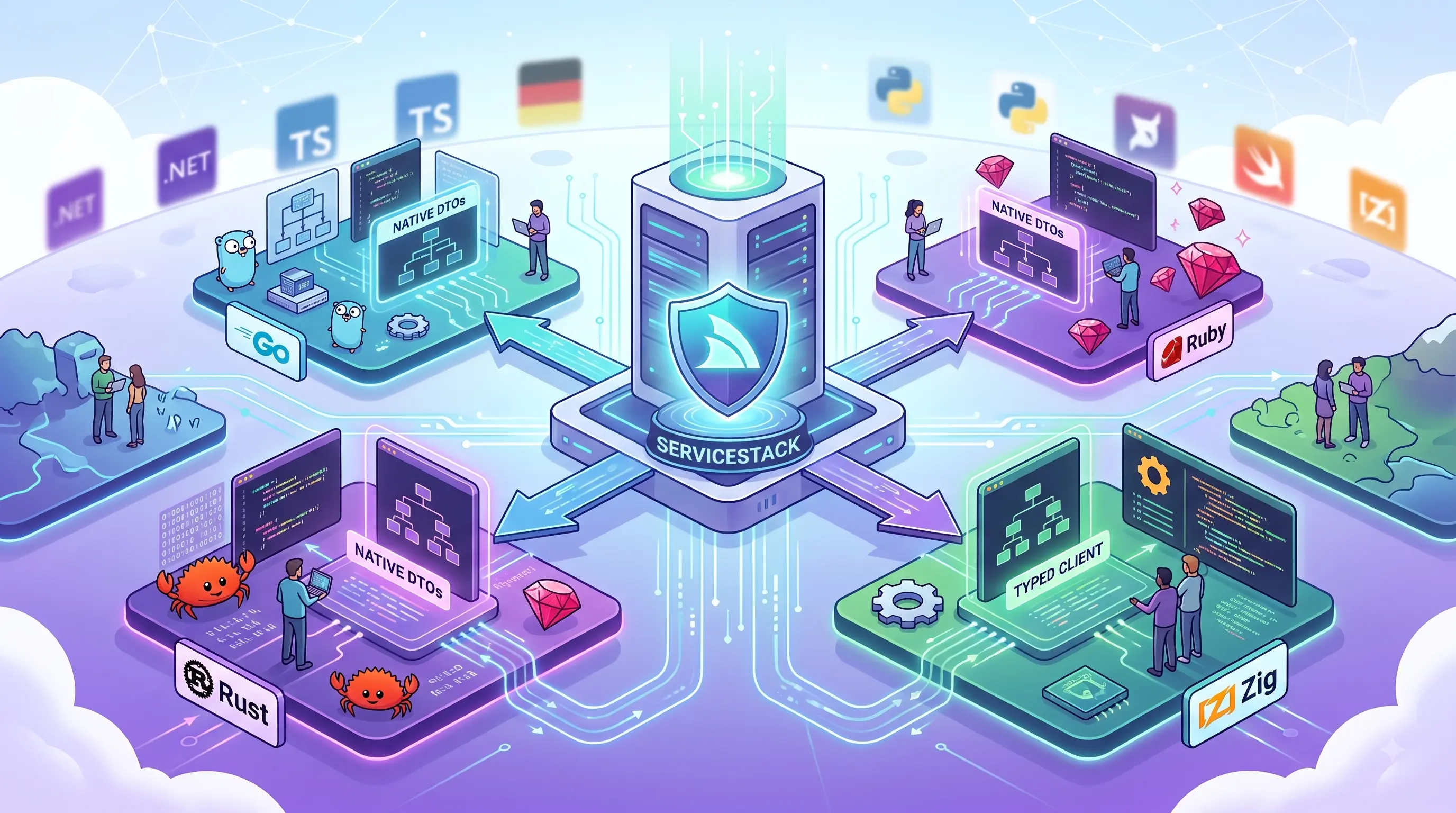
ServiceStack has always been built around a simple idea: define your APIs once, then make them feel native everywhere they're used.
With first-class support for Go, Rust, Ruby and Zig, Add ServiceStack Reference now generates end-to-end typed API integrations for 15 of the world's most popular programming languages:
This is more than generating classes from JSON. Each language gets clean native DTOs and an idiomatic, feature-rich Service Client that understands the API contract: request and response types, HTTP method, routes, authentication, structured errors, validation failures, AutoQuery conventions and more.
One backend can now serve a TypeScript website, a Swift or Kotlin mobile App, a Python automation, a Ruby business system, a Go cloud service, a Rust application and Zig systems software - without maintaining a separate hand-written SDK for each one.
One API. 15 Languages. Zero Hand-Written SDKs.
Define your contract once. Every developer gets clean native DTOs, an idiomatic feature-rich Service Client, editor autocomplete, and compile-time confidence - generated directly from a running API, not hand-written and left to drift.
In this video, see how Add ServiceStack Reference replaces brittle JSON parsing, manual route wiring, and the ongoing maintenance of bespoke SDKs with a single, end-to-end typed source of truth across 15 modern programming languages (now including Go, Rust, Ruby, and Zig).
The world's most important API, in every language
The OpenAI-compatible Chat Completions API makes an ideal demonstration of what end-to-end typed APIs provide. ChatCompletion is not a trivial request: it contains nested messages, polymorphic content, model settings and a rich response graph. With Add ServiceStack Reference, that entire contract becomes native code in every supported language.
Choose a language below to see the same typed ChatCompletion API called from all 15:
Every language can send HTTP. The difference is that developers work with the API as native types, with editor completion and compile-time feedback, whilst the Service Client handles serialization, routes, headers, authentication and response deserialization.
There are no hand-written URLs, anonymous JSON objects or duplicated response models. The Request DTO knows which response it returns, and the generated integration tells the client how it should be sent.
Add a reference, not another SDK project
Traditional SDK development multiplies work: every API change must be reflected in documentation, models and client code for each platform. Add ServiceStack Reference takes a lighter approach - it reads the rich metadata already published by your App and generates a single source file containing native DTOs tailored to the target language.
Two steps in any language - add the client, then generate the DTOs:
Run the same command whenever the API changes. New APIs and fields appear in the generated DTOs; removed or changed members become visible to the language's own compiler, type checker or development tools.
Go - simple, typed APIs for cloud software
The new servicestack-go client preserves everything that makes Go appealing: simplicity, fast builds and straightforward deployment. Generated Request DTOs carry their response type and HTTP method, allowing Go's generic client to infer the complete API call:
res, err := ss.Send(client, dtos.Hello{Name: "World"})
if err != nil {
    log.Fatal(err)
}
fmt.Println(res.Result)
Built on Go's standard library with no external runtime dependencies. Provides context.Context variants for cancellation and deadlines, structured ResponseStatus errors, field validation errors, typed AutoQuery responses, multipart uploads, batched and one-way requests, and authentication using Basic Auth, API Keys, JWTs, refresh tokens or session cookies - all covered in the Go Add ServiceStack Reference docs.
Rust - correctness from the wire to application code
The servicestack crate brings Rust's priorities to API integration. Generated DTOs implement the traits that associate each request with its response, route and HTTP method:
let response = client.send(&Hello {
    name: "World".to_string(),
}).await?;

println!("{}", response.result);
The async client is the default, with an optional blocking client. Supports structured errors, authentication with automatic token refresh, typed AutoQuery, multipart uploads, batch and one-way calls, and access to the underlying reqwest configuration when finer control is needed.
Most importantly, changes at the API boundary become ordinary Rust compiler feedback - no scattering serde_json::Value through business logic. See the Rust Add ServiceStack Reference docs for the complete client API.
Ruby - ServiceStack productivity in a dynamic language
The servicestack gem provides generated DTOs with explicit properties and API metadata, giving editors and developers a discoverable model of every request and response:
client = ServiceStack::JsonServiceClient.new(base_url)

response = client.send(Hello.new(name: 'World'))
puts response.result
Implemented with Ruby's standard library and no external runtime dependencies. Includes structured WebServiceException errors, field validation details, authentication, typed AutoQuery conventions, batch calls, one-way requests, custom URLs and file uploads - each documented in the Ruby Add ServiceStack Reference docs.
Zig - explicit, efficient APIs for systems software
servicestack-zig uses Zig's standard library with no third-party dependencies, infers the response type at compile time and makes ownership explicit:
var client = try ss.JsonServiceClient.init(allocator, base_url);
defer client.deinit();

var response = try client.send(dtos.Hello{
    .name = "World",
});
defer response.deinit();
The caller supplies the allocator and owns the parsed response lifecycle, whilst the client still provides structured errors, validation details, authentication, session cookies, typed AutoQuery, batch and one-way requests, custom URLs and multipart uploads. Allocation and ownership conventions are explained in the Zig Add ServiceStack Reference docs.
One consistent capability set, expressed natively
The four clients don't force a single language's style everywhere. Go returns values and errors. Rust supports async results and optional blocking calls. Ruby uses natural constructors and exceptions. Zig makes allocation and cleanup visible. What remains consistent is the capability of the integration:
| Capability | What it means |
|---|---|
| Typed request & response DTOs | Generated from the live ServiceStack API |
| Response & HTTP method inference | Derived from request metadata - no hand-written URLs |
| Structured errors | ResponseStatus and field validation failures |
| Authentication | API Keys, Bearer tokens, JWTs, refresh tokens and sessions |
| Typed AutoQuery responses | Query rich data APIs without hand-built query plumbing |
| Batch & one-way APIs | Efficient workflows and messaging patterns |
| Multipart & file uploads | For APIs that go beyond JSON-only requests |
| Custom routes & URLs | When an integration needs direct HTTP control |
Nothing needs to be installed or configured on the server - every ServiceStack App already publishes the metadata get-dtos reads:
npx get-dtos go https://vue-spa.web-templates.io
Run npx get-dtos with no arguments to list all 15 supported languages.
- Go - servicestack-go · docs
- Rust - servicestack crate · docs
- Ruby - servicestack gem · docs
- Zig - servicestack-zig · docs
AI Chat v4
Register ChatFeature in an existing ServiceStack App and your users get a complete AI application at /chat:
They sign in with the account they already have. They can talk to OpenAI, Anthropic, Google, Groq, xAI, Mistral, a local Ollama model or any other configured provider from one model selector. They can attach documents, dictate with their voice, generate images and audio, ask questions grounded in your organization's documents, design a PDF, and - most usefully - ask the assistant to do things with your application's own APIs, with an editable approval form in front of anything consequential.
None of it leaves your application boundary. There is no second user directory, no separate AI product to buy and administer, no per-seat contract, and no vendor holding your conversation history.
See AI Chat v4 in action
This overview explores how AI Chat v4 brings multi-provider models, RAG, PDF Studio, authenticated API tools, human approval and operational analytics together inside one self-hosted ServiceStack App:
What this replaces
Assembling the same capability from separate products usually means running - and paying for - several at once:
| Capability | Typically bought as | In AI Chat v4 |
|---|---|---|
| Chat UI for staff | Per-seat AI assistant subscription | Built in at /chat |
| Multi-provider routing | Model gateway / LLM proxy service | Built-in provider config |
| Document Q&A (RAG) | Managed vector DB + indexing pipeline | Gemini File Search extension |
| Usage, token and cost reporting | Separate observability tooling | Analytics extension |
| Document/PDF generation | Reporting or document service | PDF Studio + PdfFeature |
| Agent access to business systems | Custom function-calling backend | API Tools over your existing APIs |
| Assistant access for developer tools | Bespoke MCP server | Built-in MCP Server at /chat/mcp |
| User accounts and permissions | A second identity silo to administer | Your App's existing auth |
The point isn't that each piece is individually novel. It's that they share one identity model, one datastore, one deployment and one security boundary - so the integration work that normally sits between them doesn't exist.
Rewritten around modularity
Modern AI applications evolve too quickly for a fixed collection of hard-coded screens. AI Chat v4 solves this with a shared extension architecture across the server and browser, where each extension can contribute ServiceStack routes and APIs, model tools and tool groups, UI components and pages, sidebar and toolbar actions, chat request/response filters, import maps, per-user files, database tables, background workers and lifecycle hooks.
The entire UI is assembled from registered Vue components, so extensions can add new components or deliberately replace an existing building block by registering the same component name - the pattern used to build your own custom extensions. Everything below ships as a separately installable extension:
| Extension | What it adds |
|---|---|
app |
Threads, history, avatars and the core conversation UI |
agents |
Agent Profiles and the Profile Manager |
analytics |
Cost, token and activity reporting for admins |
api_tools |
Discovery and invocation of the App's own ServiceStack APIs |
computer |
Filesystem tools and run_bash - off by default |
core_tools |
Utilities, math, and code execution tools |
credentials |
Username/password sign-in for the Chat UI |
gallery |
Browsable catalog of generated images and audio |
gemini |
Gemini File Search stores for RAG |
identity |
Sign-in using the host App's ASP.NET Identity users |
katex |
Mathematical typesetting |
mcp |
The built-in MCP Server at /chat/mcp |
pdf |
PDF Studio at /chat/pdf |
projects |
Per-user workspaces and directory boundaries |
publish |
Sharing threads, projects and media - off by default |
skills |
Skill management, search, install and authoring |
system_prompts |
The system prompt library |
tools |
The shared Tool Registry and tools panel |
voice |
Voice input and transcription |
Extensions are enabled, disabled and configured from one ChatFeature:
services.AddPlugin(new ChatFeature
{
    RequireAuth = true,
    AuthType = ChatAuthType.Credentials,

    // Remove an extension entirely - here the filesystem and run_bash tools
    DisableExtensions = ["computer"],

    Tools =
    {
        EnableApiTools = true,         // on by default
        EnableFilesystemTools = false, // off by default
        EnableCodeExecution = false,   // off by default
    },
});
Higher-risk capabilities are opt-in rather than opt-out. DisableExtensions removes a capability from the server and the UI together - a disabled extension registers no routes, no tools and no components.
Every model behind one consistent experience
AI Chat normalizes leading commercial, open and locally hosted providers behind one interface - OpenAI, Anthropic, Google, OpenRouter, Groq, xAI, Cerebras, Mistral, Fireworks, Ollama, LM Studio and other OpenAI-compatible services.
The model selector makes large catalogs manageable with search, provider filters, capability filters, context sizes, pricing and favorites. Streaming responses are consistent across providers, and conversation history, attachments, system prompts, tool calls and usage records remain in the same UI when users switch providers.
This avoids locking an entire workforce into one model vendor, and makes it practical to route different jobs to the model with the best combination of capability, latency, privacy and price.
Integrated Auth - your existing users, permissions and data boundaries
AI Chat is installed inside your ServiceStack App, so it doesn't need a separate user directory, a second login experience or a new identity silo. It supports ServiceStack Identity Auth cookies, AuthFeature credentials, ServiceStack API keys for programmatic clients and MCP Assistants, and a RequiredRole that can limit the entire capability to an approved group.
Authentication is also the boundary for AI Chat's state - conversation threads, generated media, Agent Profile customizations, Projects, personal Skills, Gemini File Stores, PDF Studio workspaces and model preferences are all scoped to the current identity.
Integrated Auth becomes even more valuable when AI Chat acts on the application. API Tools search and invoke ServiceStack APIs as the current user, preserving authentication, API-key requirements, roles, permissions, claims and scopes. An Assistant cannot discover or call an API merely because the server process itself could access it.
The boundaries, stated plainly
| Question | Answer |
|---|---|
| Where does conversation data live? | Your App's database via OrmLite, and App_Data/chat on your server |
Who can reach /chat? |
Whoever RequireAuth and RequiredRole allow - enforced by your existing auth |
| Can one user see another's threads, media or projects? | No. State is scoped to the authenticated identity; admin cross-user access is explicit and role-gated |
| What can an Agent call? | Only APIs the signed-in user is authorized to call - not what the server process could reach |
| Can it write to the filesystem or run code? | Only if you enable those tools, and only within configured project directories |
| What is exposed over MCP? | Nothing until you name tool groups; tools needing interactive approval are rejected by default |
| Does any of it require an outbound AI provider? | Only the features you configure. Nothing calls a model you haven't set up |
Which providers see your prompts remains entirely your decision - including "none outside this network" if you point AI Chat at a local Ollama or LM Studio endpoint.
Enterprise RAG with Gemini File Search
The Gemini extension provides a complete UI for managing Google Gemini File Search Stores as managed Retrieval Augmented Generation knowledge bases. Teams can create separate stores for departments, customers, products or projects, then drag and drop PDFs, Markdown, text and supported business documents into categories. Uploads are content-addressed, deduplicated and processed asynchronously by a background worker so indexing never blocks the UI.
Once indexed, users can start grounded conversations at three useful scopes - Ask File Store searches the complete knowledge base, Ask Category restricts retrieval to a department or folder, and Ask Document grounds the conversation in one selected document:
Grounding sources are retained with responses so users can verify where an answer came from instead of treating fluent output as evidence.
Market-leading managed storage economics
Google currently charges for embeddings when documents are indexed, whilst file storage and query-time embeddings are free. Retrieved document tokens are billed as normal model context. That removes the recurring vector-storage charge common in managed RAG architectures - see Google's current Gemini File Search pricing and limits before deployment.
AI Chat adds the operational experience needed around Google's service: a local document catalog and status, store and category organization, a background upload queue, SHA-256 deduplication, remote/local synchronization reports, re-upload and delete controls, user-scoped management and one-click grounded chat creation.
Specialized Agent Profiles
One system prompt cannot be ideal for every task. Agent Profiles package a model, system prompt, theme, avatar, allowed tools, allowed skills and workflow actions into a named assistant.
Custom profiles can compose SYSTEM.template from separate Markdown files for organizational policy, user context, procedures and domain knowledge. Tools and skills can be restricted per profile, reducing both risk and model confusion.
The built-in Planner → Coder workflow demonstrates how profiles cooperate: a Planner decomposes a goal and writes PLAN.md; the Coder receives the approved plan and implements it with the tools allowed in the selected Project.
For enterprises, profiles become governed job descriptions: Support Assistant, Policy Analyst, Release Planner, Sales Researcher or Finance Reviewer - each with only the context and capabilities needed for its role.
Projects and Skills
Projects give each user a persistent workspace and define the directories filesystem tools may access. Switching Projects changes the active boundary for read, write, edit, search and listing operations - allowing capable coding and document Agents without granting them ambient access to the whole server.
Skills package specialized instructions, references and supporting files that Models load only when relevant. Instead of adding every procedure to every system prompt, an organization can maintain focused skills for incident response, customer onboarding, code review, compliance checks or internal systems. Progressive disclosure keeps prompts smaller and helps specialists remain specialists.
Multi-user administration and analytics
Enterprise AI needs observability. AI Chat records requests, provider, model, tokens, duration and cost so administrators can understand usage instead of discovering it only on a provider invoice.
Admin users can filter metrics by user, compare request and token totals, sort users by activity and inspect conversation transcripts when operational review is required - whilst ordinary users retain their own scoped experience.
Voice, media and multimodal creation
AI Chat supports voice-to-text input, image generation, audio generation and speech synthesis through configured providers. Generated media is stored in the App's media catalog with optimized gallery browsing, so users can revisit, download and reuse creations instead of losing them inside a transient provider response.
The same modular provider system allows an organization to enable only approved vendors and models - a creative team can expose image and speech models, whilst a regulated workflow can restrict users to text models hosted within its approved boundary.
Add AI Chat and PDF support to an existing .NET 8+ ServiceStack App with:
npx add-in chat
This configures both ChatFeature and PdfFeature, adds the ServiceStack.AI.Chat package and writes a starting configuration you can edit. Set an API key for at least one provider - OPENAI_API_KEY, ANTHROPIC_API_KEY, GEMINI_API_KEY, GROQ_API_KEY or a local Ollama endpoint - then run your App and open /chat. See Install AI Chat for the complete walkthrough.
API Tools
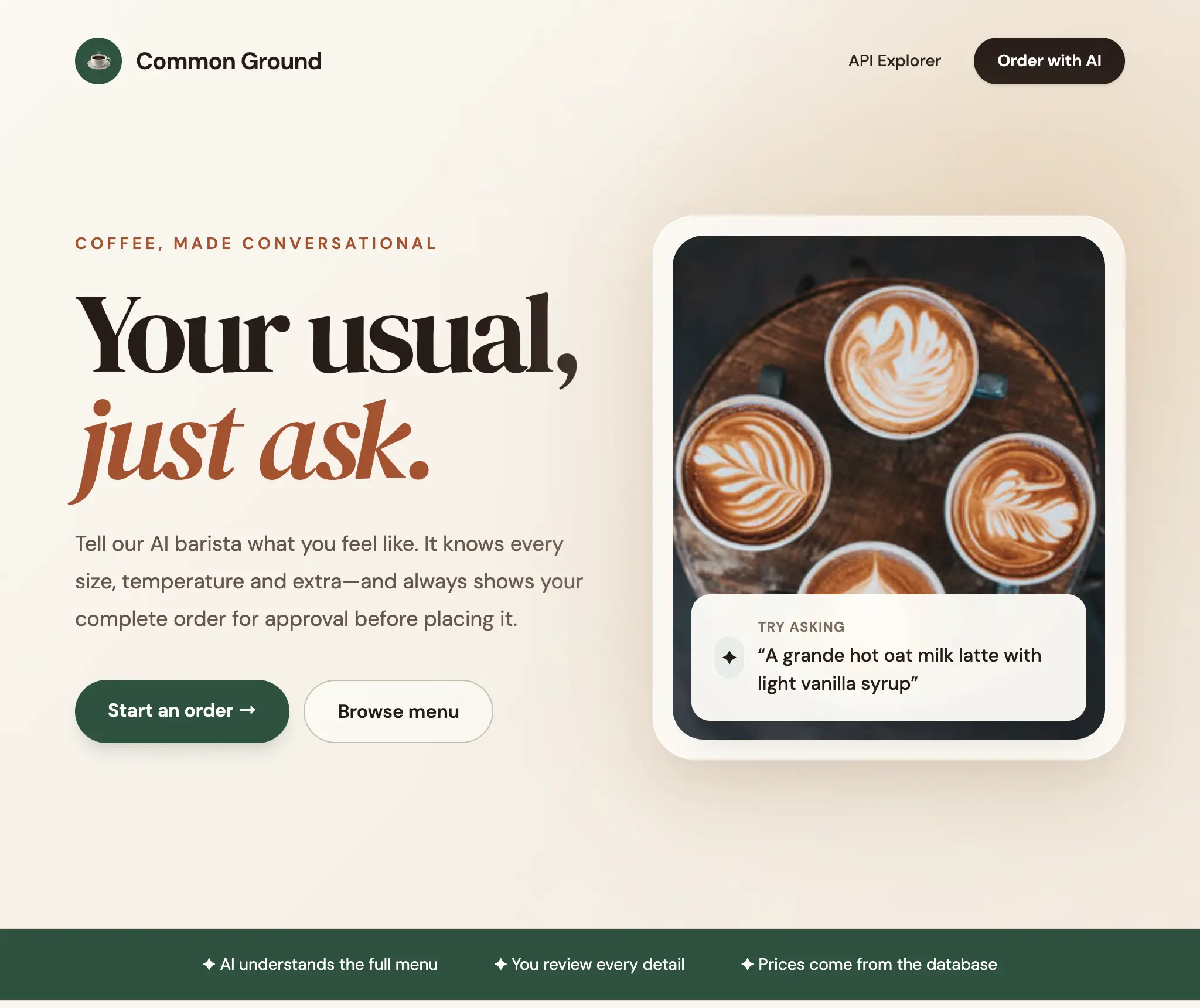
In 2023 we built a natural language ordering experience for a CoffeeShop App. The goal sounded simple:
Order two grande hot oat milk lattes with light vanilla syrup for Sam.
Our original solution used Microsoft's TypeChat to constrain an LLM with a custom TypeScript schema - modelling every product, size, temperature and option in TypeScript, generating the schema and prompt from our .NET data model, invoking a Node.js process from .NET, handling schema validation and corrective retries, then translating the result into our application's types.
It worked, but it exposed the cost of the approach: we had created a second, AI-specific description of our application that needed to remain synchronized with the real APIs, validation rules, database and authorization model.
The biggest lesson was that every piece of hand-coded logic we added to constrain or steer AI behavior was eventually made redundant as models grew capable enough to make those decisions themselves. The smarter approach turned out to be the open-ended one: expose your real APIs with rich metadata as the single source of truth, and let models progressively discover what's available.
Today the same end-to-end experience can be added to a ServiceStack App in minutes.
Three tools unlock your entire API surface
Sending every API schema to an LLM on every request would be expensive, slow and confusing. Instead, API Tools exposes three stable tools:
api_searchfinds APIs relevant to the user's intent.api_describereturns complete schemas and workflow metadata for selected APIs.api_callinvokes an API using its typed Request DTO as the current user.
This gives Models progressive access to application knowledge. They start with a compact searchable index, load detailed schemas only when needed, then call the chosen APIs with structured arguments. The model isn't asked to memorize a snapshot of the menu embedded in a prompt - it's taught how to find and use the application's live capabilities.
Your ServiceStack metadata becomes AI context
API Tools reuse metadata your Apps already contain - Request/Response DTOs, routes, HTTP methods, descriptions, required fields, declarative validation, enums and allowable values, authentication, roles, permissions, claims, scopes, AutoQuery conventions and [Input]/[Ref] UI metadata - to generate JSON Schemas the model understands and schema-driven forms users can edit.
Enabling an API only requires a small amount of optional [Tool] metadata:
[Tag("CoffeeShop")]
[Description("Returns the complete coffee shop menu with product IDs, prices, " +
             "valid sizes, temperatures and customization options")]
[Tool(
    "the user wants to browse the coffee shop menu, learn what can be ordered, " +
    "check prices, or build an order",
    Safety = ToolSafety.ReadOnly,
    Keywords = ["coffee", "drink", "food", "bakery", "customizations"])]
[Route("/coffee-shop/menu", "GET")]
public class GetCoffeeShopMenu : IGet, IReturn<GetCoffeeShopMenuResponse> { }
For a write API you can tell the model when to use it, describe its safety and require approval:
[Tag("CoffeeShop")]
[Description("Submits a validated coffee shop order. Product names and prices " +
             "are always resolved from the database")]
[Tool(
    "the user has finished choosing an order and wants to place or submit it",
    Safety = ToolSafety.Write,
    RequiresApproval = true,
    Keywords = ["buy", "checkout", "place order"])]
[Route("/coffee-shop/orders", "POST")]
public class CreateCoffeeShopOrder : IPost, IReturn<CreateCoffeeShopOrderResponse>
{
    [Description("Name to put on the order")]
    [ValidateNotEmpty]
    public string CustomerName { get; set; } = "";

    [Description("Final order items. The approval form lets the user edit " +
                 "these before submission")]
    [ValidateNotEmpty]
    public List<OrderItemRequest> Items { get; set; } = [];
}
The [Tool] attribute adds the information most useful to an Agent - WhenToUse, Keywords, Aliases, Examples, Prerequisites, Preview, FollowUps, Safety, RequiresApproval, Fields and Take. These are hints layered on your real API contract, not a new contract that must be kept synchronized.
Human approval is part of the workflow
Giving an LLM access to an API should not mean giving it permission to perform every operation unattended. AI Chat infers safe defaults from HTTP semantics: reads execute immediately, whilst writes and destructive operations require approval.
When the CoffeeShop assistant is ready to place the order, AI Chat doesn't write to the database - it renders the proposed CreateCoffeeShopOrder Request DTO as an editable form. Only an approved request is sent to the Service.
The valuable part is that no API-specific Chat component had to be written. The approval form is generated from the API's own API Schema (docs), so complex nested DTOs, collections, allowable values, descriptions and validation all remain visible and editable - and every API you add later gets the same treatment for free.
After submission the model is informed whether the user approved the proposed order as-is or made changes, allowing it to acknowledge modifications and adjust its understanding of the user's preferences.
The AI acts as the authenticated user
API Tools are not a privileged backdoor into your application. Search, description and execution all operate within the current HTTP request and authenticated identity. APIs the user cannot access are omitted from search, cannot be described and cannot be called.
Calls are deserialized into the real Request DTO and executed through ServiceStack's in-process Service Gateway, so existing DTO validation, Service filters, business rules and database behavior remain authoritative.
Connect any MCP-compatible AI Assistant
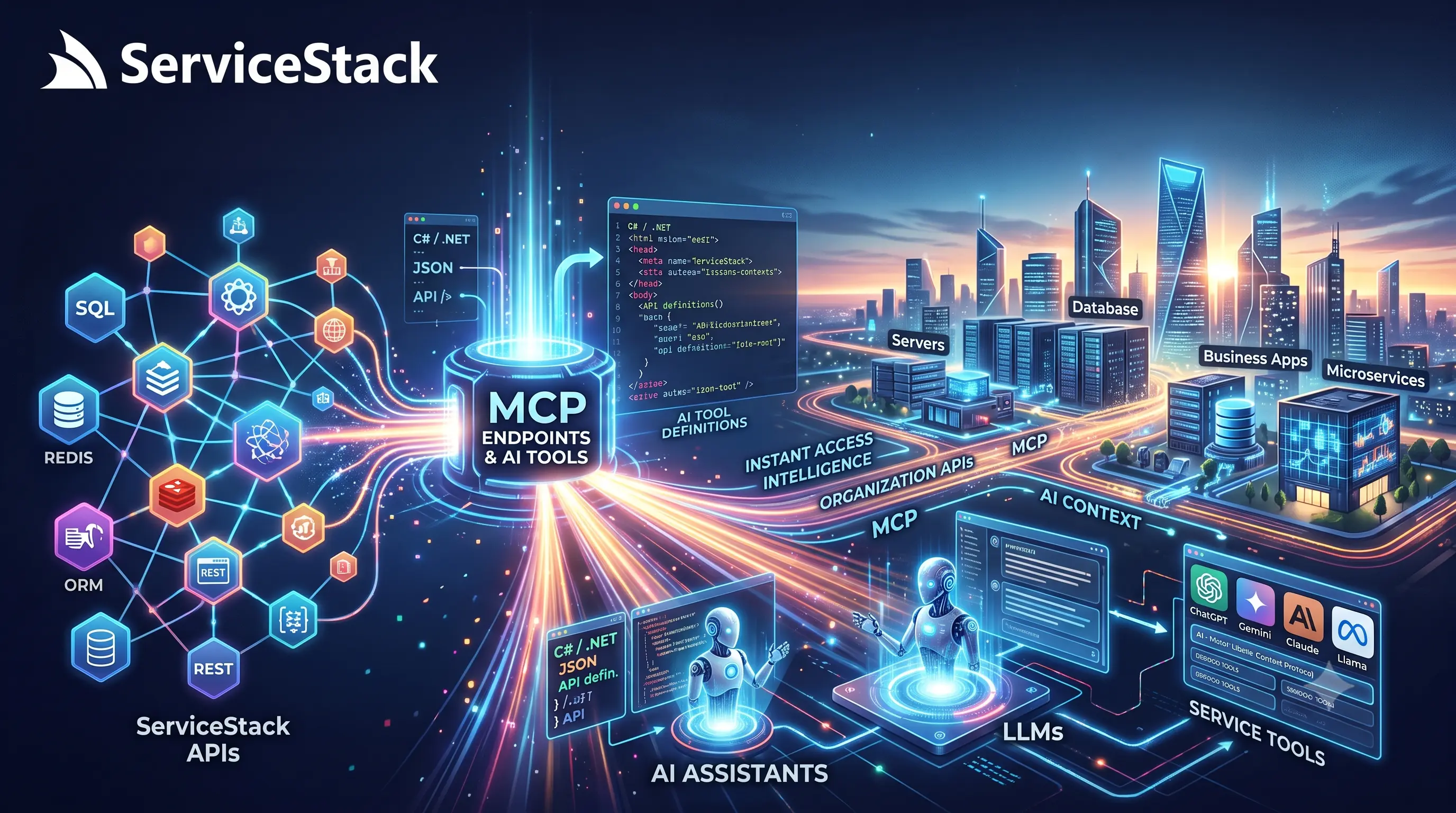
ServiceStack's built-in MCP Server exposes selected AI Chat tools over the open Model Context Protocol using stateless Streamable HTTP. Enable the api_tools group and external Assistants gain the same capabilities:
Mcp =
{
    ToolGroups = ["api_tools"],
}
MCP clients authenticate with a ServiceStack API key in the Bearer token, so tools execute as the API key's user with their roles and scopes:
{
  "type": "remote",
  "url": "https://your-app.example.com/chat/mcp",
  "oauth": false,
  "headers": {
    "Authorization": "Bearer {env:MY_APP_API_KEY}"
  }
}
This works with ServiceStack's ASP.NET Core API Key Feature which lets you create and manage API keys for your users, each scoped with specific roles, permissions and expiry dates.
Because MCP is model-agnostic, the same ServiceStack endpoint works regardless of which AI model powers the assistant. Here the CoffeeShop workflow completes successfully under two very different models - each discovering the menu, previewing the order and placing it through the same tools:
Registering the server with another MCP-compatible assistant is a single command:
Approval across MCP boundaries
A generic MCP client cannot render or resume ServiceStack's interactive approval form, so MCP uses an explicit boundary policy. By default RejectToolsRequiringApproval = true fails closed - if a tool would require interactive approval, the MCP call is refused before execution.
Applications using a trusted MCP client with its own confirmation system can delegate that decision:
Mcp =
{
    ToolGroups = ["api_tools"],
    RejectToolsRequiringApproval = false,
}
API authorization and DTO validation are never disabled; only responsibility for the interactive approval decision moves to the trusted client.
Better APIs produce better Agents
Models are most reliable when APIs are focused, names are clear, descriptions explain intent and write workflows provide a read-only preview. The best pattern for consequential workflows is:
This works because each participant does what it's best at - the LLM understands the user's language and chooses a workflow; ServiceStack supplies authoritative schemas and live capabilities; read APIs resolve current IDs, allowed values and prices; preview APIs normalize and validate without side effects; the user approves the exact operation; and write APIs enforce business rules and persist the result.
API Tools are on by default once ChatFeature is registered. Only APIs you opt in are exposed - decorate them with [Tool], or include their tags:
services.AddPlugin(new ChatFeature {
    RequireAuth = true,
    ApiTools = {
        // APIs with [Tool] are always included; add whole tags here
        IncludeTags = ["CoffeeShop"],
    },
});
API Schemas

Open /schema in any .NET 8+ ServiceStack App and you'll find a searchable index of every API the signed-in user can call. Open one and you get a working UI for it - form, validation, request preview, curl command, execution and response - with no code written and nothing installed.
The page isn't special. It fetches one small JSON document and hands it to a generic component:
<script setup lang="ts">
import { ref, onMounted } from 'vue'
import { ApiFormSchema } from '@servicestack/vue'

const schema = ref()
onMounted(async () =>
    schema.value = await fetch('/schema/CreateCoffeeShopOrder.json').then(r => r.json()))
</script>

<template>
  <ApiFormSchema v-if="schema" :schema="schema" />
</template>
That's the whole integration - for that API, and every other one. The component never learns anything about CreateCoffeeShopOrder; the fetched schema supplies the fields, controls, validation, HTTP method and execution URL.
It's also what lets AI Chat render a trustworthy approval form for any API a Model proposes calling, without anyone building a Chat component per Request DTO.
One contract connects execution and presentation
The schema carries the API's fields, nested types, validation, authorization requirements, HTTP method and an $id that points back to its /api/{RequestDto} execution URL. Fetch one small schema, pass it to ApiFormSchema, and the component renders the inputs, previews the HTTP request and curl command, invokes the API and displays its response.
Try it live - this is the schema-generated UI running against a real ServiceStack App, not a screenshot:
Browse every API at /schema
The built-in API browser provides a fast searchable launcher designed for large applications. APIs can be filtered by name, description, tag and HTTP verb, with fuzzy matching that understands the PascalCase names used by Request DTOs.
Because the page is generated at runtime, it always reflects the application that is actually deployed - making it useful throughout an application's lifecycle for developers exploring an unfamiliar codebase, frontend developers invoking APIs before their production UI exists, testers reproducing validation errors, support teams using approved operational APIs, and AI developers inspecting the exact schemas made available to Models.
More than a type definition
The schema is based on JSON Schema Draft-07, but describes more than the structural shape of a DTO - it contains enough information to construct and invoke the API without loading ServiceStack's full metadata document:
{
  "$schema": "http://json-schema.org/draft-07/schema#",
  "$id": "/api/CreateCoffeeShopOrder",
  "request": "CreateCoffeeShopOrder",
  "method": "POST",
  "title": "Submit a Coffee Shop Order",
  "description": "Submits a validated coffee shop order",
  "type": "object",
  "required": ["CustomerName", "Items"],
  "properties": {
    "CustomerName": {
      "type": "string",
      "title": "Name to put on the order"
    },
    "Items": {
      "type": "array",
      "title": "Final order items",
      "items": {
        "type": "object",
        "properties": {
          "ProductId": { "type": "integer", "minimum": 1 },
          "Quantity": { "type": "integer", "minimum": 1 }
        }
      }
    }
  },
  "ui": {
    "submitLabel": "Create Coffee Shop Order"
  }
}
Built to scale beyond thousands of APIs
ServiceStack's API Explorer at /ui loads the full MetadataApp document - every operation, DTO, data model and related type - before it can show you one API. That's convenient at smaller scales and increasingly expensive at larger ones.
API Schemas invert that dependency:
Opening an API loads only the schema required to render and invoke that operation, providing compounding scalability benefits:
- Smaller payloads - clients transfer one focused contract instead of the application's entire metadata graph.
- Lower parsing and memory costs - the browser only materializes types visible in the current UI.
- No giant JavaScript arguments - schemas are fetched and parsed as ordinary JSON.
- Faster first use - search a compact catalog and open one API without waiting for every definition.
- Independent caching - individual schemas can be cached and invalidated separately.
- Bounded UI complexity - rendering cost is determined by the selected API, not the application's total size.
An application can grow from ten APIs to ten thousand without making a single API form ten thousand times heavier.
This is the same progressive disclosure model used by API Tools - an AI Model first searches a compact API index, then describes only the APIs relevant to the request:
For traditional UIs this protects browser resources. For AI it protects the Model's finite context window. For both it creates smaller, clearer and more dependable integrations.
Existing attributes become a richer experience
API Schemas reward the metadata already present in well-designed ServiceStack APIs:
- Enums and
[ApiAllowableValues]become constrained selections. [ValidateGreaterThan],[ValidateLength],[Range]and related validators become client constraints.[Input]and[Field]select widgets, placeholders, help text, steps and layout.[Ref],[References]and foreign keys become searchable lookup UIs.[UploadTo]becomes a file input with accepted file types.[Intl]and[Format]describe how values should be displayed.[FieldCss]and API form layouts control responsive presentation.[Authenticate], roles, permissions, claims and scopes describe who can invoke the API.
None of this metadata is specific to the schema page - it continues to improve ServiceStack's other Auto UIs, API Explorer and generated clients.
Query-string values can pre-populate the form, making API examples shareable as ordinary links:
Powered by reusable Vue and React components
Build API forms from schemas in minutes
Pass /schema/{Request}.json to ApiFormSchema to generate inputs, execute the API and inspect its response. Use JsonSchemaForm for standalone structured forms.

@servicestack/vue
Generate executable API forms in Vue.

@servicestack/react
Generate the same forms in React, Vite or Next.js.
The built-in pages aren't a separate UI framework - they're composed from the same reusable components published in @servicestack/vue and @servicestack/react.
ApiFormSchema is the generic executable API UI. It renders only the form, leaving the surrounding workbench to the host page. Everything else it derives - the HTTP request preview, its curl equivalent, the request itself, the result and any error - is passed to its default slot:
<ApiFormSchema :schema="schema" v-model="request">
<template #default="{ requestText, curl, result, error, loading }">
<pre>{{ requestText }}</pre>
<pre>{{ curl }}</pre>
<pre v-if="result">{{ result.status }} · {{ result.ms }}ms · {{ result.size }}</pre>
<pre v-if="result">{{ result.text }}</pre>
</template>
</ApiFormSchema>
ApiFormSchema also accepts a client for authenticated calls, auto-execute to run GET APIs on load, and sync-url to keep the current values in the address bar. If you want the entire workbench rather than the form, ApiExplorerSchema is the component the built-in /schema/{RequestDto} page is built from - both are documented in the API Schema UI docs.
The server publishes one portable contract; Vue and React each render it with their native components. Teams can choose their preferred framework without changing the ServiceStack APIs or maintaining a separate UI schema.
Approval and Request UIs for any API in AI Chat
Because the renderer is generic, AI Chat can create a Request preview and Approval UI on demand for any API it can discover. When an AI proposes a write operation, it renders the arguments with the same schema components used by the standalone API UI. The user sees an editable form instead of an opaque JSON blob.
The same architecture supports many consequential workflows - reviewing a refund before issuing it, editing recipients before sending a message, confirming dates and attendees before creating a booking, inspecting deployment options before starting a release, or reviewing changed fields before updating a customer record.
Natural language is excellent for expressing intent. Forms remain excellent for reviewing exact structured data. API Schemas let AI experiences use both.
Configuring the schema routes
The schema routes belong to the Metadata feature, so they're configured with it and each set can be disabled independently:
services.AddServiceStack(typeof(MyServices).Assembly, options => {
    var metadata = options.Plugins.OfType<MetadataFeature>().First();
    // Don't register /schema and /schema/{RequestDto}
    metadata.DisableApiSchema = true;
    // Don't register /auto and /auto/{DataModel}
    metadata.DisableAutoQuerySchema = true;
});
Schemas can also be augmented before they're returned. Because there's only one schema, a change applies everywhere it's used - the JSON contract, the built-in UI, your own components and any AI approval form rendered from it:
services.ConfigurePlugin<MetadataFeature>(feature => {
    feature.OnApiSchema = (requestType, schema) => {
        if (requestType == typeof(CreateCoffeeShopOrder))
            schema["ui"]!["submitLabel"] = "Place Order";
    };
});
Full reference in the API Schema UI docs.
AutoQuery Schemas

If your App has AutoQuery APIs, open /auto and you already have an admin application: a searchable list of your data models, and behind each one a working CRUD app with a results grid, paging, sorting, filters, saved preferences, Create and Edit forms, reference lookups and guarded Delete actions.
No frontend project, no generated source files, no scaffolding step. Every action it offers is one the signed-in user is authorized to perform, because the page is assembled at runtime from your APIs and the current session.
That changes what a data UI costs. A back-office screen that would have been a sprint of grid, form, validation, lookup and permission work is now the thing you get before deciding whether a bespoke UI is worth building.
Where an API Schema describes how one /api/{RequestDto} endpoint can be rendered and executed, an AutoQuery Schema describes the whole data capability: its Query API, returned model and every authorized Create, Update, Patch, Delete or Save API.
The integration is deliberately small - fetch that one document and give it to the generic AutoQuerySchema component:
<AutoQuerySchema :schema="schema" />
Where this fits alongside Locode
/auto |
Locode | Custom UI | |
|---|---|---|---|
| Best for | Embedding data UIs in your own App | A complete standalone admin App | Product surfaces users live in |
| Loads | One model's schema at a time | The App's full metadata | Whatever you build |
| Customization | Compose the Vue/React components yourself | Locode's customization model | Total |
| Runs where | Built-in page or inside your App | Built-in page | Your App |
They aren't competing and neither is going away. Locode remains the fuller standalone back-office experience. /auto is the schema-driven equivalent that scales to very large API surfaces and - the part that matters most - can be taken apart: the grid, the forms, the lookups and the field inputs are components you can drop into your own application's navigation and design system.
The same elegant pattern, at CRUD scale
/auto/Booking.json combines a model and every API available for working with it in one envelope:
{
  "name": "Booking",
  "title": "Booking",
  "primaryKey": "Id",
  "model": { "type": "object", "properties": {} },
  "query":  { "$id": "/api/QueryBookings", "method": "GET",    "operation": "Query",  "properties": {} },
  "create": { "$id": "/api/CreateBooking", "method": "POST",   "operation": "Create", "properties": {} },
  "update": { "$id": "/api/UpdateBooking", "method": "PATCH",  "operation": "Patch",  "properties": {} },
  "delete": { "$id": "/api/DeleteBooking", "method": "DELETE", "operation": "Delete", "properties": {} }
}
It also distinguishes between the model used for writes and the view model returned by IQueryDb<From, Into>. This matters when a query joins, projects or enriches stored data: grids should display the returned view, whilst Create and Edit forms must still use the writable model and Request DTOs.
A full AutoQuery grid with no frontend code
The results grid calls the schema's Query API and provides server-side paging, per-column sorting, AutoQuery's typed filter conventions, multiple filters and sort expressions, selectable visible columns, configurable page sizes, formatted values from [Intl] and [Format] metadata, persistent per-model preferences and responsive light/dark modes.
Query state is kept in the URL, so a filtered view can be bookmarked, refreshed or shared:
That URL is not a screenshot of transient client state. It's a durable link back to the same server-side query.
Schema-driven Create, Edit and Delete
Each form preserves the exact behavior of its API - required values and validation constraints shown before submission, server validation errors bound back to their fields, enums and allowable values as selections, editable nested objects and collections, multipart uploads for file properties, searchable record pickers for reference properties, and HTTP methods and payloads taken from the schema.
Patch APIs receive only changed values. When a user clears an existing field, the UI adds ServiceStack's reset instruction so the server can distinguish "set this to empty" from "leave this field unchanged" - the kind of edge case custom CRUD UIs frequently get wrong, solved once for every model.
References become live lookup UIs
Foreign keys are often where generated CRUD tools stop feeling like real applications. Asking a user to remember that "Customer 1042" is "Acme Inc." is technically accurate and practically unusable.
AutoQuery Schemas preserve reference metadata from [Ref], [References], [ForeignKey] and related attributes. The renderer uses it to display a lookup control that resolves the current label and opens a full searchable picker for the referenced model - with the same paging, sorting, filters and column preferences as the main grid. Referenced model schemas are loaded on demand from /auto/{ReferencedModel}.json, so the parent schema stays compact.
Authorization shapes the App
Generated UIs are only useful when they preserve the application's security model. The catalog, model schema and CRUD UI are all generated for the current authenticated session:
- A model is only listed when its Query API can be accessed.
- Create appears only when the user can call the Create API.
- Rows become editable only when Update or Patch is available.
- Delete appears only when the selected Delete API is authorized.
- Each action can carry different roles, permissions, claims, scopes or API-key requirements.
This is more precise than a single "admin page" permission. A support user may have read access, an operator may create and edit, and an administrator may also delete - all from the same generated UI.
Smart conventions for real AutoQuery APIs
ServiceStack derives the most useful CRUD surface when several API shapes are available: Query access is required, IPatchDb<T> is preferred over IUpdateDb<T> when both exist, a single-row Delete API is preferred over a bulk delete, operations are included only when available and authorized, the primary key is discovered from [PrimaryKey], [AutoIncrement], Id or {Model}Id conventions, and query view models are represented separately when they differ from write models.
Use AutoQuerySchema in your own Apps
Build AutoQuery CRUD UIs in minutes
Pass /auto/{Model}.json to AutoQuerySchema to get a query grid and authorized Create, Edit and Delete forms. Use the complete component or compose its lower-level parts.
@servicestack/vue
Add a complete schema-driven CRUD UI to a Vue page.
@servicestack/react
Add the same CRUD UI to React, Vite or Next.js.
Use it in Vue
Fetch the model schema and mount the complete CRUD component.
<script setup lang="ts">
import { ref, onMounted } from 'vue'
import { AutoQuerySchema } from '@servicestack/vue'

const schema = ref()

onMounted(async () => {
    schema.value = await fetch('/auto/Booking.json').then(r => r.json())
})
</script>

<template>
  <AutoQuerySchema v-if="schema" :schema="schema" />
</template>
Use it in React
Use the same schema-driven components with React APIs.
@servicestack/react ships the same components with the same names, so a React App embeds the identical CRUD experience:
import { useEffect, useState } from 'react'
import { AutoQuerySchema } from '@servicestack/react'

export default function Bookings() {
    const [schema, setSchema] = useState(null)

    useEffect(() => {
        fetch('/auto/Booking.json').then(r => r.json()).then(setSchema)
    }, [])

    return schema ? <AutoQuerySchema schema={schema} /> : null
}
For more specialized experiences, both libraries expose the lower-level components independently - SchemaResults for a schema-powered query grid, SchemaInput for individual generated fields, JsonSchemaForm for arbitrary nested JSON Schema forms, SchemaLookup for reference pickers, and SchemaGrid and SortableColumn for building a custom results view.
From database to App in minutes
[Tag("Bookings")]
[Route("/bookings", "GET")]
public class QueryBookings : QueryDb<Booking> { }

[ValidateHasRole("Employee")]
[AutoApply(Behavior.AuditCreate)]
public class CreateBooking : ICreateDb<Booking>, IReturn<IdResponse>
{
    [ValidateNotEmpty]
    public string Name { get; set; } = "";

    public RoomType RoomType { get; set; }
    public DateTime StartDate { get; set; }
    public DateTime EndDate { get; set; }
}
Once the AutoQuery CRUD APIs exist, /auto/Booking is immediately useful. Add descriptions, validation, references and input metadata to refine both the APIs and their generated experience.
The structured foundation for AI-operated data
Because each write operation carries its own API Schema, AI Chat can render an editable preview and approval form whenever a Model proposes an AutoQuery Create, Update, Patch, Delete or Save - for every model, with no per-API Chat component to write.
This supports experiences such as:
- "Show overdue invoices over $5,000, ordered by customer."
- "Find tomorrow's bookings and move this one to the available conference room."
- "Create a follow-up task for every high-priority support case assigned to me."
- "Find products below their reorder threshold and prepare updates for approval."
The grid UI and AI Assistant are two clients over the same typed capability layer: one starts with visual exploration, the other starts with natural language.
PDF Studio
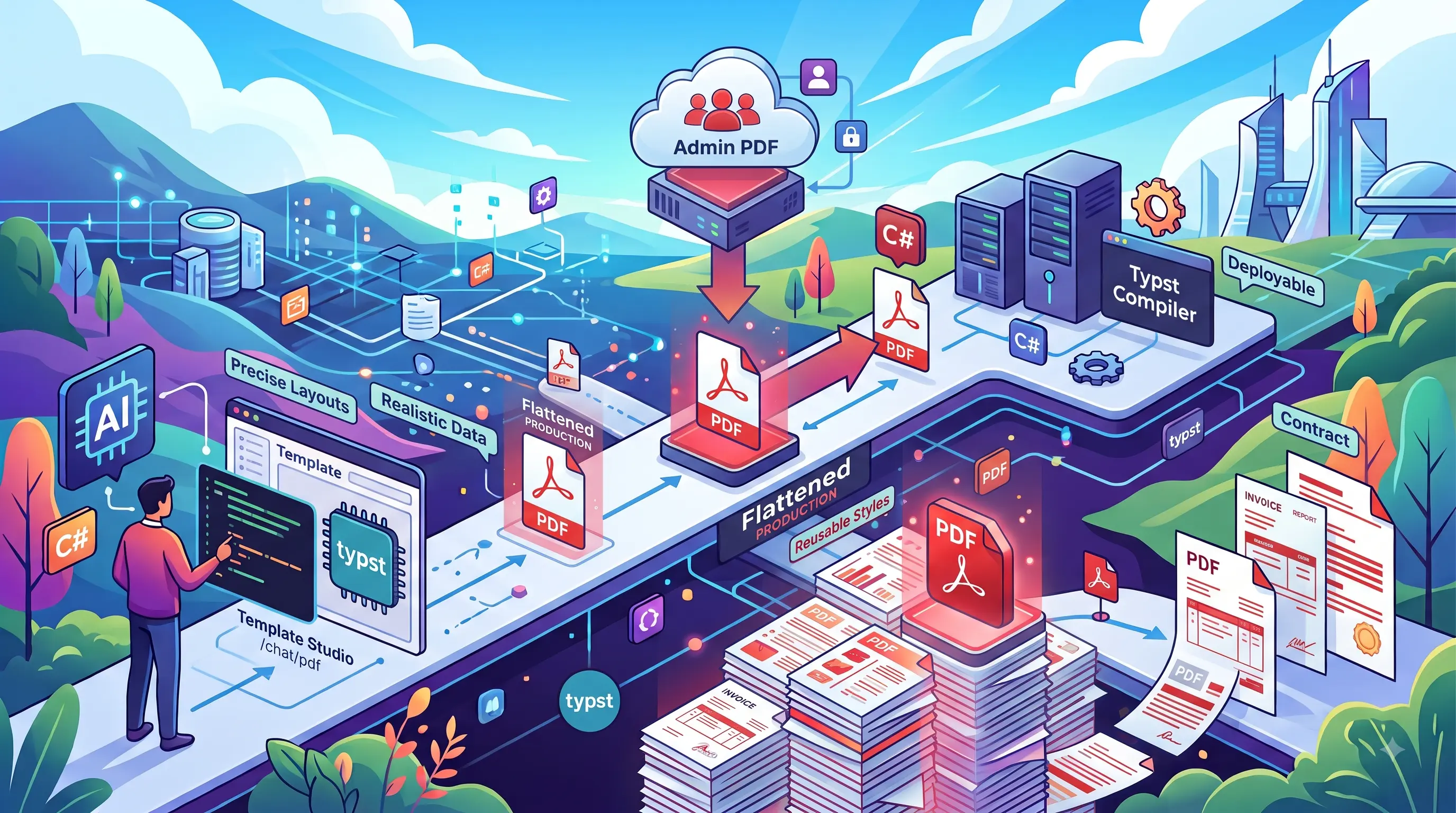
Here's what we want at the end: an ordinary ServiceStack API that returns a real invoice, with no LLM anywhere near it.
public class InvoiceServices(IPdfRenderer pdf) : Service
{
    public async Task<object> Any(GetOrderInvoice request)
    {
        var order = await Db.LoadSingleByIdAsync<Order>(request.Id);
        return await pdf.PdfResultAsync(MapToInvoice(order), $"Invoice-{order.InvoiceNo}.pdf");
    }
}
And here's the part that normally takes a week: designing the document, agreeing its data contract, testing the awkward payloads, and getting a typed C# model that matches. In PDF Studio you describe the document you want - or hand a vision model a screenshot of the one you're replacing - and iterate on a live preview until it's right.
Generating a PDF is easy. Maintaining a production document system is not. ServiceStack's new PDF support addresses the whole lifecycle, from AI-assisted design to deterministic production rendering:
Two plugins, so AI never reaches production
| Capability | Plugin | Runtime dependencies |
|---|---|---|
| AI-assisted authoring and live preview | ChatFeature PDF extension |
Typst and an AI provider |
| Published template management and rendering | PdfFeature |
Typst |
An organization can design documents in a development environment with AI Chat, then deploy only PdfFeature, Typst and the published artifacts. Production rendering does not require ChatFeature, an AI provider or an API key.
That clean boundary is fundamental: AI accelerates authoring, but does not sit in the path of every invoice your application generates.
Why Typst
ServiceStack uses Typst because it brings modern, code-first authoring to high-quality document layout. Templates are plain text, compile quickly and can express precise typography, tables, page structure, reusable functions and conditional content.
A document named invoice normally contains:
Design in AI Chat PDF Studio
PDF Studio opens with a Typst editor and a real rendered PDF preview. Edit the template or its data and the document recompiles immediately. The workspace is per user under App_Data/chat/user/{user}/pdf, so developers and designers can experiment independently - nothing becomes a shared runtime template until an administrator explicitly publishes it.
The JSON data can be edited directly in Code View or through a form generated from invoice.ui.json:
Every edit uses the same data contract that will later generate the application's C# model. The preview is not a disconnected design mock-up; it's an executable example of the production template.
Edit layouts with natural language
The Edit with AI panel gives the model the current template, its data and referenced partials. Describe the change you want:
Add a Paid watermark when the outstanding balance is zero.
Move the totals into a bordered box and show tax on a separate row.
Reformat this as a 4×6 shipping label with no page margins.
The model returns complete updated files and Studio compiles them immediately. If the first edit fails to compile, the model gets a repair pass with the compiler error. AI edits update editor buffers rather than silently committing files, so unsaved changes remain visible and previous contents can be restored.
Recreate an existing document with vision
Starting from a blank page is rarely necessary. Attach screenshots, photos or rasterized pages from an existing PDF and ask a vision-capable model to reproduce the design as a reusable Typst template:
This is visual reconstruction - not structural PDF conversion - but it's an extraordinarily fast way to turn a legacy document into maintainable source.
Design visually without memorizing Typst
PDF Studio includes formatting controls for font discovery and preview, font size, weight and line height, page sizes from A3–A6, Letter, Legal and presentation formats, portrait and landscape orientation, margins, image and asset selection, and shared library previews. The controls modify source rather than hiding it.
Versioned design systems
Shared document design belongs in a library, but changing that library should not unexpectedly reflow every historical template. New workspaces use explicit imports such as lib/v1.typ - an incompatible redesign becomes lib/v2.typ, allowing templates to migrate one at a time. lib/v1.preview.typ renders the design system itself so typography and components can be checked independently:
PDF Studio tracks direct and transitive dependencies. A referenced library cannot be renamed or deleted until its dependants are moved, and publishing captures the exact imported library with the document's artifact set.
Publish is a controlled promotion boundary
Design work remains private until an administrator chooses Publish, which performs substantially more work than a file copy:
- Follows JSON data, Typst includes, images, assets and versioned libraries.
- Flattens folder-based authoring into a self-contained runtime artifact set.
- Rewrites local references for the flattened result.
- Validates example data and named fixtures against
.ui.json. - Exercises C# model generation.
- Compiles every fixture through the actual flattened Typst template.
- Generates the gallery preview and records publisher metadata.
- Prevents silent takeover of a name published by another user.
- Rolls back the publish if validation or compilation fails.
- Saves every successful publish as an immutable revision.
Contract fixtures catch the failures that matter
One sample invoice cannot represent every production invoice. Add named fixtures beside the template:
At publish time, every fixture is checked against the JSON Schema and rendered with the flattened template. A payload can therefore be structurally valid yet still block publishing if long text, an empty collection or international characters trigger a Typst failure. This is practical contract testing for documents: validate both the data and its ability to render.
Immutable history and reversible rollback
Every successful publish creates a revision under App_Data/pdf/.versions/{template}/{revision}/ containing the complete published artifact set, preview and metadata. Restoring a revision never edits or deletes history - it creates a new revision recording which version was restored, making rollback itself auditable and reversible.
Admin PDF manages what production can render
Open /admin-ui/pdf to browse the templates currently available to the application. Selecting a template opens a two-pane workspace containing editable data and the real PDF rendered through the production renderer - with a Form tab for schema-generated controls, a Data tab for raw JSON, and a Code tab for generated models and usage examples.
Admin PDF is the handoff point between document authors and application developers. It answers three important questions with the real deployed artifact: what templates can production render, does this template render with this data, and what typed code should the App use?
Generate strongly typed C# contracts
The .ui.json schema generates strongly typed C# models directly from the Admin PDF Code tab:
public class LineItem
{
    [JsonPropertyName("description")]
    public string Description { get; set; } = null!;

    [JsonPropertyName("qty")]
    public int Qty { get; set; }

    [JsonPropertyName("rate")]
    public decimal Rate { get; set; }
}

[Pdf("invoice")]
public class Invoice
{
    [JsonPropertyName("items")]
    public List<LineItem> Items { get; set; } = new();
}
[Pdf("invoice")] binds the root model to its published template. Dates, UUIDs, decimals, enums, required members and documentation are inferred from the schema instead of guessed from sample JSON.
For all templates, configure PdfCodeGen and register an AppTask:
services.AddPlugin(new PdfFeature
{
    PdfCodeGen = new()
    {
        Namespace = "MyApp.ServiceModel.Pdf",
        OutputPath = Path.Combine(contentRootPath, "../MyApp.ServiceModel/Pdf"),
    }
});

AppTasks.Register("pdf", _ =>
    appHost.GetPlugin<PdfFeature>().GeneratePdfs());
Then regenerate after publishing template changes:
dotnet run --AppTasks=pdf
Generated files contain content hashes - if a developer adopts and edits one, later generation skips it instead of overwriting their work.
Render from an ordinary ServiceStack API
[Route("/orders/{Id}/invoice")]
public class GetOrderInvoice : IGet, IReturn<byte[]>
{
    public int Id { get; set; }
}

public class InvoiceServices(IPdfRenderer pdf) : Service
{
    public async Task<object> Any(GetOrderInvoice request)
    {
        var order = await Db.LoadSingleByIdAsync<Order>(request.Id);

        var invoice = new Invoice
        {
            InvoiceValue = new InvoiceDetails
            {
                Number = order.InvoiceNo,
                Date = order.OrderDate.ToString("d MMMM yyyy"),
                Due = order.DueDate,
                Currency = "$",
            },
            Items = order.Details.Map(x => new LineItem
            {
                Description = x.ProductName,
                Qty = x.Quantity,
                Rate = x.UnitPrice,
            }),
            TaxRate = 0.10m,
        };

        return await pdf.PdfResultAsync(invoice, $"Invoice-{order.InvoiceNo}.pdf");
    }
}
PdfResultAsync returns an HttpResult with application/pdf and the correct content-disposition filename. Pass inline: true to display it in the browser instead of downloading it. For other workflows the renderer can return bytes, write directly to a stream or rasterize a selected page to PNG.
Runtime rendering is deterministic: the [Pdf] model selects the template, the model serializes to its JSON contract, IPdfRenderer invokes the published Typst template - no LLM is called, no personal Studio workspace is read, and only the live files in App_Data/pdf are used.
Attach PDFs from background jobs
The same renderer can generate an attachment inside a ServiceStack Command:
[Worker("smtp")]
public class SendInvoiceEmailCommand(
    IPdfRenderer pdf,
    SmtpConfig config,
    IDbConnectionFactory dbFactory)
    : AsyncCommand<SendInvoiceEmail>
{
    protected override async Task RunAsync(
        SendInvoiceEmail request,
        CancellationToken token)
    {
        using var db = await dbFactory.OpenAsync(token: token);
        var order = await db.LoadSingleByIdAsync<Order>(request.OrderId, token: token);

        var invoice = MapToInvoice(order);
        var bytes = await pdf.RenderPdfAsync(invoice, token);

        // Attach bytes to your email message and send it...
    }
}
Queue an identifier, not rendered PDF bytes - the worker loads current data and renders inside the job, keeping persisted job messages small and retryable.
Production controls are built in
PDF rendering starts external Typst processes, so PdfFeature includes practical operational limits: render and preview timeouts, maximum concurrent renders, maximum data payload size, a restricted Typst root directory, flat validated template names, Admin role requirements for every Admin PDF API, per-user path-checked Studio workspaces, and publish-time validation enabled by default.
INFO
Production environments should pin the Typst version and deploy the same fonts used during validation. Put application fonts in App_Data/pdf/fonts and back up live artifacts, .published.json and .versions together. Typst's root restriction limits document file access but is not an operating-system sandbox - organizations compiling untrusted templates should isolate compilation in an appropriate container or worker.
ServiceStack.Azure updated to the latest Azure SDKs
The ServiceStack.Azure library has been modernized to use Microsoft's latest Azure SDK libraries, replacing the deprecated packages it previously depended on. In particular, its Azure Service Bus integration now uses Azure.Messaging.ServiceBus instead of the deprecated Microsoft.Azure.ServiceBus SDK.
This update was contributed by Deon Heyns in ServiceStack/ServiceStack#1376. Many thanks to Deon for upgrading the implementation and helping keep ServiceStack.Azure current with Microsoft's supported Azure libraries.
Get Started
AI Chat, API Tools and PDF Studio
Add AI Chat and PDF support to an existing .NET 8+ ServiceStack App:
npx add-in chat
This configures both ChatFeature and PdfFeature, adds the ServiceStack.AI.Chat package and writes a starting configuration you can edit. Set an API key for at least one provider, then run your App and open /chat - see Install AI Chat and ChatFeature Configuration for all options.
A good first step on an existing App: pick one read-only API, add a [Tool] attribute describing when to use it, and ask AI Chat a question that should reach it. Once discovery works for one API, adding the rest is just metadata.
For PDF Studio, install the Typst CLI and make it available on PATH (or configure TYPST_PATH):
brew install typst
To deploy production rendering without AI Chat, register PdfFeature on its own:
services.AddPlugin(new PdfFeature());
API Schemas and AutoQuery Schemas
Nothing to install - both API Schemas and AutoQuery Schemas are registered with the Metadata feature, so any .NET 8+ ServiceStack App already serves them. Run your App and open:
To get more out of the generated UIs, improve the APIs rather than the UI - [Description], validation attributes, [Input], [Ref] and [Intl]/[Format] all show up in the forms and grids.
To embed the components in your own App:
npm install @servicestack/vue
npm install @servicestack/react
Typed clients in 15 languages
Nothing needs to be installed or configured on the server - every ServiceStack App already publishes the metadata Add ServiceStack Reference reads:
npx get-dtos go https://vue-spa.web-templates.io
Your APIs are already typed
Every feature in v10.1 comes back to the same foundation. Your typed Request DTOs, their metadata, validation and authorization are the one description of your application - and this release turns that single description into native clients for 15 languages, portable schemas, complete Auto UIs, safe AI capabilities, MCP tools and production documents.
The fastest way to see the value is to open /schema or /auto on an App you already have and search for an API you wrote months ago. Whatever descriptions and validation you gave it then are the UI - and the AI capability - you get now.