v10.4.2 Security updates
File upload path traversal fix
v10.4.2 includes the path traversal fix for FilesUploadFeature and FileSystemVirtualFiles.
Applications exposing filesystem-backed uploads could allow an uploading user to create or overwrite files outside
the configured upload root, subject to the application process's filesystem permissions. The default upload access
requires authentication; applications explicitly allowing anonymous uploads could expose the issue without authentication.
The fix validates original and transformed upload filenames, checks resolved upload/download/replacement/deletion paths, and enforces filesystem containment before writes, appends and deletions. Containment uses platform-appropriate path casing and rejects symbolic links below the configured root. Path-bearing upload filenames and links below virtual-file roots are now rejected; a configured root that is itself a trusted symbolic link remains supported.
Security reports can be submitted through GitHub private vulnerability reporting or the security reporting portal. See the public security policy for reporting and coordinated-disclosure guidance. Public non-security bugs continue to belong in ServiceStack/Issues.
Automated package security evidence
New GitHub Actions workflows generate release-specific dependency evidence and monitor it for newly published advisories:
| Workflow | What it does |
|---|---|
| security-core.yml | Validates the evidence tooling on relevant changes and rescans retained release dependency graphs daily or on manual dispatch. Scan reports are retained even when a finding fails the job. |
| package-security.yml | Generates and validates SBOMs, package hashes, framework-specific dependency graphs and any reviewed VEX from the exact successful package-build artifacts. Evidence generation runs separately from packing. |
| release-security.yml | Attaches a security-evidence ZIP and checksum to a published GitHub release after successful generation. |
| nuget-push.yml | Verifies matching package/security evidence before NuGet publication. Dependency advisory findings are reported as warnings, so other fixes can still be published; integrity and provenance failures remain blocking. |
The daily security-core.yml scan can fail when a retained release graph matches a new advisory. This monitoring
failure does not block publishing other updates. Package security evidence and NuGet publication retain the findings
and report them as warnings; missing or invalid evidence and package/provenance mismatches still block publication.
Coverage follows the configured package inventory. A managed dependency scan is not a penetration test or a complete assessment of first-party code or embedded native libraries. VEX assessments require a reviewed, vulnerability-specific decision; a clean scan does not create one automatically. See the security tooling documentation for generation, verification and download instructions.
Updating an affected transitive dependency in your application
The daily workflow detected newly published advisories in System.Security.Cryptography.Pkcs resolved through the
Oracle and SQL Server drivers in the recorded 10.4.0 dependency baselines:
- CVE-2026-84008 / GHSA-846f-f764-76mx: denial of service in
SignedCms.CheckSignature. - CVE-2026-70162 / GHSA-2fmv-rv2c-59x7: denial of service in
EnvelopedCms.Decodeon Windows.
These are separate from the upload path traversal fix. A dependency advisory match requires application-specific impact assessment; it does not by itself establish that a database operation exposes the vulnerable cryptography API.
ServiceStack library packages do not add direct references to override a dependency's transitive packages.
We will adopt the corrected upstream dependency in a major ServiceStack release after the upstream driver
(for example, Microsoft.Data.SqlClient) updates its dependency requirements. Customers who need an earlier
mitigation can explicitly reference a compatible patched dependency in their own application.
For the recorded 10.4.0 baselines, the applicable Pkcs updates are:
| Application uses | Target framework | Recorded Pkcs version | Patched minimum in that major |
|---|---|---|---|
ServiceStack.OrmLite.Oracle |
net8.0, net10.0 |
8.0.1 |
8.0.2 |
ServiceStack.OrmLite.SqlServer.Data |
net8.0 |
8.0.1 |
8.0.2 |
ServiceStack.OrmLite.SqlServer.Data |
net10.0 |
9.0.18 |
9.0.21 |
Add the reference to your application's .csproj, not the ServiceStack library project. For an application
using ServiceStack.OrmLite.SqlServer.Data and targeting both .NET 8 and .NET 10:
<ItemGroup Condition="'$(TargetFramework)' == 'net8.0'">
  <PackageReference Include="System.Security.Cryptography.Pkcs" Version="8.0.2" />
</ItemGroup>
<ItemGroup Condition="'$(TargetFramework)' == 'net10.0'">
  <PackageReference Include="System.Security.Cryptography.Pkcs" Version="9.0.21" />
</ItemGroup>
For the Oracle baseline on .NET 8 or .NET 10:
<ItemGroup>
  <PackageReference Include="System.Security.Cryptography.Pkcs" Version="8.0.2" />
</ItemGroup>
Use the example matching your provider and actual resolved package major; do not add both alternatives to the
same application or downgrade a newer fixed dependency. If your graph differs, consult the linked advisories for
a compatible patched version. Applications using Central Package Management should declare the version in
Directory.Packages.props and add the corresponding versionless application PackageReference.
Restore and inspect the application's complete dependency graph, then rebuild, test database connectivity and relevant application behavior, and redeploy. With the .NET 10 SDK:
dotnet restore
dotnet package list --include-transitive
dotnet package list --include-transitive --vulnerable
Update affected .NET runtimes as directed by Microsoft as well; a package reference does not service the installed runtime. The retained 10.4.0 baseline remains unchanged, so its daily scan can continue to report the original versions after an application has applied its own override. Keep the application's resolved graph and retest evidence separately; this does not retroactively change the archived SBOM or establish that an older release is unaffected.
v10.4.2 AI.Chat improvements
Gemini web crawl progress and results
Admin → Gemini → Import → Web crawl now shows live progress and a clear result when a crawl finishes. An animated Crawling… button displays the current page count beside it, e.g. 11 pages crawled. Progress updates every two seconds and includes the number of failed URLs. The loading animation respects reduced-motion preferences.
The completion summary reports how many pages were crawled. If Max pages or Max requests stops the crawl with URLs still queued, it identifies the limit and how many URLs remain unvisited:
Crawled 500 pages. Stopped at the Max pages limit (500) with 1,240 queued URLs not yet visited. Increase Max pages to crawl more.
A new Max requests field lets you adjust the request budget, including requests for missing, duplicate,
and non-HTML pages. Reaching a limit on the final page still reports completion when the queue is empty.
The crawl response includes stopReason (complete, maxPages, or maxRequests), remaining, and the
effective limits.
Individual HTTP errors, connection failures, and timeouts are collected without aborting the rest of the crawl. The summary shows the failed URL count, with expandable details for each URL and its error. Previously crawled pages are retained when a crawl has errors, stops at a limit, or returns no pages; the result also reports how many earlier pages were retained.
These features also apply when rerunning saved web crawls. Run refreshes the website before importing its Markdown and shows the same progress, limits, and error details. Each recrawl starts at the configured start URL with a fresh queue and a page count of zero; older files do not inflate the current run's count. Long crawl folder paths now stay on one line with the end visible and the full path in a tooltip.
See Web Crawling for the import workflow. Thanks to the reports in discussion #159 and discussion #160 for helping improve the crawler.
IteraCompute provider
IteraCompute is now available in ServiceStack.AI.Chat through its
OpenAI-compatible API. The bundled catalog includes 10 models, including DeepSeek V4.1 Flash,
GLM-5.3, Kimi K3, MiniMax M3, and Qwen3.8 27B. Qwen3.8 27B is listed as free in the
bundled catalog and uses the API model ID qwen/qwen3.8-27b.
Set ITERACOMPUTE_API_KEY in the host application's environment, then select iteracompute in the
model picker's provider filters. Models offered by multiple providers remain visible under each provider,
so you can select IteraCompute even when another enabled provider offers a model with the same display name.
See Models & Providers for provider setup and catalog updates, and the llms.py announcement for more details.
v10.4 Release Notes
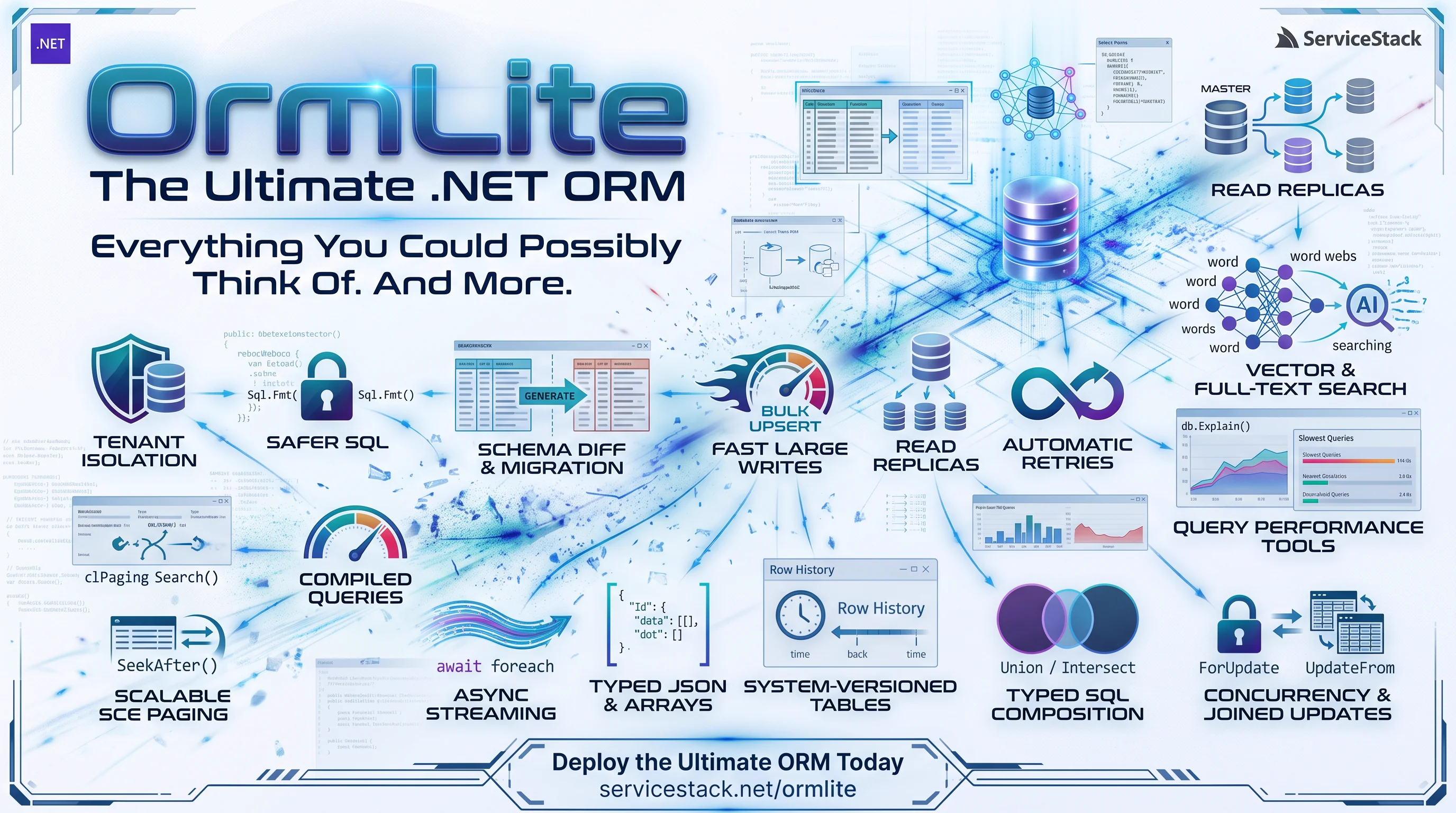
OrmLite Overview
Watch the OrmLite overview for an introduction to its typed, SQL-friendly approach to .NET data access, then explore the new features in this release below:
Safe interpolated SQL with Sql.Fmt
Raw SQL is where SQL injection usually creeps in, typically by concatenating a value into a query string.
The new Sql.Fmt() lets you keep writing natural C# interpolated strings, but every interpolated value is sent
as a db parameter instead of being embedded in the SQL:
var author = request.Author; // user input is never embedded in SQL
var books = db.Select<Book>(Sql.Fmt($"Author = {author} AND Price < {request.MaxPrice}"));
SELECT "Id", "Title", "Author", "Genre", "Price", "Year", "Available"
FROM "Book"
WHERE Author = @p0 AND Price < @p1
-- @p0 = 'J.R.R. Tolkien', @p1 = 20
Collections are expanded into IN lists, and values like enums are converted the same way as in typed queries:
var genres = new[] { Genre.Fantasy, Genre.Science };
var books = db.Select<Book>(Sql.Fmt($"Genre IN ({genres}) AND Year >= {since}"));
SELECT "Id", "Title", "Author", "Genre", "Price", "Year", "Available"
FROM "Book"
WHERE Genre IN (@v0,@v1) AND Year >= @p1
-- @v0 = 'Fantasy', @v1 = 'Science', @p1 = 1960
It works with every raw SQL API, sync or async: queries, scalar and column APIs, updates and deletes, the
ColumnDistinct, Lookup, Dictionary and KeyValuePairs collection APIs, RowCount, Delete and the lazy
streaming APIs:
var genres = new[] { Genre.Fiction, Genre.Science };

Dictionary<string, List<string>> titlesByAuthor = db.Lookup<string, string>(
    Sql.Fmt($"SELECT Author, Title FROM Book WHERE Genre IN ({genres})"));

db.Delete<Book>(Sql.Fmt($"Author = {author} AND Year < {1950}"));
Table and column references are embedded as names quoted by the RDBMS dialect, incl. their schema and naming convention. Naming them after their table and column keeps the SQL readable:
var Book = db.TableRef<Book>();
var (Title, Author, Price) = db.ColumnRefs<Book>(x => new { x.Title, x.Author, x.Price });

var titles = db.SqlColumn<string>(Sql.Fmt($"SELECT {Title} FROM {Book} WHERE {Author}={author}"));
db.ExecuteSql(Sql.Fmt($"UPDATE {Book} SET {Price} = {Price} * {0.9m} WHERE {Author} = {author}"));
SELECT "Title" FROM "Book" WHERE "Author"=@p0
-- @p0 = 'J.R.R. Tolkien'

UPDATE "Book" SET "Price" = "Price" * @p0 WHERE "Author" = @p1
-- @p0 = 0.9, @p1 = 'J.R.R. Tolkien'
Or reference a table by its type:
var count = await db.ScalarAsync<int>(Sql.Fmt($"SELECT COUNT(*) FROM {typeof(Book)}"));
SELECT COUNT(*) FROM "Book"
Reference multiple tables with db.TableRefs<...>(), and qualify columns with prefixTable: true for joins:
var (Book, BookReview) = db.TableRefs<Book, BookReview>();
var (Id, Title) = db.ColumnRefs<Book>(x => new { x.Id, x.Title }, prefixTable:true);
var (BookId, Rating) = db.ColumnRefs<BookReview>(x => new { x.BookId, x.Rating }, prefixTable:true);

var reviewed = db.SqlColumn<string>(Sql.Fmt(
  $"SELECT DISTINCT {Title} FROM {Book} JOIN {BookReview} ON {Id}={BookId} WHERE {Rating}>={4}"));
SELECT DISTINCT "Book"."Title"
FROM "Book" JOIN "BookReview" ON "Book"."Id"="BookReview"."BookId"
WHERE "BookReview"."Rating">=@p0
-- @p0 = 4
Sql.Fmt() also mixes with typed SqlExpression queries through Where, And, Or and Having:
var Year = db.ColumnRef<Book>(x => x.Year);

var q = db.From<Book>()
    .Where(x => x.Available)
    .And(Sql.Fmt($"{Year} >= {minYear}"));

// Genres with at least 2 books, one published since 1980
var byGenre = db.From<Book>()
    .GroupBy(x => x.Genre)
    .Having(Sql.Fmt($"COUNT(*) >= {2} AND MAX({Year}) >= {1980}"))
    .Select(x => x.Genre);
-- q
SELECT "Id", "Title", "Author", "Genre", "Price", "Year", "Available"
FROM "Book"
WHERE "Available"=1 AND "Year" >= @0
-- @0 = 1970

-- byGenre
SELECT "Genre"
FROM "Book"
GROUP BY "Genre"
HAVING COUNT(*) >= @0 AND MAX("Year") >= @1
-- @0 = 2, @1 = 1980
Sql.Fmt() is an explicit opt-in, so existing string APIs keep their current behaviour. See
Interpolated SQL for more examples.
Let users choose the sort order with OrderBySafe
Letting users sort a list, e.g. with ?orderBy=-Price, is one of the most common ways user input ends up
in SQL. The new OrderBySafe() resolves field names to properly quoted columns instead of embedding the input,
so only real fields can be used:
// ?orderBy=-Price,Title&skip=20&take=10
var q = db.From<Book>()
    .OrderBySafe(request.OrderBy, [nameof(Book.Title), nameof(Book.Price), nameof(Book.Year)])
    .Skip(request.Skip).Take(request.Take);
- Fields can be prefixed with
-or suffixed withDESCto sort descending, e.g.-PriceorPrice DESC, Title - Names are case-insensitive, and only the listed fields are allowed, so users can't sort by fields they can't see,
e.g. a
PasswordHash, whose values the order would reveal OrderBySafe(orderBy)without a list allows any field on the queried tables, including joined tables- An empty
orderByleaves the query's existing order unchanged, so it's easy to keep a default sort - Anything else throws an
ArgumentException, which ServiceStack returns as a400 Bad Request
var q = db.From<Book>()
    .Join<BookReview>((b, r) => b.Id == r.BookId)
    .OrderBy(x => x.Title)                      // default order
    .OrderBySafe(request.OrderBy);              // e.g. "-Rating, Reviewer"
See Dynamic Sorting for more examples.
Query thousands of values on any database
Looking up large lists of ids used to hit database limits, like SQL Server's 2,100 parameters per query or
Oracle's 1,000 values per IN list. OrmLite now handles large lists automatically, with no changes to your code:
var books = db.SelectByIds<Book>(ids);                    // 10,000 ids? No problem
var count = db.Count<Book>(x => ids.Contains(x.Id));
db.DeleteByIds<Book>(expiredIds);
Once a list has more than 1,000 values:
SelectByIdsandDeleteByIdsrun in batches, and multi-batch deletes run in a single transaction so they succeed or fail together- PostgreSQL sends
Contains()queries as a single array parameter (= ANY(@ids)) - SQL Server 2016+ sends them as a single JSON parameter (
IN (SELECT value FROM OPENJSON(@ids))) - Other databases split them into multiple
INlists
Smaller lists generate exactly the same SQL as before. The threshold can be changed per database:
SqliteDialect.Provider.MaxInListParams = 500;
See Querying Large Lists of Values for details.
Stream large result sets with IAsyncEnumerable
The new SelectLazyAsync() and ColumnLazyAsync() APIs stream results one row at a time with await foreach.
Large exports and background processing no longer need to load an entire table into memory or block a thread:
await foreach (var order in db.SelectLazyAsync(
    db.From<Order>().Where(x => x.Status == Status.Shipped), token))
{
    await writer.WriteAsync(order);
}
Queries can be typed, parameterized or use Sql.Fmt(), and ColumnLazyAsync() streams a single column:
await foreach (var book in db.SelectLazyAsync<Book>("Author = @author", new { author }))
    ...

await foreach (var title in db.ColumnLazyAsync<string>(Sql.Fmt($"SELECT Title FROM Book WHERE Author = {author}")))
    ...

await foreach (var email in db.ColumnLazyAsync<string>(db.From<Customer>().Select(x => x.Email)))
    ...
Breaking out of the loop or cancelling the token closes the reader straight away, so the connection can be reused immediately. See Streaming Results for more examples.
Combine queries with Union, Intersect and Except
Typed queries can now be combined with Union(), UnionAll(), Intersect() and Except(), without dropping down
to raw SQL. Each query selects the same number of compatible columns, and its params are merged automatically:
// Everyone who has written or reviewed a book
var q = db.From<Book>().Select(x => x.Author)
    .Union(db.From<BookReview>().Select(x => x.Reviewer));
var people = db.Column<string>(q);

// Fantasy books or anything under $9
var q = db.From<Book>().Where(x => x.Genre == Genre.Fantasy).Select(x => x.Title)
    .Union(db.From<Book>().Where(x => x.Price < 9m).Select(x => x.Title));
-- Everyone who has written or reviewed a book
SELECT "Author" FROM "Book"
UNION
SELECT "Reviewer" FROM "BookReview"

-- Fantasy books or anything under $9
SELECT "Title" FROM "Book" WHERE ("Genre" = @0)
UNION
SELECT "Title" FROM "Book" WHERE ("Price" < @1)
-- @0 = 'Fantasy', @1 = 9
Intersect() returns rows in both queries, and Except() returns rows in the first query that aren't in the other:
var available = db.From<Book>().Where(x => x.Available).Select(x => x.Id);
var reviewed  = db.From<BookReview>().Select(x => x.BookId);

var availableAndReviewed = db.Column<int>(available.Clone().Intersect(reviewed));
var awaitingReviews      = db.Column<int>(available.Clone().Except(reviewed));
-- availableAndReviewed
SELECT "Id" FROM "Book" WHERE "Available"=1
INTERSECT
SELECT "BookId" FROM "BookReview"

-- awaitingReviews
SELECT "Id" FROM "Book" WHERE "Available"=1
EXCEPT
SELECT "BookId" FROM "BookReview"
OrderBy(), Skip() and Take() on the first query apply to the combined results, and Count() counts them.
Queries being combined keep their own OrderBy() and Take():
// Page through everyone, sorted by name
var q = db.From<Book>().Select(x => x.Author)
    .Union(db.From<BookReview>().Select(x => x.Reviewer))
    .OrderBy(x => x.Author)
    .Skip(20).Take(10);

// Fantasy books plus the 2 cheapest books
var q = db.From<Book>().Where(x => x.Genre == Genre.Fantasy).Select(x => x.Title)
    .UnionAll(db.From<Book>().OrderBy(x => x.Price).Take(2).Select(x => x.Title));
-- Page through everyone, sorted by name
SELECT * FROM (
  SELECT "Author" FROM "Book"
  UNION
  SELECT "Reviewer" FROM "BookReview"
) q
ORDER BY "Author"
LIMIT 10 OFFSET 20

-- Fantasy books plus the 2 cheapest books
SELECT "Title" FROM "Book" WHERE ("Genre" = @0)
UNION ALL
SELECT * FROM (SELECT "Title" FROM "Book" ORDER BY "Price" LIMIT 2) q1
-- @0 = 'Fantasy'
Combined queries also work with Select() into POCOs and the async APIs. Oracle uses MINUS for Except(), and
Firebird, which doesn't support INTERSECT or EXCEPT, throws a NotSupportedException. See
Union, Intersect & Except for more examples.
INFO
ISqlExpression has 2 new members, ToSetOperandStatement() and Dump(), which custom implementations of
the interface will need to add.
Fast, stable paging with SeekAfter
Skip(n).Take(m) gets slower the deeper you page, as the database still reads every skipped row, and rows can be
skipped or repeated when data changes between requests. The new SeekAfter() pages through results by continuing
after the last row of the previous page (keyset pagination), so every page is fast and stable:
var q = db.From<Order>()
    .OrderByDescending(x => x.CreatedDate).ThenBy(x => x.Id)  // end with a unique column
    .Take(50);
if (lastRow != null)
    q.SeekAfter(lastRow);  // continue after the last row of the previous page

var page = db.Select(q);
SELECT "Id", "Customer", "Total", "CreatedDate"
FROM "Order"
WHERE (("CreatedDate" <= @0) AND (("CreatedDate" < @0) OR ("CreatedDate" = @0 AND "Id" > @1)))
ORDER BY "CreatedDate" DESC, "Id"
LIMIT 50
-- @0 = '2026-09-30 00:00:00', @1 = 42
Pass the ORDER BY values directly when you have them, e.g. from a cursor in an API request. Mixed sort directions and filters are supported:
var page = db.Select(db.From<Book>()
    .Where(x => x.Available)
    .OrderBy(x => x.Price).ThenByDescending(x => x.Year).ThenBy(x => x.Id)
    .SeekAfter(cursor.Price, cursor.Year, cursor.Id)
    .Take(50));
SELECT "Id", "Title", "Author", "Genre", "Price", "Year", "Available"
FROM "Book"
WHERE "Available"=1 AND (("Price" >= @0) AND (("Price" > @0)
   OR ("Price" = @0 AND "Year" < @1)
   OR ("Price" = @0 AND "Year" = @1 AND "Id" > @2)))
ORDER BY "Price", "Year" DESC, "Id"
LIMIT 50
-- @0 = 12.99, @1 = 1990, @2 = 42
It also works with user-supplied sort orders from OrderBySafe():
// ?orderBy=-Price,Id
var q = db.From<Book>().OrderBySafe(request.OrderBy, [nameof(Book.Price), nameof(Book.Id)])
    .SeekAfter(lastRow).Take(50);
SELECT "Id", "Title", "Author", "Genre", "Price", "Year", "Available"
FROM "Book"
WHERE (("Price" <= @0) AND (("Price" < @0) OR ("Price" = @0 AND "Id" > @1)))
ORDER BY "Price" DESC, "Id"
LIMIT 50
-- @0 = 12.99, @1 = 42
SeekAfter() generates (a > @0) OR (a = @0 AND b > @1) conditions from the query's ORDER BY, which work on every
database, including with mixed sort directions, after an a >= @0 bound that lets the database seek to the page in an
index. Call it after OrderBy(), with non-nullable sort columns.
See Keyset Pagination for more examples, including cursors in APIs.
Query hierarchical data with WithRecursive
WithRecursive() queries hierarchical data like categories, org charts and threaded comments with a recursive
common table expression, which previously required raw SQL. It starts with the rows of a seed query and repeatedly
adds the rows matching a relationship:
// Fiction and every subject under it, at any depth
var q = db.From<Subject>()
    .WithRecursive(
        seed: db.From<Subject>().Where(x => x.Name == "Fiction"),
        recurse: (parent, child) => child.ParentId == parent.Id);

var subjects = db.Select(q);
WITH RECURSIVE "cte" ("Id", "ParentId", "Name", "Active") AS (
  SELECT "Id", "ParentId", "Name", "Active"
  FROM "Subject"
  WHERE ("Name" = @0)
  UNION ALL
  SELECT "c"."Id", "c"."ParentId", "c"."Name", "c"."Active"
  FROM "Subject" "c" INNER JOIN "cte" ON ("c"."ParentId" = "cte"."Id")
)
SELECT "Id", "ParentId", "Name", "Active"
FROM "cte" "Subject"
-- @0 = 'Fiction'
Swap the relationship to walk up the hierarchy:
// The path from a subject up to the root
var ancestors = db.From<Subject>()
    .WithRecursive(
        seed: db.From<Subject>().Where(x => x.Id == subjectId),
        recurse: (child, parent) => parent.Id == child.ParentId);
WITH RECURSIVE "cte" ("Id", "ParentId", "Name", "Active") AS (
  SELECT "Id", "ParentId", "Name", "Active"
  FROM "Subject"
  WHERE ("Id" = @0)
  UNION ALL
  SELECT "c"."Id", "c"."ParentId", "c"."Name", "c"."Active"
  FROM "Subject" "c" INNER JOIN "cte" ON ("c"."Id" = "cte"."ParentId")
)
SELECT "Id", "ParentId", "Name", "Active"
FROM "cte" "Subject"
-- @0 = 4
The rest of the query applies to all the rows found, so typed filters, ordering, projections, Count(), paging,
keyset pagination and async APIs work as usual:
var q = db.From<Subject>()
    .WithRecursive(
        seed: db.From<Subject>().Where(x => x.Id == 1),
        recurse: (parent, child) => child.ParentId == parent.Id)
    .Where(x => x.Active)
    .OrderBy(x => x.Name)
    .Select(x => x.Name);

var names = await db.ColumnAsync<string>(q);
WITH RECURSIVE "cte" ("Id", "ParentId", "Name", "Active") AS (
  SELECT "Id", "ParentId", "Name", "Active"
  FROM "Subject"
  WHERE ("Id" = @0)
  UNION ALL
  SELECT "c"."Id", "c"."ParentId", "c"."Name", "c"."Active"
  FROM "Subject" "c" INNER JOIN "cte" ON ("c"."ParentId" = "cte"."Id")
)
SELECT "Name"
FROM "cte" "Subject"
WHERE "Active"=1
ORDER BY "Name"
-- @0 = 1
maxDepth limits how many levels are selected, Sql.RecursiveDepth() is the level of each row, and detectCycles
stops at rows that were already visited, for data that can have loops:
// Books, its children and grandchildren, a level at a time
var q = db.From<Subject>()
    .WithRecursive(
        seed: db.From<Subject>().Where(x => x.Name == "Books"),
        recurse: (parent, child) => child.ParentId == parent.Id,
        maxDepth: 2,
        detectCycles: true)
    .OrderBy(x => Sql.RecursiveDepth())
    .Select(x => new { x.Id, x.Name, Depth = Sql.RecursiveDepth() });
Raw SQL statements that start with a CTE, e.g. WITH roots AS (...) SELECT ..., are now also executed as-is on all
databases. See Recursive Queries for more examples.
Name sub queries with With
With() names a sub query as a common table expression, which the rest of the query reads like a table. A sub query
that's needed in several places is written once, and a complex query can be built in steps that are each simple to
read:
// The columns of the sub query, in the order it selects them
public class AuthorTotal
{
    public string Author { get; set; }
    public int Books { get; set; }
    public decimal Total { get; set; }
}

var totals = db.From<Book>()
    .GroupBy(x => x.Author)
    .Select(x => new { x.Author, Books = Sql.Count("*"), Total = Sql.Sum(x.Price) });

// Each book since 1970, with how many books its author has
var q = db.From<Book>()
    .With<AuthorTotal>(totals)
    .Join<AuthorTotal>((b, t) => b.Author == t.Author)
    .Where(b => b.Year >= 1970)
    .Select<Book, AuthorTotal>((b, t) => new { b.Title, b.Author, t.Books });
WITH "AuthorTotal" ("Author", "Books", "Total") AS (
  SELECT "Author", Count(*) AS Books, Sum("Price") AS Total
  FROM "Book"
  GROUP BY "Author"
)
SELECT "Book"."Title", "Book"."Author", "AuthorTotal"."Books" AS "Books"
FROM "Book" INNER JOIN "AuthorTotal" ON ("Book"."Author" = "AuthorTotal"."Author")
WHERE ("Book"."Year" >= @0)
-- @0 = 1970
As the sub query is named after a class it's used with the same typed APIs as a table, including db.From<AuthorTotal>()
to select from it. A query can have several, where each can read the ones before it, and they can be combined with
WithRecursive(). See Named Sub Queries for more examples.
Rankings, running totals and top rows per group with window functions
Typed window functions calculate a value for each row from the rows related to it, like its rank within a group, a running total or the previous row's value, without the raw SQL they needed before:
var q = db.From<Order>()
    .Select(x => new {
        x.Id,
        x.Customer,
        x.Total,
        Rank = Sql.Rank(w => w.PartitionBy(x.Customer).OrderByDescending(x.Total)),
        RunningTotal = Sql.Sum(x.Total, w => w.PartitionBy(x.Customer).OrderBy(x.CreatedDate)),
        PreviousTotal = Sql.Lag(x.Total, w => w.PartitionBy(x.Customer).OrderBy(x.CreatedDate)),
        WeeklyAverage = Sql.Avg(x.Total, w => w.OrderBy(x.CreatedDate).RowsBetween(6, 0)),
    });
SELECT "Id", "Customer", "Total",
  RANK() OVER (PARTITION BY "Customer" ORDER BY "Total" DESC) AS "Rank",
  SUM("Total") OVER (PARTITION BY "Customer" ORDER BY "CreatedDate") AS "RunningTotal",
  LAG("Total") OVER (PARTITION BY "Customer" ORDER BY "CreatedDate") AS "PreviousTotal",
  AVG("Total") OVER (ORDER BY "CreatedDate" ROWS BETWEEN 6 PRECEDING AND CURRENT ROW) AS "WeeklyAverage"
FROM "Order"
RowNumber, Rank, DenseRank, Ntile, Lag, Lead, FirstValue, LastValue and the Sum, Count, Min,
Max and Avg aggregates are supported.
TopPerGroup() returns the first rows of each group, one of the most common queries that needs window functions:
// Each customer's 3 latest orders
var latest = db.Select(db.From<Order>()
    .OrderByDescending(x => x.CreatedDate)
    .TopPerGroup(x => x.Customer, take: 3));
SELECT "Id", "Customer", "Total", "CreatedDate"
FROM (
  SELECT "Order".*, ROW_NUMBER() OVER (PARTITION BY "Customer" ORDER BY "CreatedDate" DESC) AS "_rn"
  FROM "Order"
) "Order"
WHERE "Order"."_rn" <= 3
ORDER BY "CreatedDate" DESC
They work on PostgreSQL, SQL Server, SQLite, MySQL 8+, MariaDB and Oracle. See Window Functions for more examples.
Return updated and deleted rows
UpdateOnlyReturning() and DeleteReturning() return the rows affected by an UPDATE or DELETE in the same
statement, instead of needing a separate query that could see different rows:
// The updated rows, as they are after the update
List<Order> shipped = db.UpdateOnlyReturning(() => new Order { Status = "Shipped" },
    where: x => x.Status == "Packed");

// The deleted rows
List<Session> expired = db.DeleteReturning<Session>(x => x.ExpiresAt < DateTime.UtcNow);
Deleting and returning rows in one statement also makes it easy to take work from a queue table, as each row is only ever returned to one caller:
List<EmailJob> jobs = db.DeleteReturning<EmailJob>(x => x.Queue == "emails");
Use returning to only read back the columns you need, e.g. just the ids of the affected rows:
var updated = db.UpdateOnlyReturning(() => new Book { Price = 20m },
    where: x => x.Author == "J.R.R. Tolkien",
    returning: x => new { x.Id, x.Title });
UPDATE "Book" SET "Price"=@Price WHERE ("Author" = @0) RETURNING "Id", "Title"
-- @0 = 'J.R.R. Tolkien', @Price = 20
They're supported on PostgreSQL, SQLite 3.35+ (RETURNING) and SQL Server (OUTPUT), with async versions and
SqlExpression overloads including joins. Other RDBMS throw a NotSupportedException. See
Returning Updated & Deleted Rows for more examples.
Upsert keeps objects in sync
Like Save(), Upsert() and UpsertAll() now populate [RowVersion] and [ReturnOnInsert] fields, e.g. values set
by database defaults, after both inserts and updates. The upserted object can then be used directly in optimistic
concurrency updates:
public class WikiPage
{
    public int Id { get; set; }
    public string Title { get; set; }

    // Returned: set by the database default on insert, never updated after that
    [Default(OrmLiteVariables.SystemUtc), IgnoreOnUpdate, ReturnOnInsert]
    public DateTime CreatedAt { get; set; }

    // Returned: changes on every insert and update
    [RowVersion]
    public ulong RowVersion { get; set; }
}

var page = new WikiPage { Id = 1, Title = "Draft" };
db.Upsert(page);    // populates page.CreatedAt and page.RowVersion

page.Title = "Published";
db.Update(page);    // uses the current row version
On PostgreSQL, SQLite and SQL Server the values are returned by the Upsert statement itself, saving the extra query previously used to fetch the row version.
Which APIs modify objects
With this release OrmLite follows a consistent convention for when database generated values are written back to the objects you pass in:
| API | Modifies the object |
|---|---|
Save / SaveAll |
Yes: the auto-incremented Id and [RowVersion] |
Upsert / UpsertAll |
Yes: the auto-incremented Id, [RowVersion] and [ReturnOnInsert] fields |
Insert / InsertAll |
Only opt-in [AutoId] and [ReturnOnInsert] fields |
Update / UpdateOnly / Delete |
No |
UpdateOnlyReturning / DeleteReturning |
No, they return new rows |
See Which APIs modify objects for more details.
Upsert thousands of rows with BulkUpsert
BulkUpsert is the bulk equivalent of Upsert: it inserts the rows with a new Primary Key and updates the rows with
an existing one, for importing and synchronizing large numbers of rows:
db.BulkUpsert(products);

// Only change these fields of existing rows
db.BulkUpsert(products, updateOnly: x => new { x.Price, x.Stock });

await db.BulkUpsertAsync(products);
Where UpsertAll() sends a statement for each row, BulkUpsert loads the rows into a temporary table with each
RDBMS's bulk loader, then inserts and updates them from it in a single statement, so either all of the rows are
upserted or none are:
| RDBMS | Rows are loaded with | Upsert statement |
|---|---|---|
| PostgreSQL | COPY binary import |
INSERT ... SELECT ... ON CONFLICT DO UPDATE |
| SQL Server | SqlBulkCopy |
MERGE |
| MySQL, MariaDB | Multiple row inserts | INSERT ... SELECT ... ON DUPLICATE KEY UPDATE |
| SQLite | Multiple row inserts | INSERT ... SELECT ... ON CONFLICT DO UPDATE |
In a local test upserting 10,000 rows where half already exist, it was around 6x faster than UpsertAll() on SQLite
and 12x to 20x faster on PostgreSQL, SQL Server and MariaDB. See Bulk Upsert for auto-increment Primary Keys, transactions and how it
differs from UpsertAll().
InsertAll, UpdateAll, UpsertAll and SaveAll in fewer round trips
The APIs that write many rows now send them to the database together, instead of making a round trip for each row, with nothing to change in your code:
db.InsertAll(orders);
db.UpdateAll(orders);
db.UpsertAll(orders);
db.SaveAll(orders);
Each row still has its own statement with the same SQL, filters and rules as before, which are sent with an ADO.NET
DbBatch when the driver supports it: Npgsql, Microsoft.Data.SqlClient and MySqlConnector. The time to
write rows to a database on the same machine, which is when a round trip costs the least:
| Rows | A statement for each row | Sent together | Faster | |
|---|---|---|---|---|
| InsertAll, PostgreSQL | 100 | 6.4 ms | 1.5 ms | 4.3x |
| 1,000 | 65.0 ms | 13.1 ms | 4.9x | |
| InsertAll, SQL Server | 100 | 12.9 ms | 1.7 ms | 7.8x |
| 1,000 | 133.2 ms | 15.6 ms | 8.5x | |
| InsertAll, MariaDB | 100 | 5.4 ms | 1.7 ms | 3.3x |
| 1,000 | 57.5 ms | 15.8 ms | 3.6x | |
| UpdateAll, PostgreSQL | 100 | 13.4 ms | 7.4 ms | 1.8x |
| 1,000 | 86.6 ms | 23.1 ms | 3.7x | |
| UpdateAll, SQL Server | 100 | 18.0 ms | 7.3 ms | 2.5x |
| 1,000 | 130.5 ms | 14.8 ms | 8.8x | |
| UpdateAll, MariaDB | 100 | 6.1 ms | 1.8 ms | 3.4x |
| 1,000 | 65.5 ms | 16.6 ms | 3.9x |
Rows are sent in batches of 1000 statements, which can be changed or disabled on the dialect:
services.AddOrmLite(options => options.UsePostgres(connectionString, dialect => {
    dialect.BatchSize = 500;
    dialect.UseDbBatch = false; // send a statement for each row
}));
Rows that need a result from the database are still sent on their own, e.g. new rows with an [AutoIncrement] id in
SaveAll. See Batched Writes.
Lock rows with ForUpdate
ForUpdate() locks the rows a query selects until the end of the transaction, preventing lost updates when
concurrent requests read and then update the same rows, like balances, counters and stock levels:
using var trans = db.OpenTransaction();

var account = db.Single(db.From<Account>().Where(x => x.Id == id).ForUpdate());
account.Balance -= amount;   // other transactions wait until this one ends
db.Update(account);

trans.Commit();
SELECT "Id", "Balance"
FROM "Account" WITH (UPDLOCK, ROWLOCK)
WHERE ("Id" = @0)
-- @0 = 1

UPDATE "Account" SET "Balance"=@Balance WHERE "Id"=@Id
-- @Balance = 75, @Id = 1
ForUpdate(skipLocked: true) skips rows locked by other transactions instead of waiting for them, a simple way for
multiple workers to take different items from the same queue table:
var jobs = db.Select(db.From<Job>()
    .Where(x => x.Status == "Queued")
    .OrderBy(x => x.Id)
    .Take(10)
    .ForUpdate(skipLocked: true));   // each worker gets different jobs
SELECT TOP 10 "Id", "Status"
FROM "Job" WITH (UPDLOCK, ROWLOCK, READPAST)
WHERE ("Status" = @0)
ORDER BY "Id"
-- @0 = 'Queued'
It uses FOR UPDATE [SKIP LOCKED] on PostgreSQL, MySQL 8+, MariaDB 10.6+ and Oracle, and
WITH (UPDLOCK, ROWLOCK[, READPAST]) on SQL Server. SQLite only has database-level locks so it's ignored there,
letting the same code run on SQLite in development and tests. See Locking Rows for more examples.
Update rows from joined tables with UpdateFrom
UpdateFrom() updates rows with values from joined tables in a single statement, without reading them into .NET or
writing RDBMS-specific SQL. The query's joins and filters select the rows to update, and the set expression can use
columns of any joined table:
// Apply each UK warehouse's markup to the price of its parts
var q = db.From<Part>()
    .Join<Warehouse>((p, w) => p.WarehouseId == w.Id)
    .Where<Warehouse>(w => w.Country == "UK");

int updated = db.UpdateFrom<Part, Warehouse>((p, w) => new Part { Price = p.Price * w.Markup }, q);
UPDATE "Part" SET "Price" = "_u"."_v0"
FROM (
  SELECT "Part"."Id" AS "_id", ("Part"."Price"*"Warehouse"."Markup") AS "_v0"
  FROM "Part" INNER JOIN "Warehouse" ON ("Part"."WarehouseId" = "Warehouse"."Id")
  WHERE ("Warehouse"."Country" = @0)
) "_u"
WHERE "Part"."Id" = "_u"."_id"
-- @0 = 'UK'
Joined tables can also just filter the rows to update:
// Clear the stock of parts in inactive warehouses
db.UpdateFrom(p => new Part { Stock = 0 }, db.From<Part>()
    .Join<Warehouse>((p, w) => p.WarehouseId == w.Id)
    .Where<Warehouse>(w => !w.Active));
UPDATE "Part" SET "Stock" = "_u"."_v0"
FROM (
  SELECT "Part"."Id" AS "_id", @0 AS "_v0"
  FROM "Part" INNER JOIN "Warehouse" ON ("Part"."WarehouseId" = "Warehouse"."Id")
  WHERE "Warehouse"."Active"=0
) "_u"
WHERE "Part"."Id" = "_u"."_id"
-- @0 = 0
It supports values from up to 3 joined tables and async APIs, using UPDATE ... FROM on PostgreSQL, SQLite and
SQL Server, and UPDATE ... JOIN on MySQL and MariaDB. See Update from Joined Tables for more
examples.
Multitenancy that can't be forgotten
Multi-tenant Apps live and die by one rule: every query needs to include the tenant. It only takes one forgotten
Where(), or one SingleById(), for a customer to see another customer's data, and nothing fails when it happens.
Code reviews and conventions reduce that risk, but every new query, AutoQuery API and background job adds to it.
This release moves that responsibility from each query to the database connection. OrmLite's new connection filters and write rules are defined once, then enforced on everything the connection does:
| What you get | |
|---|---|
| Isolation by default | Every select, update and delete only reaches the tenant's rows, including lookups by id, joins and AutoQuery |
| Fails closed | A request that hasn't resolved its tenant throws instead of returning every tenant's rows |
| Less code | Queries and inserts no longer mention the tenant, and can't get it wrong |
| Audit columns you can trust | Who changed a row and when is recorded on every write, and can't be set by mistake |
| A reviewable opt-out | Working across tenants is one explicit call you can search for |
| No rewrite | Existing Services and AutoQuery APIs don't change. It's one extension method and one AppHost filter |
The same APIs enforce soft deletes, and any other condition that every query needs.
Define your rules once
Your App's rules are declared once in a FilterSet, which reads its values from a scope that each connection provides:
public record TenantUser(int TenantId, string UserId);

public static readonly FilterSet<TenantUser> UserRules = FilterSet.Create<TenantUser>(f => {
    // The tenant's rows are the only rows it can read or change, and the rows it writes are the tenant's
    f.Ensure<IHasTenantId>(x => x.TenantId, s => s.TenantId);

    // Record who changed a row and when
    f.OnInsert<IAudit>(x => x.CreatedBy, s => s.UserId);
    f.OnInsert<IAudit>(x => x.CreatedDate, _ => DateTime.UtcNow);
    f.OnWrite<IAudit>(x => x.ModifiedBy, s => s.UserId);
    f.OnWrite<IAudit>(x => x.ModifiedDate, _ => DateTime.UtcNow);
});

db.UseFilters(UserRules.For(new TenantUser(tenantId, userId)));
Rules on an interface apply to every table implementing it, so a new table is protected by implementing the interface. The scope is typed, so using a set with the wrong scope doesn't compile, and rules can only read values from the scope, so a set is the same for every connection that uses it.
One filter covers your whole App
ServiceStack opens the connections used by Db in your Services, AutoQuery, AutoQuery CRUD and the API Keys feature
for the current request. The new DbConnectionRequestFilters in your AppHost configure every one of them, so your rules are
registered in one place:
public override void Configure()
{
    DbConnectionRequestFilters.Add((db, req) => {
        var userId = req.GetUserId(); // the signed in user, or the user of an API Key
        if (userId != null)
            db.ForUser(GetTenantId(userId), userId); // ForUser() and GetTenantId() are defined by your App
    });
}
A filter can also refuse the request, e.g. by throwing an HttpError for a user that can't access the tenant it's
for. The connection is disposed for you and the error is returned to the client. Override OnDbConnectionRequest()
in your AppHost instead to run your own logic around the registered filters.
Isolation that doesn't depend on each query
Your code is written as if the tenant's rows were the only rows in the table:
var order = db.SingleById<Order>(1);
SELECT "Id", "TenantId", "CustomerId", "Total", "IsDeleted", "CreatedBy", "CreatedDate", "ModifiedBy", "ModifiedDate"
FROM "Order"
WHERE ("Order"."TenantId" = @_f0) AND ("Id" = @Id)
-- @Id = 1, @_f0 = 1
Filters are mandatory conditions that other conditions can narrow but never widen, so a client can't escape them with the conditions it sends to an AutoQuery API:
var q = db.From<Order>().Where(x => x.Total > 100).Or(x => x.CustomerId == 1);
var orders = db.Select(q);
SELECT "Id", "TenantId", "CustomerId", "Total", "IsDeleted", "CreatedBy", "CreatedDate", "ModifiedBy", "ModifiedDate"
FROM "Order"
WHERE ("Order"."TenantId" = @0) AND (("Total" > @1) OR ("CustomerId" = @2))
-- @0 = 1, @1 = 100, @2 = 1
They apply wherever OrmLite creates the SQL: joined tables, sub queries, SQL fragments, referenced rows loaded with
LoadSelect(), and updates and deletes, so a connection can't change rows it can't see.
Each filter's SQL is generated once and reused by every connection, which only adds the scope's values as db params,
so a filtered query is quicker to create than one with the same condition written in it. Conditions that only read the
scope, e.g. s.IsAdmin || x.TenantId == s.TenantId, are decided before the SQL is generated, so an admin's queries
don't have a tenant condition at all.
Writes are protected too. Inserts get the connection's tenant, and writing a row for another tenant throws instead of quietly succeeding:
db.Insert(new Order { CustomerId = 1, Total = 100 }); // inserted with the connection's TenantId

// InvalidOperationException: Order.TenantId must be '1' on this connection
db.Insert(new Order { TenantId = 2, CustomerId = 1, Total = 100 });
Fails closed
Working out which tenant a request is for often needs the database, e.g. to look up the user's membership. Rules read their scope for each statement, so a connection can refuse to touch tenant data until the request's tenant is known:
// AssertTenantId() throws until the request's tenant is resolved
f.Ensure<IHasTenantId>(x => x.TenantId, s => s.AssertTenantId());
A Service that forgets to resolve its tenant then fails on its first request in development, instead of leaking data in production.
Audit columns you can trust
Write rules set columns on every row a connection writes, replacing any value from your App and adding themselves to updates of only some columns:
db.UpdateOnly(() => new Order { Total = 120 }, where: x => x.Id == 1);
UPDATE "Order" SET "Total"=@Total, "ModifiedBy"=@ModifiedBy, "ModifiedDate"=@ModifiedDate
WHERE ("Order"."TenantId" = @0) AND (("Id" = @1))
-- @0 = 1, @1 = 1, @Total = 120, @ModifiedBy = 'alice', @ModifiedDate = '2026-10-01 09:30:00'
They apply to every insert and update API, including BulkInsert, UpdateFrom and Upsert, so there's no write
path where the housekeeping is forgotten. The objects you write are left with the values that were saved, so a new
row can be returned from your API without reading it back:
var order = new Order { CustomerId = 1, Total = 100 };
db.Insert(order);

order.TenantId;  // 1
order.CreatedBy; // alice
An opt-out you can review
Admin tasks and reports across tenants use WithoutFilters(), which returns the same connection and transaction
without its filters and rules:
var allOrders = db.WithoutFilters().Select<Order>(x => x.Total > 100);
It's the only way to opt-out, as filters can't be removed from a connection or ignored in a query. That makes tenant isolation auditable: searching your code base for one method finds every place it's bypassed.
API Keys for each tenant
The built-in API Key APIs and UIs now use the request's connection, so a filter confines users to seeing and managing the API Keys of their own tenant. With the new AddApiKeyAuth() a tenant's API Keys can also call the same authenticated APIs as its users.
Used throughout Next SaaS
These features were developed alongside the Next SaaS template, which now uses them for everything its organizations own. Besides replacing its hand-written tenant conditions, it's a working example of what a production SaaS App needs around them:
- APIs say which organization they're for in their Request DTO, so users can work in different organizations in different browser tabs
- Requests fail closed until the user is checked to be a member of that organization
- Platform operators working on a customer are confined to that customer
- Background jobs carry their organization and confine their connection
- Export and deletion of an organization cover every table it owns, including tables added later
- API Keys are bound to an organization, and only call the APIs that allow them
- One set of isolation tests runs against every tenant-owned table
Each is explained with its code in the new Multitenancy Guide.
INFO
Filters and rules apply to the typed APIs where OrmLite creates the SQL. Complete SQL statements you write, in APIs
like SqlList() and ExecuteSql(), aren't parsed or changed.
Learn more:
- Multitenancy for how to build a shared-database multi-tenant App
- Multitenancy Guide for how Next SaaS applies it
- Connection Filters & Write Rules for every API, including soft deletes and state kept with a connection
Read tables known only at runtime
OrmLite's Untyped APIs could already insert, update and delete rows of a table when all you
have is its Type. They can now read them too, returning a List of that Type:
var typedApi = db.CreateTypedApi(typeof(Order));

IList rows = typedApi.Select();                    // a List<Order>
IList recent = typedApi.Select("Total > @total", new { total = 100 });
var order = (Order)typedApi.SingleById(1);         // null if it doesn't exist
long count = typedApi.Count();
Each has an async version. They're useful for code that works on tables it finds at runtime, e.g. exporting every table that implements an interface without listing them:
var tables = typeof(IHasTenantId).Assembly.GetTypes()
    .Where(x => x.IsClass && !x.IsAbstract && typeof(IHasTenantId).IsAssignableFrom(x));

var export = tables.ToDictionary(x => x.Name, x => {
    IList rows = db.CreateTypedApi(x).Select();
    return JsonSerializer.SerializeToString(rows, rows.GetType()); // as a List<T>, without type info
});
Like the typed APIs they apply connection filters and write rules, so on a connection that's confined to a tenant they only read, change and delete that tenant's rows.
Find similar rows with vector search
OrmLite now has first-class vector columns, for storing the embeddings of an AI model and finding the rows most
similar to a piece of text. Add [Vector] to a float[] property and order by its distance to what you're searching
for:
public class Passage
{
    [AutoIncrement]
    public int Id { get; set; }
    public int BookId { get; set; }
    public string Text { get; set; }

    [Vector(1536)]
    public float[] Embedding { get; set; }
}

// The 5 passages most similar to a question
var nearest = db.Select(db.From<Passage>()
    .OrderBy(x => Sql.CosineDistance(x.Embedding, questionVector))
    .Take(5));
As it's part of a typed query, it's combined with your filters and joins in one statement, which a separate vector store can't do. On a connection with connection filters it's also confined to the connection's tenant:
// Of the books that are in stock, with a score, leaving out weak matches
var matches = db.Select<PassageMatch>(db.From<Passage>()
    .Join<Book>((p, b) => p.BookId == b.Id)
    .Where<Book>(b => b.Available)
    .And(x => Sql.CosineDistance(x.Embedding, questionVector) < 0.35)
    .OrderBy(x => Sql.CosineDistance(x.Embedding, questionVector))
    .Take(10)
    .Select(x => new { x.Id, x.Text, Distance = Sql.CosineDistance(x.Embedding, questionVector) }));
It uses the vector support of each RDBMS, where it's enabled:
| RDBMS | Requires | Cosine distance |
|---|---|---|
| PostgreSQL | The pgvector extension | "embedding" <=> :0::vector |
| SQL Server | SQL Server 2025 or Azure SQL | VECTOR_DISTANCE('cosine', "Embedding", CAST(@0 AS VECTOR(1536))) |
| MariaDB | MariaDB 11.7+ | VEC_DISTANCE_COSINE(`Embedding`, @0) |
| MySQL | MySQL 9 HeatWave or Enterprise | DISTANCE(`Embedding`, @0, 'COSINE') |
| SQLite | The sqlite-vec extension | vec_distance_cosine("Embedding", @0) |
Sql.L2Distance() and Sql.NegativeInnerProduct() are also available, vectors are saved and read back with every
API like any other property, and adding [Index] creates a vector index in PostgreSQL and MariaDB:
ReadOnlyMemory<float>vectors: the type of Microsoft.Extensions.AI'sEmbedding<float>.Vector, so embeddings are saved and compared without copying them, e.g.Sql.CosineDistance(x.Embedding, embedding.Vector)- Index options: HNSW's
MandEfConstruction, and PostgreSQL's IVFFlat indexes withLists - Search settings:
db.SetVectorSearch(new() { EfSearch = 100, IterativeScan = true }), whereIterativeScankeeps PostgreSQL's index search going until enough rows match a query's filters, e.g. its tenant - Half-precision vectors:
Precision = VectorPrecision.Halfhalves the size of vectors and their index, with PostgreSQL'shalfvecor SQL Server 2025'sVECTOR(n, float16)
See Vector Search for how to enable each RDBMS.
Search text with full-text indexes
[FullTextIndex] creates a full-text index of a table's text columns with the full-text search of each RDBMS:
SQLite's FTS5, PostgreSQL's tsvector, MySQL's FULLTEXT and SQL Server's Full-Text Search. Sql.Matches() finds
the rows with every word of a search, and Sql.MatchRank() orders them by relevance:
[FullTextIndex(nameof(Title), nameof(Content))]
public class Article
{
    [AutoIncrement]
    public long Id { get; set; }
    public string Title { get; set; }
    [StringLength(StringLengthAttribute.MaxText)]
    public string Content { get; set; }
    public string Category { get; set; }
}

var q = db.From<Article>()
    .Where(x => Sql.Matches(x, request.Search) && x.Category == request.Category)
    .OrderByDescending(x => Sql.MatchRank(x, request.Search))
    .Take(20);
- Words match as you type: each word matches the words it's the start of, e.g.
datamatchesdatabase, and"quoted phrases"match words that follow each other - Safe by design: the search is only sent as a db param, and only its words and phrases are searched for, so it can't use the operators of an RDBMS's full-text syntax
- One typed query: it's combined with your filters, joins, connection filters and vector search, e.g. the passages that mention a question's keywords ordered by how similar they are to it
- Kept up to date: rows are indexed as they're written with every API, SQLite's index with triggers that are kept
when its table is rebuilt, and
db.WaitForFullTextIndex<T>()waits for SQL Server's background indexing - Migrations and Schema Diff:
Db.CreateFullTextIndex<T>()adds the index to a table with rows, and a Schema Diff finds an index that's missing
See Full-Text Search.
More of your schema from attributes
CreateTable can now create indexes, columns and constraints from attributes that previously needed a hand-written
[PostCreateTable] or a migration:
[Description("Files uploaded by each tenant")]
[CompositeIndex(nameof(TenantId), nameof(Status), Include = [nameof(Name), nameof(Size)])]
public class Upload
{
    [AutoIncrement]
    public int Id { get; set; }
    public int TenantId { get; set; }

    // A name can be reused once its file is deleted
    [Index(Unique = true, Where = "{DeletedDate} IS NULL")]
    public string Name { get; set; }

    // Only the values of the Enum are allowed
    [CheckEnum]
    public UploadStatus Status { get; set; }

    public long Size { get; set; }

    // Calculated and stored by the RDBMS
    [Compute("{Size} / 1024"), Persisted]
    public long SizeKb { get; set; }

    public DateTime? DeletedDate { get; set; }
}
| Attribute | Creates |
|---|---|
[Index(Where = "...")] |
A filtered index of the rows matching a condition, e.g. unique among rows that aren't deleted |
[CompositeIndex(..., Include = [...])] |
A covering index, so queries using its columns are answered from the index |
[Compute("...")] |
A column generated by the RDBMS, which is stored when it's also [Persisted] |
[CheckEnum] |
A check constraint that only allows the values of an Enum |
[Description("...")] |
A comment on the table or column, shown by database tools |
{Property} names in their SQL are replaced with the quoted column name of each RDBMS, so the same Data Model works
on all of them. Where an RDBMS doesn't have a feature it uses the closest it has, e.g. the columns of a covering index
are added to its key on SQLite and MySQL, except for filtered indexes which MySQL doesn't have. See
Indexes, Generated Columns & Constraints for what each RDBMS creates.
Query complex types like any other property
Properties with a complex type, like a class or a List, are stored as JSON in a single column. Typed queries can
now read into them directly, where they previously needed to be wrapped in Sql.Json():
public class Customer
{
    [AutoIncrement]
    public int Id { get; set; }
    public string Name { get; set; }
    public Address Address { get; set; }
    public List<string> Tags { get; set; }
    public List<OrderLine> Lines { get; set; }
}

var q = db.From<Customer>()
    .Where(x => x.Address.Country.Code == "UK" && x.Tags.Contains("vip") && x.Lines.Count > 1)
    .OrderBy(x => x.Address.City)
    .Select(x => new { x.Name, City = x.Address.City });
| Expression | Queries |
|---|---|
x.Address.City == "London" |
A property, at any depth |
x.Tags.Contains("vip") |
Whether a list or array has a value |
x.Lines.Count > 1 |
How many items a list has |
x.Lines[0].Quantity >= 2 |
An item of a list by its position |
x.Lines.Any(l => l.Sku == "A-1" && l.Quantity > 1) |
Whether a list has an item matching a condition |
x.Lines.All(l => l.Shipped) |
Whether every item of a list matches a condition |
x.Lines.Count(l => l.Quantity > 10) |
How many items of a list match a condition |
They use the native JSON functions of SQLite, PostgreSQL, SQL Server and MySQL, in every API that takes a typed
expression, including joins, UpdateOnly() and Delete(). PostgreSQL's arrays, e.g. a string[] stored as text[],
are queried the same way with its array functions, e.g. x.Aliases.Contains("Al") as :0 = ANY("aliases").
Complex types need to be stored as JSON to be queried, which is the default of dialects configured with
AddOrmLite() and can be enabled on others with UseJson = true. Querying one that isn't throws a
NotSupportedException that says how to enable it. See
Querying complex type properties.
Query a table as it was with system-versioned tables
A [SystemVersioned] table keeps every previous version of its rows, so it can be queried as it was at any time. The
RDBMS keeps the versions itself whenever a row is updated or deleted, so there's no history table, trigger or audit
code to write:
[SystemVersioned]
public class Product
{
    public int Id { get; set; }
    public string Name { get; set; }
    public decimal Price { get; set; }

    [RowStart] public DateTime ValidFrom { get; set; }
    [RowEnd] public DateTime ValidTo { get; set; }
}

// The products as they were at the start of the year
var then = db.Select(db.From<Product>().AsOf(new DateTime(2026, 1, 1)));

// How the price of a product changed
var versions = db.Select(db.From<Product>()
    .AllVersions()
    .Where(x => x.Id == 1)
    .OrderBy(x => x.ValidFrom));
| API | Reads |
|---|---|
AsOf(time) |
The rows that were current at a time, including rows changed or deleted since |
VersionsBetween(from, to) |
Every version that was current at any time between two times |
AllVersions() |
Every version, current and previous |
The rest of your App is unchanged: rows are written as usual and queries only read current rows. They're supported by
SQL Server 2016+ and MariaDB 10.3+, which have them natively, and throw a NotSupportedException on other RDBMS. See
System-Versioned Tables.
Generate SQL once with compiled queries
A typed query generates its SQL each time it's run. OrmLiteQuery.Compile() generates it once, then only creates db
params from its arguments each time it's run:
public static class OrderQueries
{
    public static readonly CompiledQuery<Order, int> RecentByCustomer =
        OrmLiteQuery.Compile<Order, int>((q, customerId) => q
            .Where(x => x.CustomerId == customerId && x.Status != OrderStatus.Cancelled)
            .OrderByDescending(x => x.Id)
            .Take(20));
}

var orders = db.Select(OrderQueries.RecentByCustomer, customerId);
var count = await db.CountAsync(OrderQueries.RecentByCustomer, customerId);
It's the same SQL and db params as the typed query, in a fraction of the time and memory. The time to get the SQL and db params of a query that's ready to run, for SQLite on .NET 10:
| Query | Typed query | Compiled query | Faster | Memory |
|---|---|---|---|---|
| By Id | 1,844 ns | 74 ns | 25x | 5,296 B → 240 B |
| 2 filters, order by and take | 3,437 ns | 81 ns | 42x | 8,400 B → 312 B |
Text search with StartsWith() |
3,257 ns | 85 ns | 38x | 8,488 B → 256 B |
Sql.In() with 10 values |
3,081 ns | 552 ns | 5.6x | 8,744 B → 1,584 B |
| Join, 4 filters and custom select | 10,521 ns | 214 ns | 49x | 21,817 B → 544 B |
This is the time before a query is sent to the database, so it matters most for queries that are run very often or
return quickly. Queries keep SQL for each combination of null arguments and for each size of their collection
arguments, e.g. Sql.In(x.Id, ids), and can be used with every database of an App. The vector of a
vector search and the values of join conditions can be arguments too.
They also reuse their SQL on tables that a connection has mandatory filters for, so
multi-tenant Apps can compile their tenants' queries: connections that use the same FilterSets share a statement,
with each tenant's values as db params. They can also delete and update the rows they match, with db.Delete(query, args)
and db.UpdateOnly(() => new Order { ... }, query.Bind(db, args)). See
Compiled Queries.
Find the differences between your models and database
CreateTableIfNotExists creates the tables of new models, but nothing told you when a model changed without its
table, until a query failed. GetSchemaDiff() compares your models with their tables, e.g. when your App starts:
var diff = db.GetSchemaDiff(typeof(Invoice), typeof(Customer));

if (diff.HasChanges)
    log.LogWarning("The database doesn't match its models:\n{Diff}", diff);
Invoice
  ~ Reference  VARCHAR(50) NOT NULL -> VARCHAR(200) NULL
  + PaidDate  DATETIME NULL
  + Currency  VARCHAR(8000) NULL (renamed from LegacyCode?)
  - LegacyCode  VARCHAR(8000) NULL (not in Invoice) (renamed to Currency?)
  + index idx_invoice_customerid
Customer
  + table isn't in the database
It finds missing tables, columns, indexes, foreign keys and unique and check constraints, the ones that aren't in a
model, columns with a different type, size, nullability or default value, indexes with other columns, uniqueness,
Include columns or Where conditions, foreign keys that reference another table or have other OnDelete or
OnUpdate actions, check constraints with other conditions and primary keys of other columns. A column that isn't in the model and a new
column of the same type are likely the same column renamed, which it suggests. Indexes on columns of the model are
never dropped: one that isn't in the model, e.g. added by hand to speed up a query, is kept and reported with the
[Index] or [CompositeIndex] to add to the model so it has it. Columns are compared with what your database reports for the columns the model would be
created with, so a table that's created from its model never has differences, whichever type converters and naming
strategy you use.
The differences can be written as a DB Migration for you to review and add to your migrations, with columns that aren't in a model only dropped by commented code, as they may have been renamed:
File.WriteAllText("Migrations/Migration1005.cs", diff.ToMigration("Migration1005", "MyApp.Migrations"));
public override void Up()
{
    // Reference is VARCHAR(50) NOT NULL
    Db.AlterColumn<Invoice>(x => x.Reference);
    Db.AddColumn<Invoice>(x => x.PaidDate);
    // Currency is likely LegacyCode renamed. If it is, rename it instead of adding it:
    // Db.RenameColumn<Invoice>(x => x.Currency, "LegacyCode");
    Db.AddColumn<Invoice>(x => x.Currency);
    // LegacyCode (VARCHAR(8000) NULL) isn't in Invoice. If it was renamed, rename it instead:
    // Db.RenameColumn<Invoice>("LegacyCode", "Currency");
    // Db.DropColumn<Invoice>("LegacyCode");
    Db.ExecuteSql("CREATE INDEX idx_invoice_customerid ON \"Invoice\" (\"CustomerId\");");
}
SQLite can't alter a column, its default, foreign keys or constraints, so its tables are rebuilt with the new
db.RebuildTable<T>(), which creates the table again from its model and copies its rows, keeping its indexes,
triggers and next AUTOINCREMENT id. Migrations use it too, e.g. Db.RebuildTable<Invoice>().
Or applied to a development database, where changes that can lose data need allowDestructive:
db.ApplySchemaDiff(diff);
Schema Diff in the Admin UI
The Database Admin UI has a Schema Diff for each database. It compares the data
models of your AutoQuery APIs, the models of the tables your DB Migrations create, and any
other models you add to the ModelTypes of the AdminDatabaseFeature, with their tables. It shows each difference
with the SQL that fixes it, next to a migration that you can copy into your App. Comparing doesn't change your
database.
The generated migration class is available to copy into your App and review before running it:
Tables that aren't managed by OrmLite aren't compared, e.g. the AspNet* tables of ASP.NET Core Identity are ignored
by default. Ignore other tables by name or model in OrmLiteConfig.SchemaDiff:
OrmLiteConfig.SchemaDiff.IgnoreTables.Add("Legacy*");
OrmLiteConfig.SchemaDiff.IgnoreTypes.Add(typeof(AuditArchive));
To write the migration to your App's Migrations folder, run the migrate.new App Task:
dotnet run --AppTasks=migrate.new
The migrations it writes are a guide, not finished migrations. Schema Diff is new, and it's too early to know how
accurate they are, so each one starts with a #warning that's reported when your App is built, until you've reviewed
it and deleted the warning.
To see the differences in your App's startup logs, enable LogSchemaDiff, which compares the same models as the
Admin UI in the background when your App starts:
services.AddPlugin(new AdminDatabaseFeature {
    LogSchemaDiff = context.HostingEnvironment.IsDevelopment(),
});
For example, after changing the SaasPlanFeature model without updating its table, developers see this
Schema Diff warning when starting their App with LogSchemaDiff enabled:
Schema Diff: the tables of the main database aren't the same as their models
SaasPlanFeature
  ~ Name  TEXT NULL -> CHARACTER VARYING(120) NOT NULL
  + Summary  TEXT NULL (renamed from Description?)
  ~ DisplayOrder  default no default -> DEFAULT 10
  - Description  TEXT NULL (not in SaasPlanFeature) (renamed to Summary?)
  + index idx_saasplanfeature_enabled
Ignored: AspNetUsers
It's supported for SQLite, PostgreSQL, SQL Server, MySQL and MariaDB. See Schema Diff.
Retry deadlocks, throttling and lost connections
Deadlocks, serialization failures, throttling by cloud databases and failovers would usually work if they were run
again a moment later. A RetryPolicy runs them again, without any changes to your code:
OrmLiteConfig.RetryPolicy = OrmLiteRetry.Exponential(maxRetries: 3);
Statements are only run again when it's safe to. Any statement is retried when the database confirmed it wasn't applied, e.g. a deadlock victim, but after a lost connection only reads are, as a write may have been saved before the connection was lost. Each dialect recognizes the temporary errors of PostgreSQL, SQL Server, MySQL and MariaDB.
SQLite isn't retried, as its drivers already wait for locks, so an App that starts with SQLite retries as soon as it
moves to another database. Each database can also have a RetryPolicy of its own, or not be retried with
OrmLiteRetry.None.
A query whose first row fails is run again too, as SQL Server reports some errors, e.g. deadlocks, when a query's
rows are read. Statements in a transaction aren't retried, as the database rolls back the whole transaction. The APIs that write many
rows in a transaction of their own, e.g. InsertAll and SaveAll, are run again as a whole, and RunInTransaction
runs your whole transaction again:
await db.RunInTransactionAsync(async () => {
    await db.UpdateAddAsync(() => new Account { Balance = -amount }, x => x.Id == fromId);
    await db.UpdateAddAsync(() => new Account { Balance = amount }, x => x.Id == toId);
});
See Retrying Temporary Errors.
Read from replicas
Queries that can read from a read replica open their connection with OpenReadOnlyDbConnection(), which opens the
replica when one is registered and the primary when it isn't, so the same code works in development without one:
services.AddOrmLite(options => options.UsePostgres(connectionString))
    .AddReadReplica(replicaConnectionString);

using var db = dbFactory.OpenReadOnlyDbConnection();
Named connections can have replicas of their own, and a replica uses its primary's dialect, so it's configured the
same way. Read-only connections can't write, even when they're opened on the primary in development, so a write that
would fail on a replica fails before it's deployed. fallbackToPrimary keeps reads working while a replica is down.
In ServiceStack Services, ReadDb reads from the replica of the connection Db uses, configured by the AppHost's
DbConnectionRequestFilters like Db, so a multi-tenant App's reports are still confined to the request's tenant.
DbConnectionRequestFilters now also configure the named connections a request opens, e.g. for AutoQuery APIs of
tables in other databases, which previously skipped them. Filters that query the connection, e.g. to check a user's
access, can check its NamedConnection to only do so for the database that has those tables.
Request.OpenReadOnlyDb() does the same outside a Service, and once a request writes, its reads use the primary so
it sees what it wrote. A user's next requests read from the primary too for 5 seconds after they write, so the page
they're sent to after saving a form shows what they saved, which the AppHost's ReadYourWritesFor changes. AutoQuery can run its queries on the replica with UseReadReplica, or for each API with
[ReadReplica]:
public object Get(SalesReport request) => ReadDb.Select<Order>(x => x.CreatedDate >= request.Since);

services.AddPlugin(new AutoQueryFeature { UseReadReplica = true });
See Read Replicas.
INFO
Read-only connections are made read-only by the database on PostgreSQL, MySQL and SQLite, and by OrmLite on SQL
Server, which rejects the statements of OrmLite's APIs that write. Statements run with OrmLite's Dapper APIs bypass
OrmLite, so on SQL Server their writes aren't rejected, and on every database they aren't counted as a request's
writes. Shared SQLite :memory: connections aren't made read-only, as they're the same connection for every open.
See how your queries run with Explain
db.Explain() returns the query plan your RDBMS will use for a typed query or custom SQL, without running it, making
it easy to check that a query uses an index from a test, an admin UI or when logging slow queries:
var q = db.From<Book>().Where(x => x.Author == "J.R.R. Tolkien").OrderBy(x => x.Year);

string plan = db.Explain(q);
The plan is returned as text in your RDBMS's own format, e.g. in PostgreSQL:
Sort  (cost=11.51..11.52 rows=1 width=619)
  Sort Key: year
  ->  Seq Scan on book  (cost=0.00..11.50 rows=1 width=619)
        Filter: (author = 'J.R.R. Tolkien'::text)
Use analyze to run the query and include its actual row counts and timings:
string plan = db.Explain(q, analyze: true);
It uses EXPLAIN in PostgreSQL, MySQL and MariaDB, EXPLAIN QUERY PLAN in SQLite and SHOWPLAN_TEXT in SQL Server,
with async versions. See Query Plans for more examples.
Find and fix slow queries in the Admin UI
The Profiling Admin UI now helps you find your App's slow queries and work out why they're slow, without leaving your browser.
Slowest Queries
A new Slowest Queries view lists the slowest database queries since your App started, with when each ran, how long it took, the named connection it ran on and its SQL. They're retained separately from the latest profiled events, so slow queries aren't lost in busy Apps.
Explain, Analyze and Run Queries
When the Database Admin plugin is also registered, any SELECT query can be explained and
re-run from its detail panel:
services.AddPlugin(new ProfilingFeature());
services.AddPlugin(new AdminDatabaseFeature());
Explain shows the query plan your RDBMS uses for the query without running it, e.g. to see if it's scanning a table instead of using an index:
Analyze runs the query to include the actual rows and time of each step, for when the plan looks right but the query is still slow:
Run Query runs the query again with its original params and shows its first rows:
They're designed to be safe to use on a live database: only SELECT queries your App has already run can be
explained or re-run, in a transaction that's rolled back, by users in the Admin role. The detail panel can also be
maximized to view wide plans and results in full-screen.
See the Profiling UI docs for more details.
Call authenticated APIs with User API Keys
APIs protected with [ValidateIsAuthenticated] can now be called with either a user's session or one of their
API Keys, by registering API Keys as an ASP.NET Core Authentication scheme:
services.AddAuthentication(options => {
        options.DefaultScheme = IdentityConstants.ApplicationScheme;
        options.DefaultSignInScheme = IdentityConstants.ExternalScheme;
    })
    .AddIdentityCookies();
services.AddAuthentication().AddApiKeyAuth();
Requests sent with a User API Key are then authenticated as the user it belongs to:
[ValidateIsAuthenticated]
public class QueryOrders : QueryDb<Order> { }
Previously these requests never reached ServiceStack: ASP.NET Core rejected them as unauthenticated, where a cookie scheme redirects them to the Sign In page.
API Keys are authenticated without their user's roles, with their scopes available in session.Scopes, and are
still limited to the APIs they're restricted to. Requests with an invalid,
cancelled or expired API Key return 401 Unauthorized. See
Allow Authenticated User APIs to API Keys for what's
authenticated and how to limit what an API Key can call.
The API Key that authenticated a request is available from req.GetApiKey() in your Request Filters as well as
your Services, e.g. to limit which APIs it can call or to rate limit it:
GlobalRequestFilters.Add((req, res, dto) => {
    var apiKey = req.GetApiKey();
    if (apiKey != null && !rateLimiter.TryAcquire(apiKey.Id))
        throw new HttpError(429, "RateLimitExceeded");
});
API Key APIs use the request's connection
The built-in API Key APIs now open their database connection with the request, so your DbConnectionRequestFilters apply
to it like the connections of your own Services. In a multi-tenant App
that confines its request connections, users then only see and manage the API Keys of their tenant:
static readonly FilterSet<string> TenantApiKeys = FilterSet.Create<string>(f =>
    f.Filter<ApiKeysFeature.ApiKey>((x, tenantId) => x.RefIdStr == tenantId));

DbConnectionRequestFilters.Add((db, req) => db.UseFilters(TenantApiKeys.For(GetTenantId(req))));
Use feature.OpenDb(Request) to do the same in your own code.
Stronger SQL injection protection
This release hardens OrmLite's defences for apps that pass SQL fragments to APIs like Where(string),
OrderBy(string) and Select(string):
- Tighter fragment validation: comments (
--,/* */) and statement separators (;) are now rejected anywhere in a fragment, closing several ways to bypass the validation. Values quoted with MySQL-style backslash escapes can no longer disguise SQL either. - Safer identifiers on every database: table, column and schema names containing quote characters are now always escaped, including on Oracle and Firebird, which previously left most names unquoted.
- Escaped date formats and currency symbols: formats in
x.Created.ToString(format)and the SQL date format and currency helpers are now always escaped. Previously a runtime value could inject SQL on SQLite and MySQL. - Safer schema queries: the catalog queries that check whether tables and schemas exist, and that reset
sequences, now escape the names they use on PostgreSQL, Oracle and Firebird, as do Firebird's schema lookups
like
GetTable()andGetColumns(). Savepoint names are now validated. - Escaped spatial values on SQL Server:
SqlGeography,SqlGeometryandSqlHierarchyIdvalues inlined in SQL now have embedded quotes escaped Contains()values are always db params: the value ofx.Tags.Contains(value)on a list or array property was previously written into the SQL as it was, so a value from a user could change the query. It's now a param of a JSON query, and throws where the property can't be queried
TIP
Some fragments that were accepted before are now rejected, e.g. x--y or ; in the middle of a fragment.
Pass values as parameters (or use Sql.Fmt()), or use the Unsafe* APIs for trusted SQL.
See SQL Injection Protection for how OrmLite protects your queries and the safe APIs to use.
OrmLite performance and reliability
- Join conditions send their values as db params, e.g. the
ratingofJoin<Review>((b, r) => b.Id == r.BookId && r.Rating >= rating), likeWhere()conditions. Previously they were inlined as quoted values, so each value had its own SQL, which compiled queries and the database's plan cache couldn't reuse - Faster repeated queries on SQL Server and PostgreSQL: running the same
SqlExpressionmore than once no longer throws and catches an exception internally on every execution - Faster result mapping under load: mapping query results to your models is now lock-free, and results
from joins,
SelectMultiandLoadSelectreuse their cached mappings instead of recalculating them on every query - Exceptions thrown in a query expression are thrown as they are: an
InvalidOperationExceptionfrom a method called in a typed expression, e.g. a connection filter asserting its tenant is known, was previously wrapped in aTargetInvocationExceptionafter calling the method a second time BulkInsertstrings keep their value on MySQL in Linux and macOS: the last column of each row had a carriage return added to it when rows were loaded in the default CSV modeTableExistsfinds SQLite tables by names that differ in case, e.g. thealbumstable of anAlbumsmodel, which SQLite isn't case sensitive to.CreateTableIfNotExistspreviously tried to create them againInsertAllAsyncinserts all rows or none: when a row failed, it previously committed the rows that were inserted before it- Inserts after an
Upserton SQL Server:SET IDENTITY_INSERTwasn't turned off after anUpsertof an existing row with an[AutoIncrement]id, so the next insert of a new row on the connection failed with Explicit value must be specified for identity column BulkInsertworks in a transaction on SQL Server: it previously failed with Unexpected existing transactionExists()andSingleAsync()no longer change your query: previously running either on aSqlExpressionmodified it, so reusing the same query afterwards returned the wrong results- Collection parameters in raw SQL:
IN (@Ids)no longer corrupts other parameters that start with the same name, e.g.@IdsCount, and collections containingnullvalues are supported DateTimeOffsetvalues keep their time on MySqlConnector: they were previously saved without their offset and read back as a different time. Values saved with earlier versions are read back as before- Bulk inserted Guids can be read back on MySqlConnector:
BulkInsertin CSV mode now stores Guids in the same format as regular inserts, where reading them previously threw aFormatException - Connections aren't leaked when opening fails: if
Open()or aconfigurecallback throws,OpenDbConnection()andOpenDbConnectionAsync()now dispose the connection before rethrowing - Table names containing "join" are quoted, e.g.
q.From("Rejoinder")was previously treated as a join - Named params in sub queries: params like
@ratinginSql.In(x.Id, subQuery)sub queries now work on PostgreSQL, and names that start with another param's name, e.g.@minand@minRating, are no longer corrupted - Multi-part schemas are quoted correctly again, e.g.
[Schema("db.dbo")]on SQL Server - Faster reads when using SQLite alongside other databases: SQLite and Oracle now only read fields individually
on their own connections. Previously loading the SQLite provider disabled reading each row with a single
GetValues()call for every database in the app - Readers whose
GetValues()fails are detected once: OrmLite now switches to reading each field for the rest of the results, instead of retryingGetValues()and logging a warning for every row - Byte arrays are now formatted as hex literals when inlined in SQL
Custom dialect providers
IOrmLiteDialectProvider has new members for retries, read-only connections and vectors: RetryPolicy,
SupportsRetries, GetTransientError(), ToReadOnlySessionStatement(), ToSelectColumn(), ToVectorParam() with a
VectorPrecision and ToVectorSearchStatements(). And for Schema Diff: GetSchemaColumns(),
GetModelSchemaColumns(), GetTableIndexNames(), GetTableIndexes(), GetColumnDefaults(), GetTableForeignKeys(),
GetCheckConstraints(), GetModelCheckConstraints(), GetModelIndexConditions(), GetUniqueConstraints(), GetCheckConstraint(),
ToAddForeignKeyStatement(TableRef, FieldDefinition), ToAlterColumnDefaultStatement(), ToAddConstraintStatement(),
ToDropUniqueConstraintStatement() and ToDropCheckConstraintStatement(). And for full-text search:
GetFullTextIndexName(), ToCreateFullTextIndexStatements(), ToDropFullTextIndexStatements(),
SupportsFullTextSearch(), HasFullTextIndex(), IsFullTextIndexUpToDate(), FullTextMatchesEachTerm,
ToFullTextSearch(), ToFullTextMatch() and ToFullTextRank(). Dialect providers that derive from
OrmLiteDialectProviderBase get their defaults, while ones that implement the interface directly need to add them.
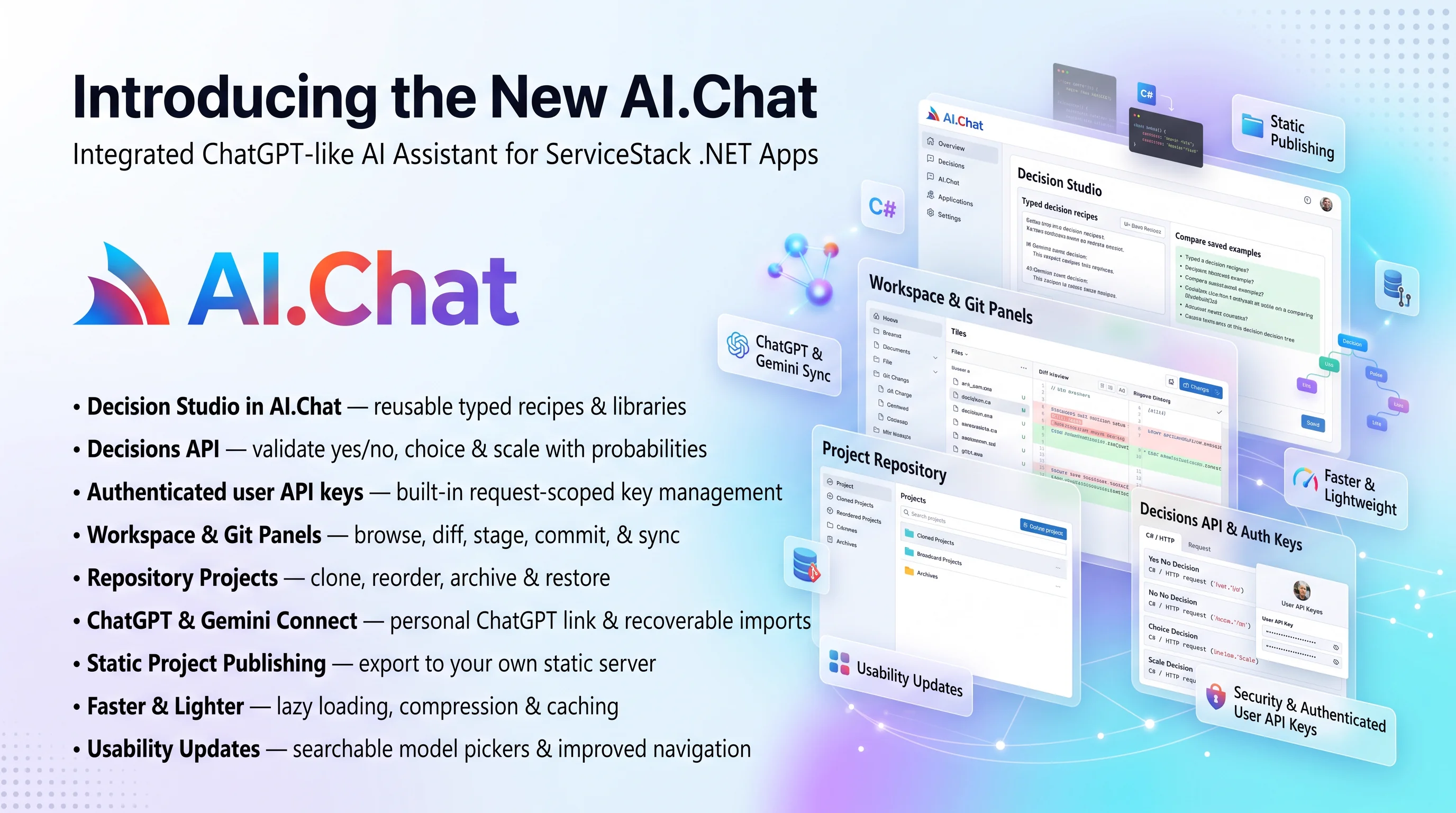
AI.Chat: decisions, code, and connected workspaces
This update gives your AI work a home beyond the chat window. Turn repeatable judgments into reusable Decision Studio recipes, inspect and commit what your agents build with the new workspace and Git panels, bring existing repositories into Projects, and keep your Gemini knowledge sources current with portable saved imports. You can also connect your personal ChatGPT account for eligible subscription chat. ServiceStack.AI.Chat delivers the same interface as llms.py inside your C# application, backed by Identity Auth, OrmLite, and App_Data.
See AI.Chat in action inside the Next SaaS template, where API Tools call your app's APIs as the signed-in user, turn the results into an interactive 3D Customer Galaxy and a Monthly Business Review deck, then publish them from a project workspace:
Decision Studio: small questions, useful answers
Sentiment, support routing, content relevance, and business-news classification become recipes you can run again and again. Define an input form, ask yes/no, choice, or ordered-scale questions, then see typed answers with probability distributions. Create or improve recipes with AI, inspect the generated JSON, and save successful runs as named examples you can compare later.
Keep a personal recipe library with search, stars, and tags. Browse community recipes in Import recipe → Collection, or import JSON to make an editable copy. Share a saved recipe and successful worked example as a public link that readers can inspect without running a model. Local edits stay local until you explicitly update the share.
Explore Decision Studio and recipe publishing.
Get typed answers from AI with the Decisions API
AI.Chat's IChatClient can now ask a decision model typed questions about your data, using OpenRouter's
Decisions API
and decision models like TypeSafe's Jev. Instead of
parsing a chat reply, you get a probability, a chosen option or a position on a scale that your code can
act on:
var decision = await chatClient.CreateDecisionAsync(new CreateDecision {
    State = "Help! My payouts have been failing for 3 days.",
    Questions = {
        ["is_urgent"] = DecisionQuestion.Noul("Does this message convey urgency?",
            whenTrue: "Explicitly time-sensitive", whenFalse: "No urgency expressed"),
        ["department"] = DecisionQuestion.Choice("Which team should handle this?", new() {
            ["billing"]   = "Payments, invoicing, refunds",
            ["technical"] = "Bugs, outages, integrations",
            ["sales"]     = "Pricing, upgrades, new accounts",
        }),
        ["frustration"] = DecisionQuestion.Score("How frustrated is the customer?",
            "Calm", "Frustrated", "Very angry"),
    },
});

if (decision.Noul("is_urgent") > 0.8 && decision.Choice("department") == "billing")
{
    // escalate to billing
}
Choice and score answers include the probability of each option, and responses include their token usage
and cost. Decisions use your OpenRouter provider's API key and default to the ~typesafe/jev-latest model.
A decision is a single paid request, so it doesn't go through the chat pipeline. It's never retried or sent to another provider, nothing is saved to chat history, and no tools run. Requests are checked before they're sent and every answer is checked when it returns, so invalid input fails before you're charged.
The same API is available over HTTP at POST /v1/decisions, with the same authentication as
/v1/chat/completions. See Decisions API for question types, errors and the
HTTP API.
See the files. Review the diff. Ship the commit.
The top-right Workspace Explorer opens your project's files beside highlighted source and image previews. Expand folders, follow breadcrumbs, toggle line wrapping, inspect SVG source or its rendering, and return to a selected file through reload or browser history.
The Git tab shows working changes, staged changes, and expandable commit history. Review colored diffs, stage only what you want, then write a commit message—or ask AI to suggest one from the staged patch. Commit, undo a local commit, stash work, or pull and push with explicit controls. On a clean tree, Sync Changes fetches, fast-forwards, and pushes in one action where the host permits credential access.
Example repository data.
Learn workspace browsing and the Git workflow, including host credential policy and hosted access limits.
Bring your repositories, organize your projects
New project now offers an empty Git repository or Clone repository. Paste a repository URL, choose a name and folder, and bring its history into the workspace. Progress supports cancellation and recovery, and cloning does not automatically run repository scripts or install dependencies.
Drag projects into your preferred order and archive completed work without deleting files, chats, or drafts. A searchable Archived Projects view makes it easy to bring work back. The same order appears in your chat sidebar and project pickers. See Projects.
Connect ChatGPT to your workspace
The new OpenAI Subscription card in Settings connects your personal ChatGPT account through the public Sign in with ChatGPT flow. Authorize plan usage, paste the complete callback URL, and pick a model available to your account. Subscription text requests use that authorization, with account limits controlled by OpenAI; failed or expired grants do not silently switch to API-key billing.
See ChatGPT Sign-In for setup, eligibility, manual callbacks, per-user grants, and disconnecting.
Gemini sources you can save, edit, and synchronize
Folder imports and website crawls now share Saved imports and a portable import.json. Load an
existing manifest, edit filters and ignores, preview changes, then run when ready. Saving settings
does not spend on embeddings. Sync Store reloads enabled saved imports, refreshes website crawls,
and imports changed sources while avoiding completed uploads for unchanged content.
Explorer makes queue state clearer and offers Resume uploads for a document, folder, or store. Repeated runs reuse document identities, and remote-removal failures stay visible for recovery. See saved imports and upload recovery.
Publish projects to your own static server
The new share_static extension exports a project's
build from Share → Folder, without an ai.llmspy.org account. It is enabled by default and writes to
<WebContentDirectory>/p/<user>/<project>/, typically wwwroot/p. Serve the output through the host's
static-file middleware or another static server; it contains no AI.Chat runtime dependency. Publishing
prepares the copied index.html for its URL mount and leaves source files unchanged.
Configure the export directory, URL path, and optional BaseUrl in code through
ShareStatic.StaticPublish, using the typed StaticPublishConfig, or globally in
App_Data/chat/user/default/share_static/config.json. With an empty or null BaseUrl, links use the
Chat UI's current domain, independently of its /chat route prefix. An explicit URL can point to a
separate static server.
Status reads Published 15m ago to ~/user/project, with the full date and time in the tooltip and a project link opening in a new window. Errors stay in the sharing panel with details about the failed operation. Folder only appears for a selected project or a chat belonging to one; the Share icon hides when no destinations are available.
Remote publishing now belongs to share_llmspy, independently enabled with
ShareLlmspy.Enabled = true. It remains disabled by default and registers the ai.llmspy.org tab
for public conversations, projects, media, and worked decision recipes. Use either extension, both,
or neither. Custom extensions can add their own ordered destinations with
ctx.setShareOptions.
See Publishing for static-file setup, configuration, and migrating remote settings.
Same interface, explicit host permissions
These features use the same native Vue ES modules as llms.py. AI.Chat keeps authorization and data inside the ServiceStack application: Git defaults to public HTTPS repositories without operator credentials, remote publishing is opt-in, and account connections stay per user. See installation, configuration, and extension setup to tailor the workspace to your application.
Small improvements throughout the workspace
Agent Profiles and Decision Studio use a searchable model-card picker with provider filters and sorting. Skills gains nested directory navigation, clickable breadcrumbs, and browser-history restoration. Forms have more consistent focus styling, and the Share panel closes with a quiet X that leaves more attention on your content.
The bundled provider catalog adds model
definitions and refreshes metadata. llms.json now preserves saved settings across restarts;
provider catalogs retain their explicit PreserveConfigs policy.
Faster AI.Chat startup
AI.Chat now paints its loading screen before initializing UI extensions, and downloads heavier feature modules like PDF Studio, Analytics and the code editor only when they're opened. Components within a loaded feature register synchronously, avoiding unnecessary async wrappers.
The server also reduces startup requests and transfer sizes:
- Core module preloads let the browser fetch shared dependencies earlier, using the correct URLs for prefixed deployments and debug mode
- Gzip and deflate compression reduce the size of UI assets and buffered JSON responses, while streaming chat responses, server-sent events and file downloads retain their existing streaming behaviour
- Content ETags and cache revalidation let browsers reuse unchanged assets while checking for updates
- An inline SVG loading indicator renders without an extra image request and respects reduced-motion preferences
Skills, Analytics, PDF Studio, Gallery, Run Code and Calculator now hide the shared header icons to give their own interfaces more room. The code toolbar aligns with the sidebar title, and its Run button keeps the same size while executing, eliminating layout jumps.