One line of C#.
A complete data API.
AutoQuery turns a typed Request DTO into a fully queryable, paged, filterable, authorized Query & CRUD API - then renders its own admin UI, its own typed clients and its own AI capabilities from the same declaration.
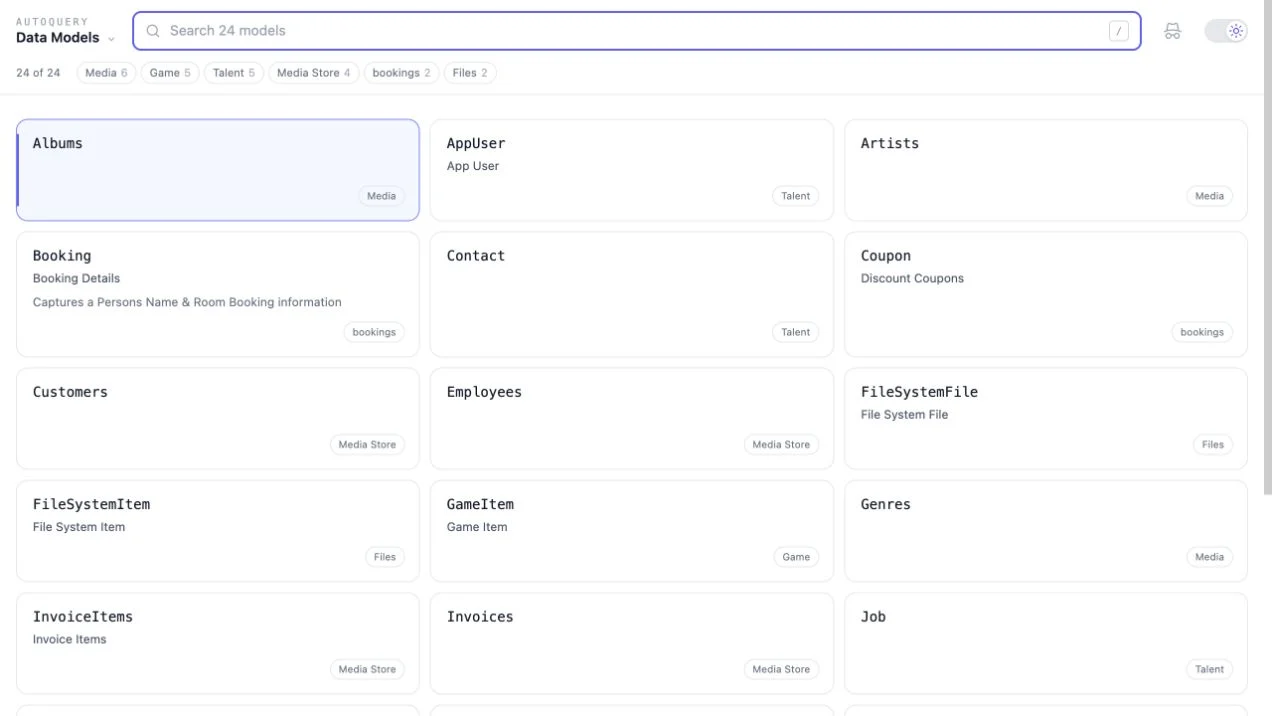
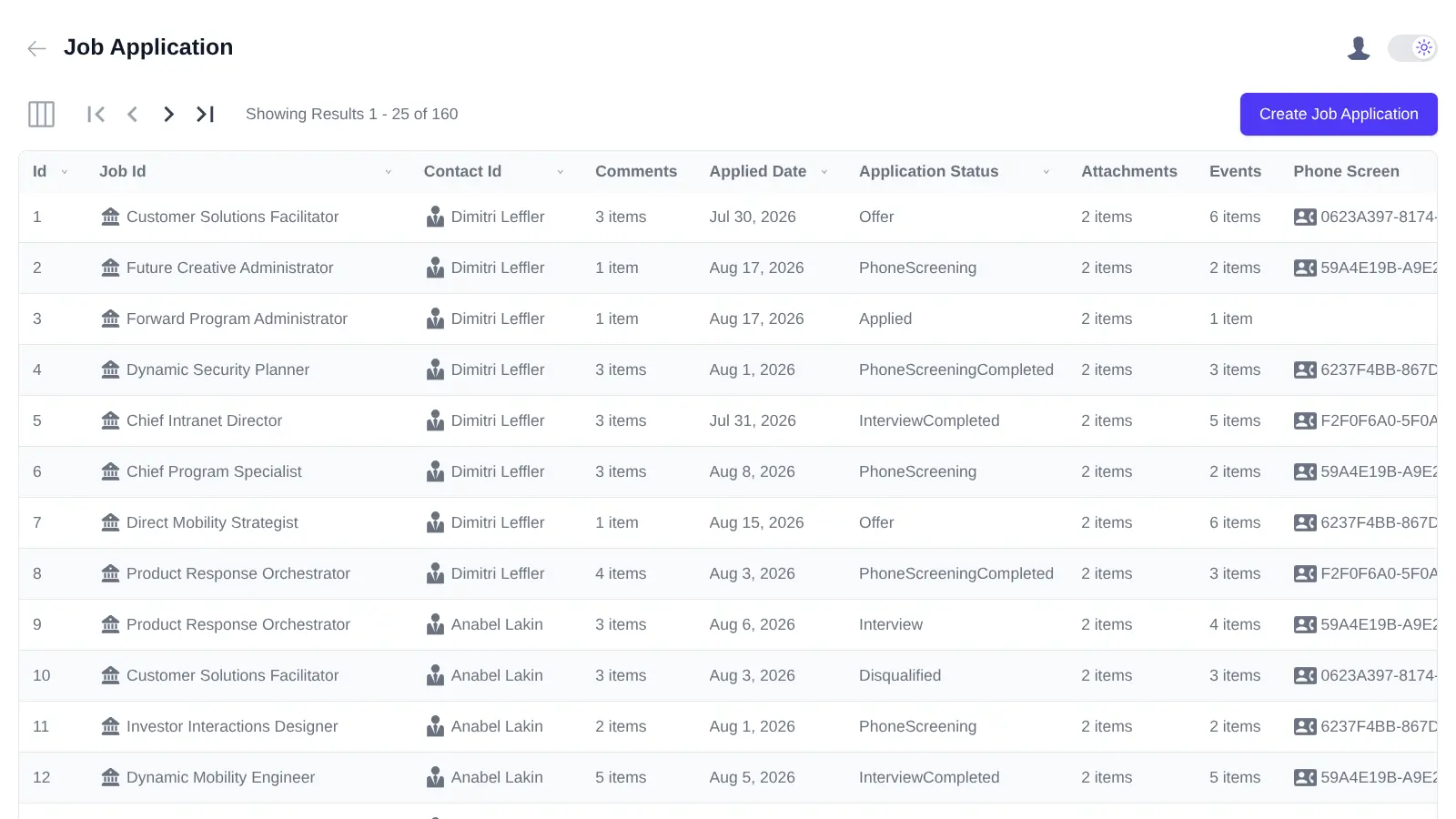
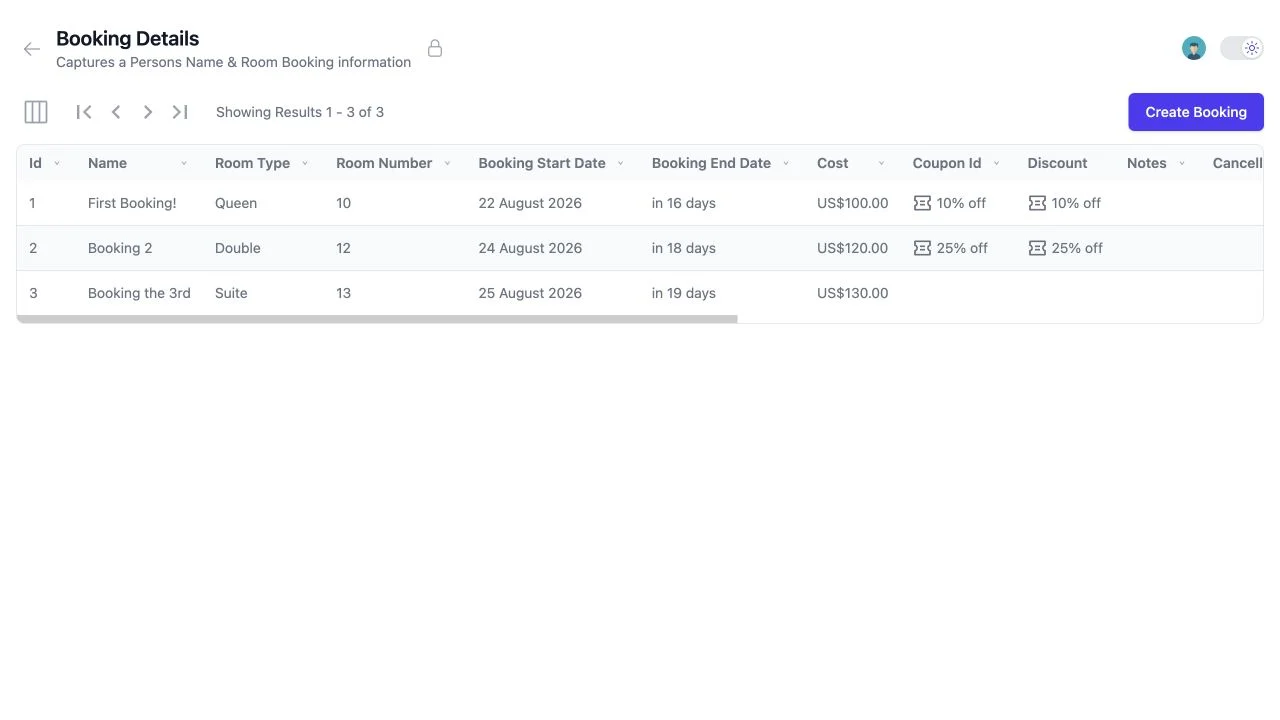
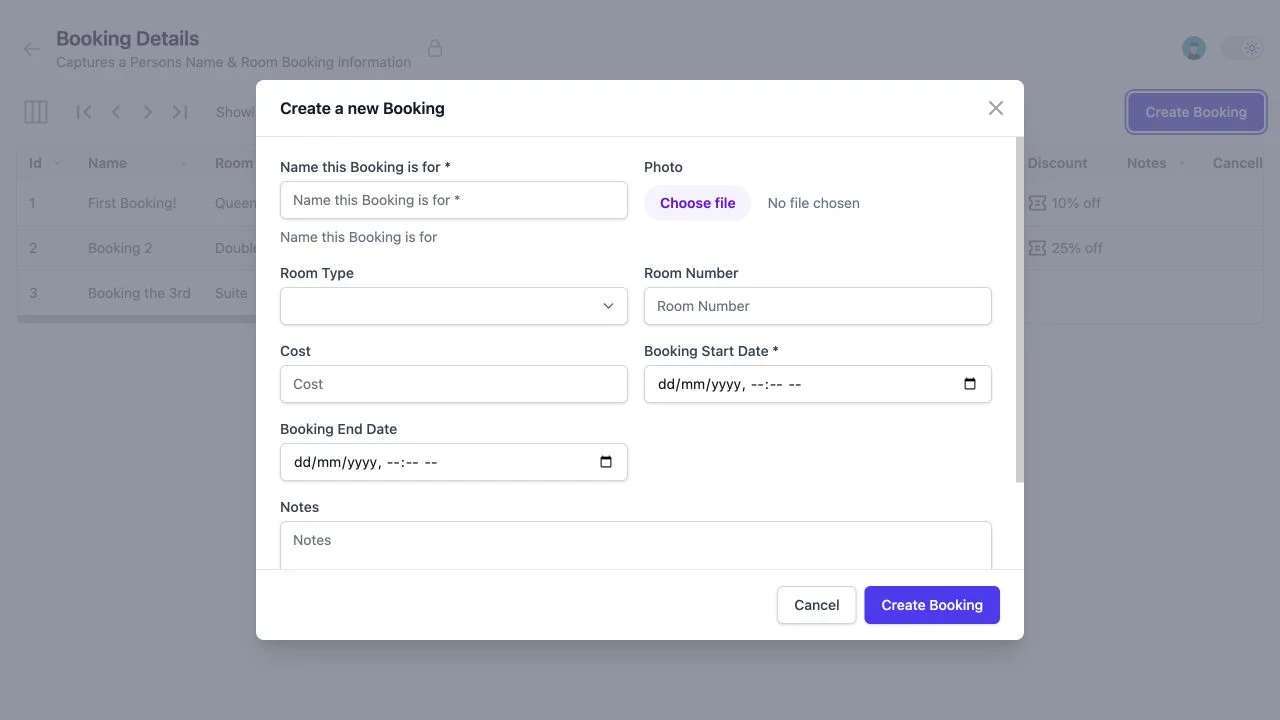
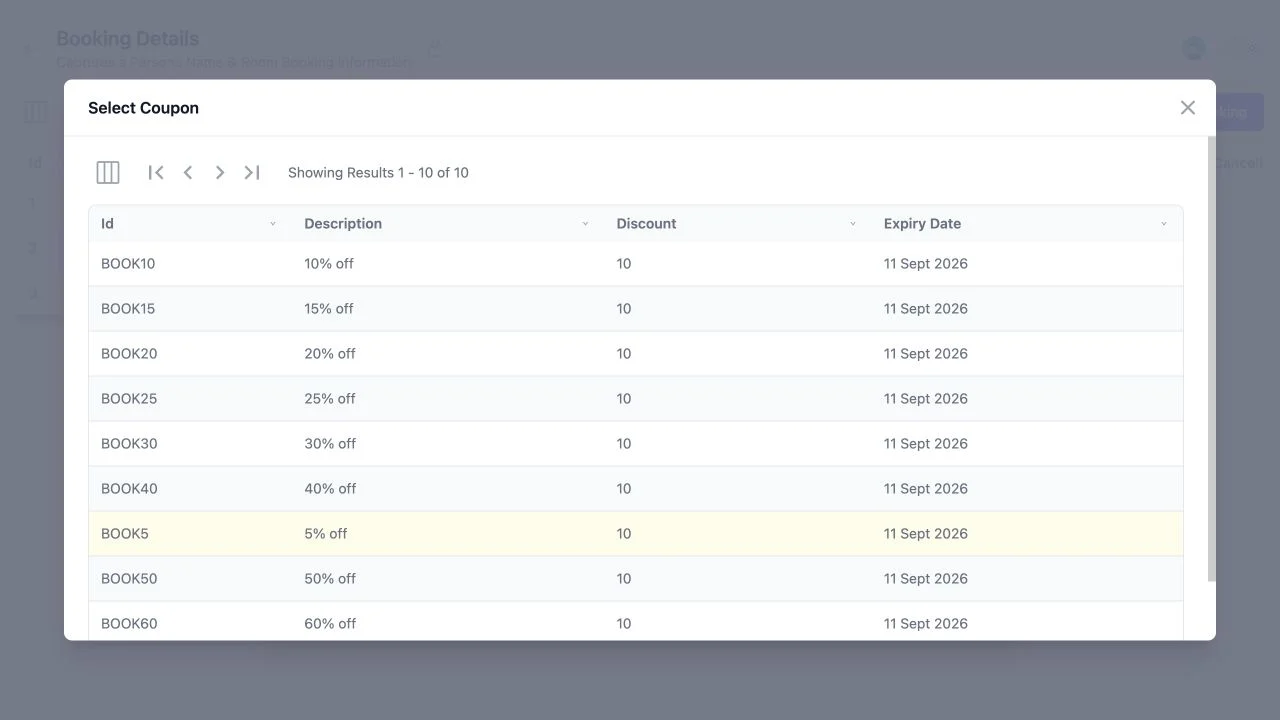
Every screen above is generated at runtime - no frontend project, no scaffolding step.
- 1 line
- To expose a fully queryable typed API
- 4 sources
- RDBMS, In Memory, Services & DynamoDB
- 3 UI kits
- Vue, React & Blazor components
- 15 langs
- End-to-end typed clients, generated
One declaration, many surfaces
Declare the API. Everything else is generated.
AutoQuery uses conventions to complete the API you would have written by hand - then the same typed contract drives your UIs, your clients and your AI capabilities.
[Route("/bookings")]
public class QueryBookings : QueryDb<Booking> { }

public class CreateBooking
    : ICreateDb<Booking>, IReturn<IdResponse>
{
    [ValidateNotEmpty]
    public string Name { get; set; }
    public RoomType RoomType { get; set; }
    public DateTime StartDate { get; set; }
}
Add validation, declarative attributes and auth rules to refine both the API and everything generated from it.
A queryable REST API
Paging, sorting, typed filter conventions and clean URLs - no opaque query syntax.
A working admin UI
A complete authorized CRUD App at /auto, assembled at runtime.
A portable schema
JSON Schema contracts that any renderer - or AI Model - can use.
Typed clients everywhere
Native DTOs and typed AutoQuery responses in 15 languages.
A better alternative to OData, GraphQL & JSON:API
No opaque query language, no bespoke client runtime, no second schema to maintain. AutoQuery APIs are just clean REST services - usable from a browser address bar.
Clean, linkable URLs
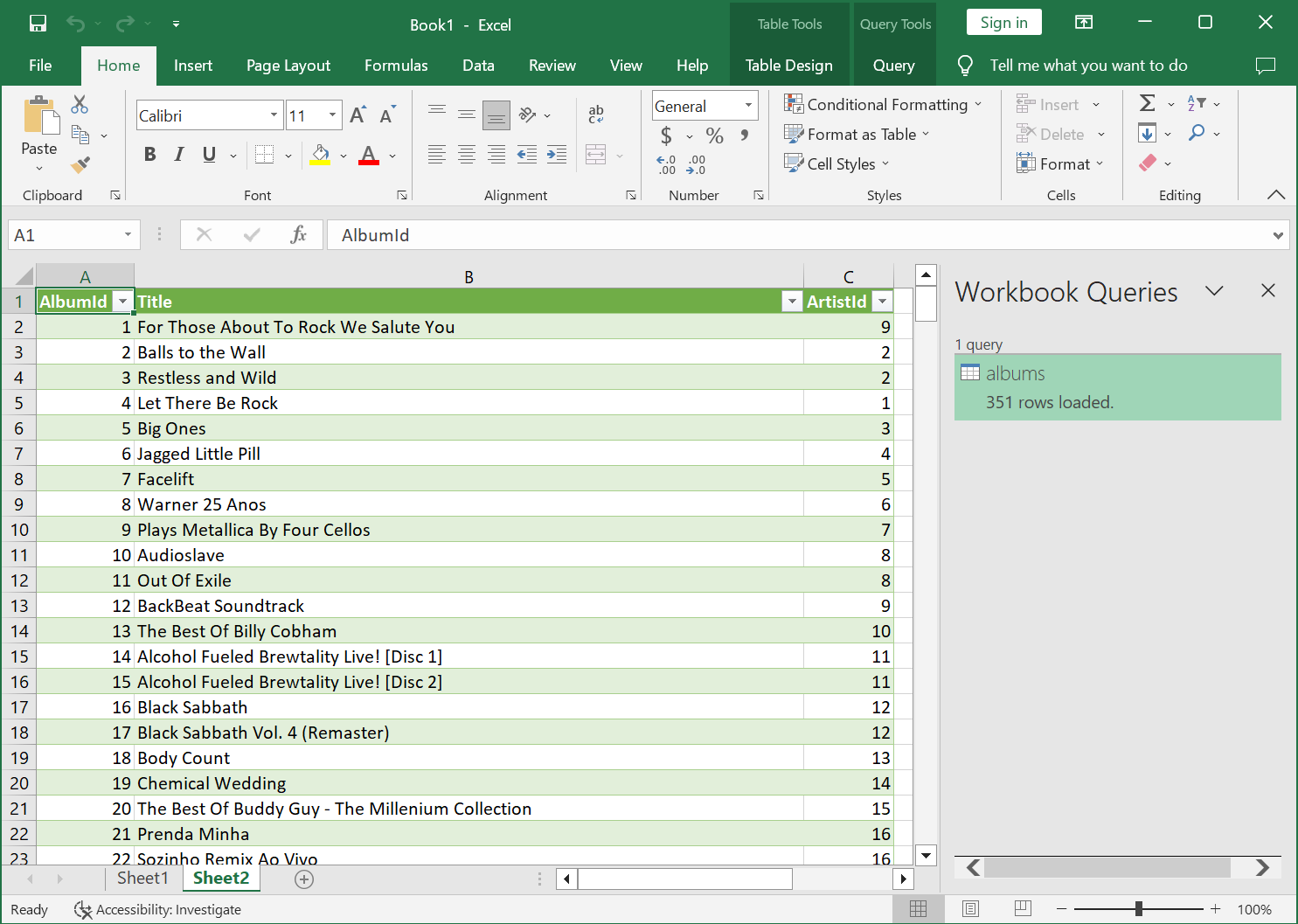
Queries are ordinary query strings, so any result is a durable link a stakeholder can bookmark or drop into Excel.
Optional typing
Start contract-less for rapid prototyping, then formalize the API by decorating the Request DTO - without breaking the Service Contract.
Yours to override
Join tables, project custom results, change per-field behavior or replace the implementation entirely - it's a normal ServiceStack Service.
Instant Admin UI
Open /auto and the App is already there
A searchable list of your data models, and behind each one a working CRUD App with a results grid, paging, sorting, filters, saved preferences, Create and Edit forms, reference lookups and guarded Delete actions.
- Authorization shapes the App. A model is only listed when its Query API is accessible; Create, Edit and Delete appear only when those APIs exist and the signed-in user can call them.
- Query state lives in the URL. A filtered view can be bookmarked, refreshed or shared - it's a durable link back to the same server-side query.
- Patch sends only what changed. Clearing a field adds ServiceStack's reset instruction, so "set to empty" and "leave unchanged" stay distinguishable.
- Foreign keys become live lookups. [Ref] and [References] render a searchable picker instead of asking users to remember that Customer 1042 is Acme Inc.
Schemas
One portable contract, any renderer
An API Schema describes one endpoint. An AutoQuery Schema describes the whole data capability - its Query API, returned model and every authorized Create, Update, Patch, Delete or Save API, in one document.
{
  "name": "Booking",
  "primaryKey": "Id",
  "model":  { "type": "object", "properties": {} },
  "query":  { "$id": "/api/QueryBookings", "method": "GET" },
  "create": { "$id": "/api/CreateBooking", "method": "POST" },
  "update": { "$id": "/api/UpdateBooking", "method": "PATCH" },
  "delete": { "$id": "/api/DeleteBooking", "method": "DELETE" }
}
Opening a model loads only that schema, so an App can grow from ten APIs to ten thousand without making a single form ten thousand times heavier.
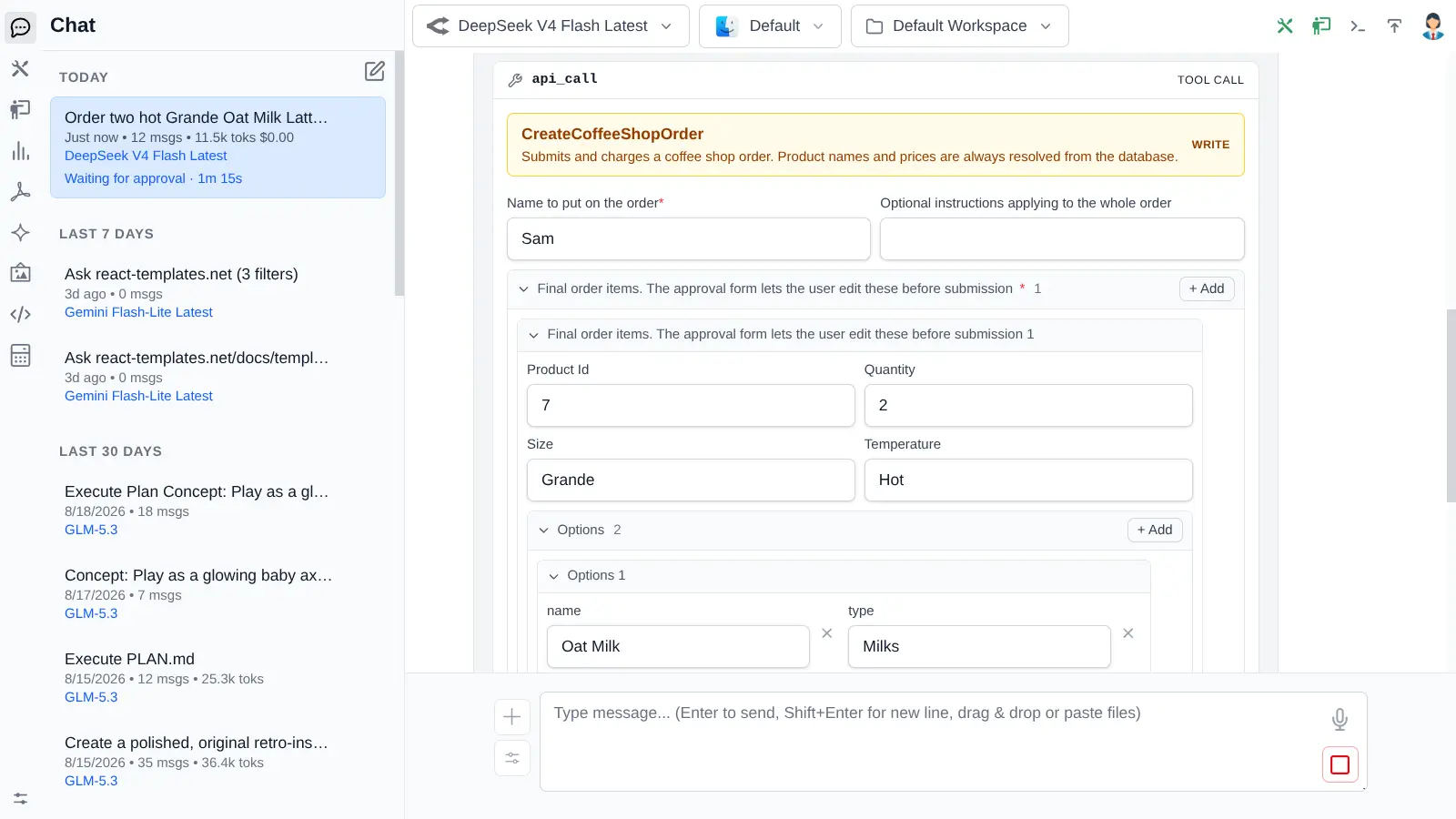
The foundation for AI-operated data
Because each write operation carries its own schema, AI Chat renders an editable preview and approval form whenever a Model proposes an AutoQuery Create, Update, Patch, Delete or Save - for every model, with no per-API Chat component to write.
“Find products below their reorder threshold and prepare updates for approval.”
Components
AutoQueryGrid in your framework of choice
The generated pages aren't a separate UI framework - they're built from the same components published for Vue, React and Blazor. Drop a full CRUD grid into your own App in one tag.
<AutoQueryGrid type="Booking" />@servicestack/vue ships AutoQueryGrid, DataGrid, Auto Forms, reference lookups and the full Tailwind input suite.
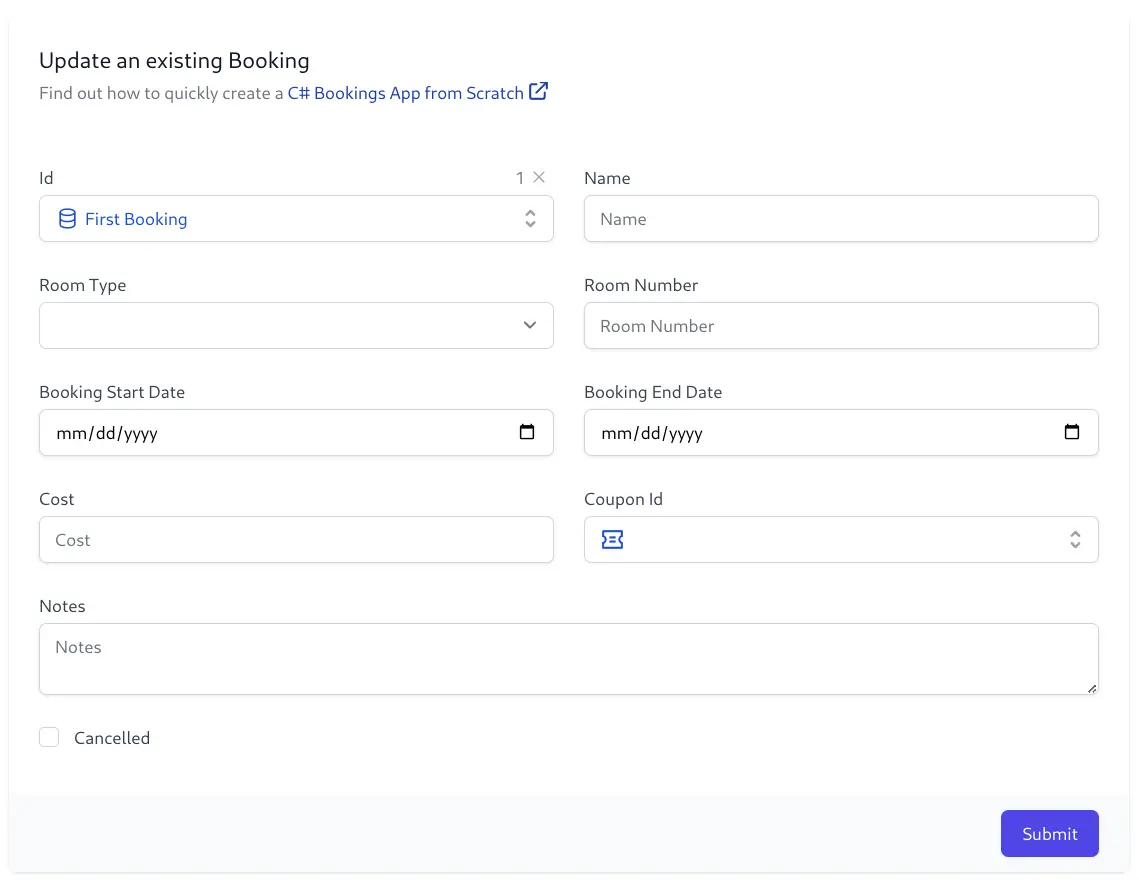
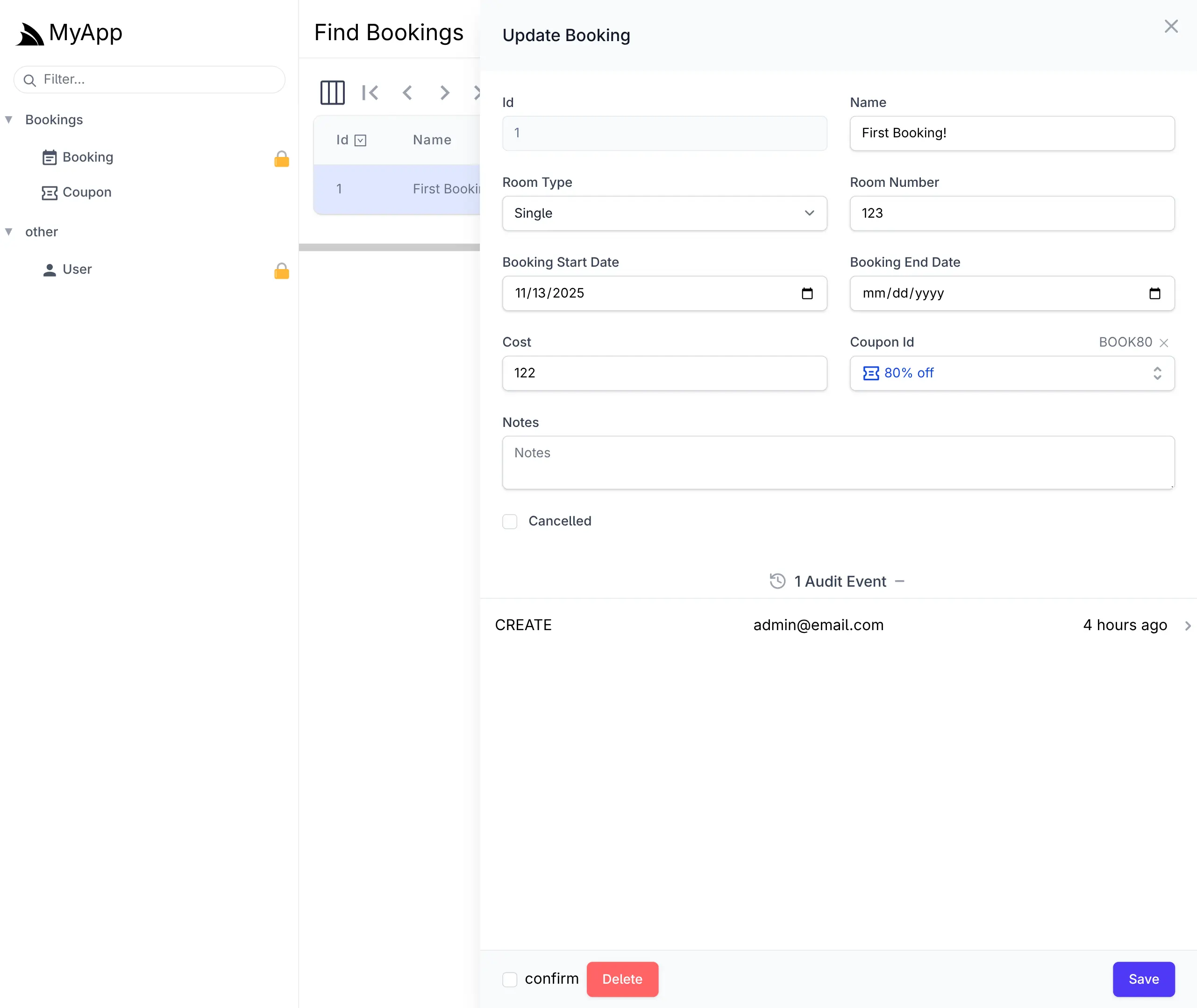
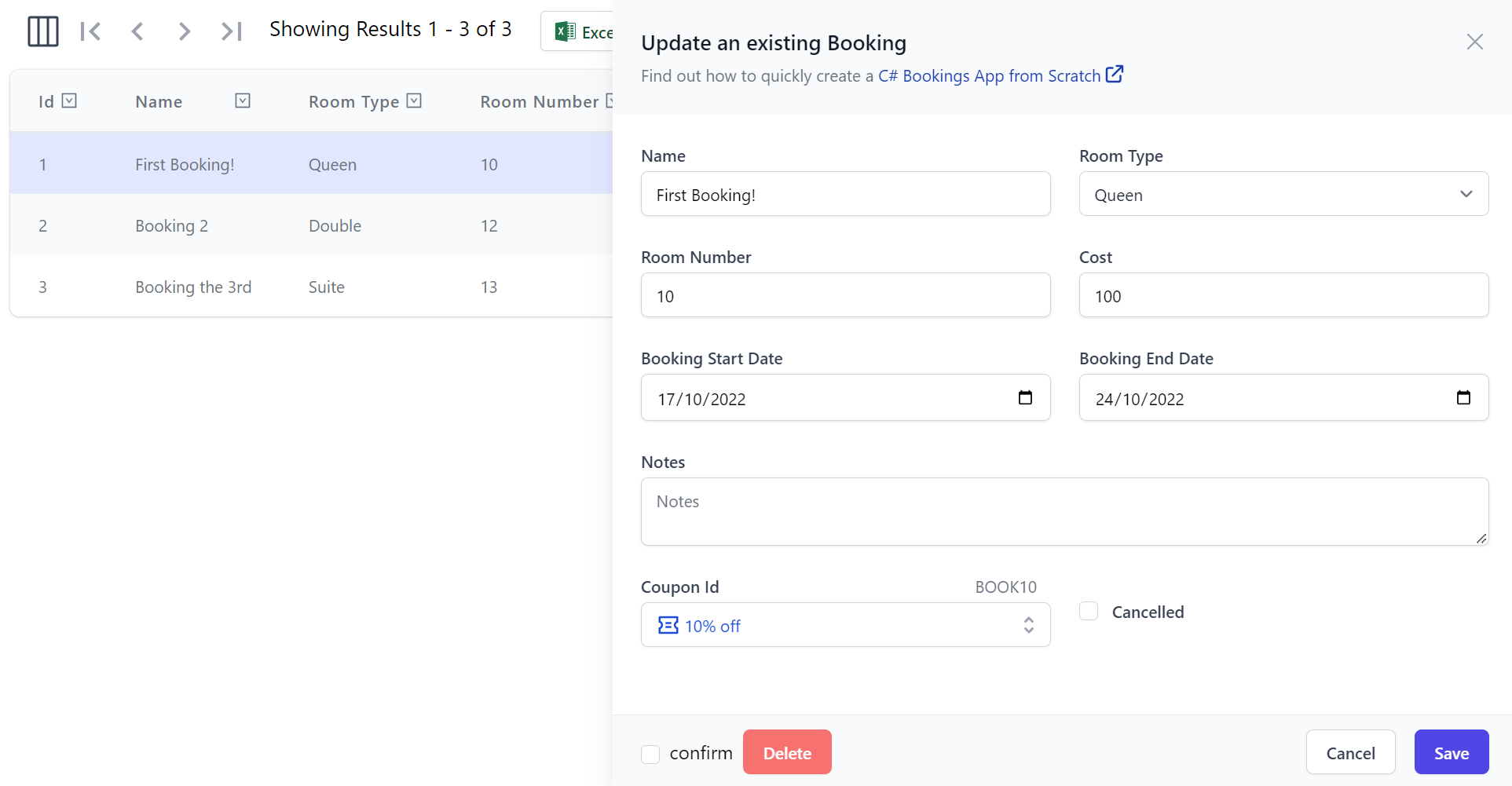
Or compose the pieces yourself
The complete CRUD App for one model
Tabular rendering with sortable columns
Create & Edit forms from a Request DTO
Arbitrary nested JSON Schema forms
The full Tailwind input suite
Searchable pickers for related records
Connect to anything with data
AutoQuery's open provider model exposes consistent, flexible APIs over multiple back-ends - clients control the query details, whatever the source.
AutoQuery RDBMS
High-performance typed APIs over anything OrmLite connects to.
In Memory
Query .NET collections, a flat-file CSV or a throttled 3rd Party API with built-in caching.
Existing Services
Decorate the response of Services you already have with rich querying capabilities.
DynamoDB
Rich querying over an AWS DynamoDB Table without hand-constructing queries.
Generate the APIs too
Point it at a database. Or describe the App.
AutoGen
The fastest way to ServiceStack-ify an existing system. Connect your database and AutoGen generates typed end-to-end HTTP Services for every table - then augment the generated types with your App's conventions, or "eject" them and continue code-first.
GenerateCrudServices = new() { AutoRegister = true }
});
CRUD APIs & UI Generator
Describe the App you want in a sentence and generate the TypeScript data models, AutoQuery CRUD APIs and a working Blazor UI from it - or reverse-engineer models from an existing database.
AutoQuery Services are ServiceStack Services
Same Request Pipeline, same user-defined routes, same registered formats, same typed Service Clients - so everything you already know still applies.
Clean data formats, flexible integrations
Because AutoQuery Services are pure HTTP APIs available in multiple formats, a stakeholder can turn any query into a live Excel data source - no export job, no BI tool, just the URL.
Get Started
Three steps from an empty project to a working data App.
Start from a project template
Most templates already ships with AutoQuery pre-configured, so the quickest start is to pick the stack you want:
Or customize one at servicestack.net/start, or browse all project templates.
Declare your API & migrate the table
AutoQueryFeature is already registered, so all that's left is the Request DTO for the API you want:
AutoQuery queries a real RDBMS table, so its Data Model needs to exist in the database. Add it to a DB Migration and apply it with:
See DB Migrations for schema changes, AutoQuery RDBMS for query conventions and AutoQuery CRUD for write APIs.
Run it and open the generated UIs
Watch a multi-user Booking System built from an empty project
Full walkthrough in the Bookings CRUD demo.
Stop writing CRUD. Declare it.
Your Request DTOs already describe your data. AutoQuery turns that description into the API, the admin UI, the typed clients and the AI capability - and keeps them in sync for free.