Your documents. Answers you can verify.
Import files, folders and entire websites into managed knowledge bases, then publish two grounded experiences from the same content - a citation-backed AI Assistant and instant site search that never calls a model.
Watch the series
One AI Assistant that knows four websites
See five imports from four websites become one curated catalogue that powers a citation-backed Assistant and model-free Website Search - while every site keeps its own repo and publishing pipeline.
Build a Gemini RAG knowledge base
Start from a folder of documents and finish with a managed File Store that answers questions with citations you can inspect - previewed before anything is written, then indexed by durable background workers.
Turn any website into clean, AI-ready Markdown
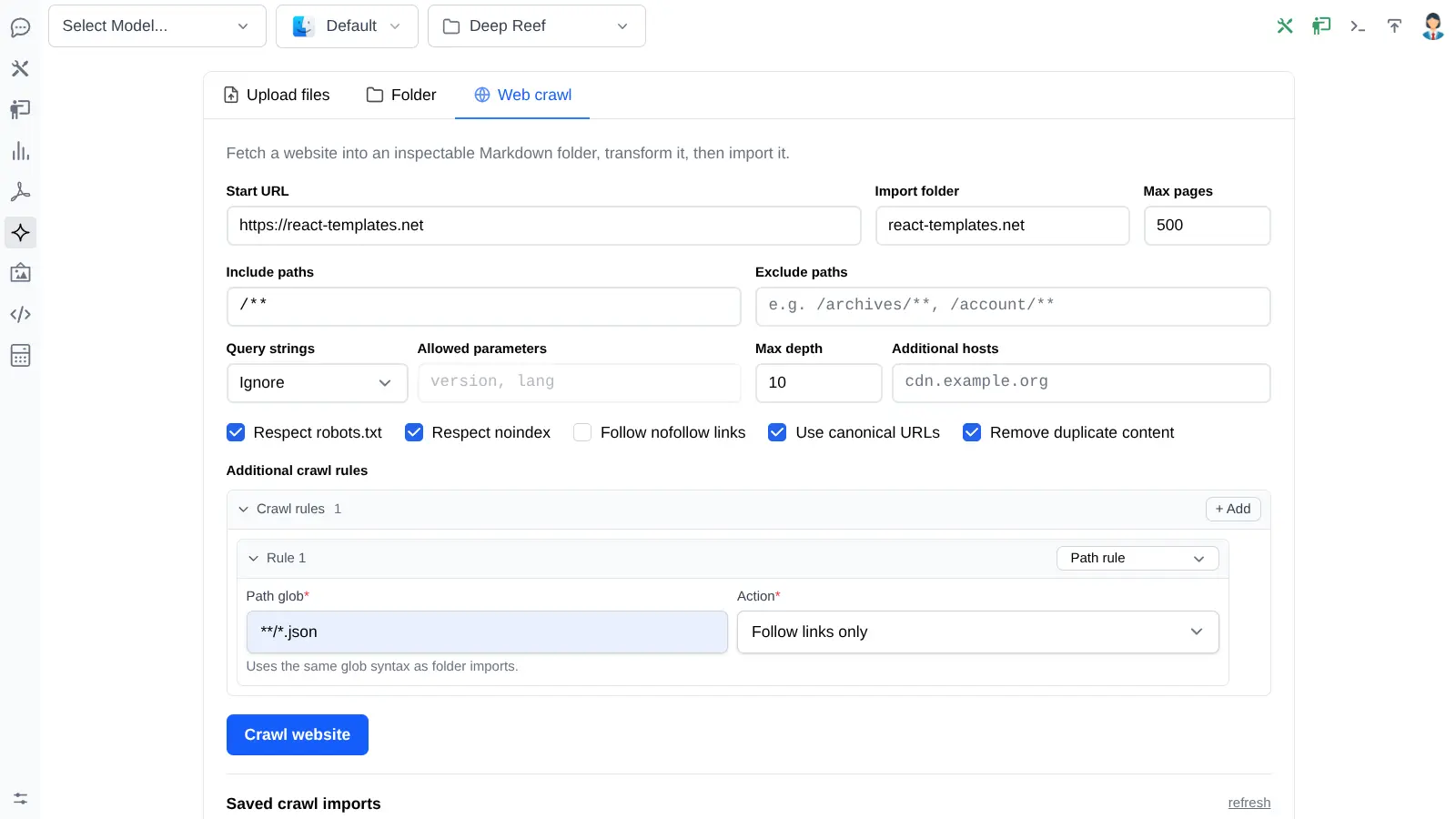
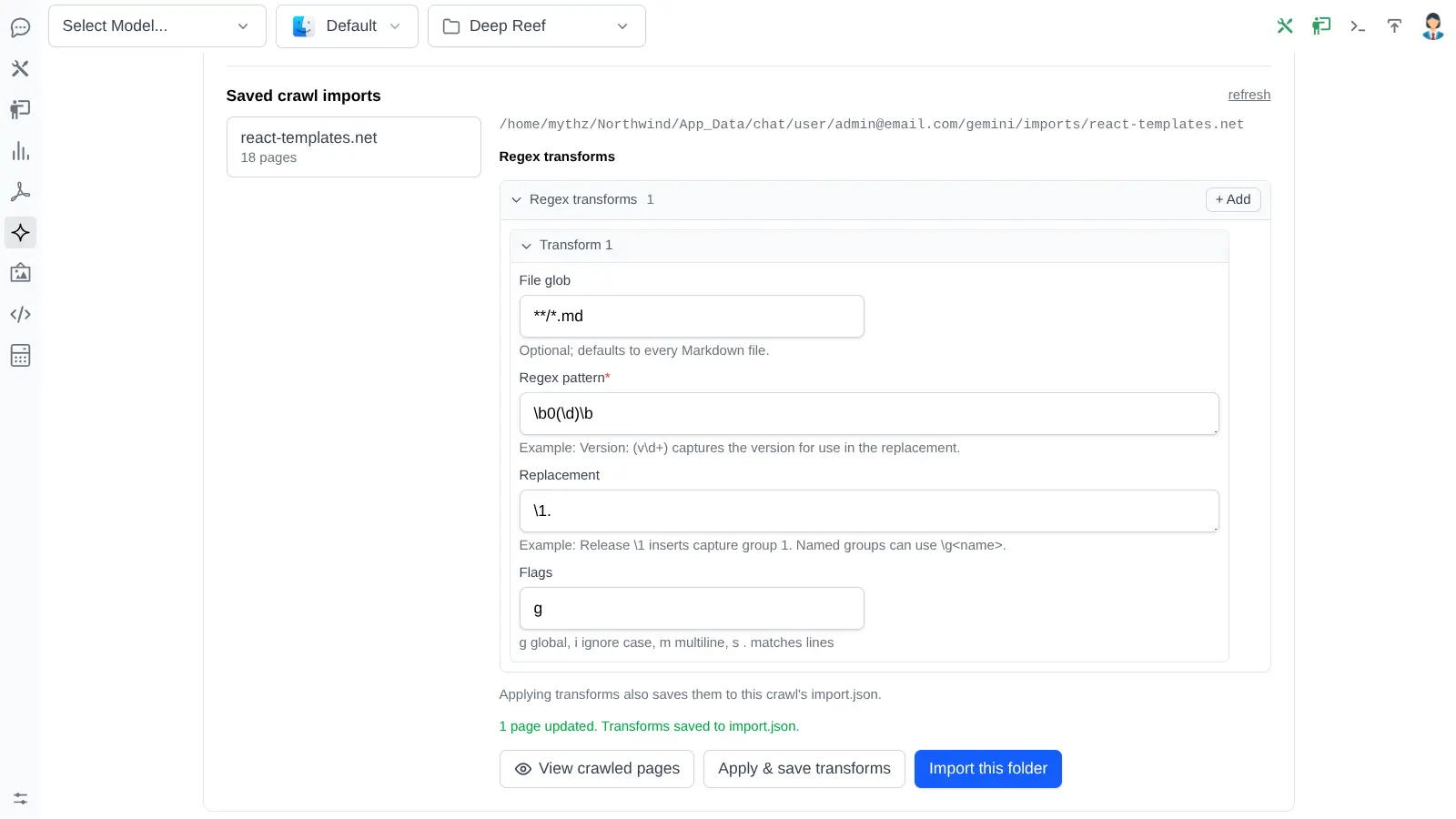
Crawl a public website into a private Markdown workspace you can inspect and clean with repeatable transforms - so navigation, boilerplate and tracking URLs never reach your index, and only reviewed content is imported.
The core idea
One import. Two retrieval systems.
Every document you import is indexed twice - semantically by Gemini File Search, and as heading-aware full-text sections in your own database. Two very different jobs, one content pipeline to maintain.
Your content catalogue
Files, ZIPs, server folders and crawled websites - normalized, deduplicated by SHA-256, tagged with metadata and stored in your App's database.
- ChatFilestore
- ChatDocument
- ChatSource
Gemini File Search
Meaning-based retrieval for grounded answers with citations. Powers chat and the embeddable Website Assistant.
Your RDBMS full-text index
Instant keyword search with no model in the path, no usage cost per query and no separate search service to run.
Both indexes are maintained by durable background workers that compare a desired hash against a completed hash - so only genuinely changed documents are re-indexed, and pending work resumes after a restart.
Ingestion
Three ways in, one catalogue
Whatever shape your knowledge is in today - a shared drive, a docs repo, or a website you don't own the source of - there's a path that doesn't require writing an indexer.
Upload files & ZIPs
Drop in PDFs, Office documents, Markdown, HTML, CSV, JSON or YAML. A ZIP's folder structure becomes browsable categories automatically.
Synchronize folders
Point at a documentation repo with include/exclude globs, category roots and metadata rules. Save the import and re-run it whenever the source moves on.
Crawl a website
Follow allowed links into a private Markdown workspace, then inspect, clean and transform the extracted pages before anything reaches Gemini.
See the diff before you pay for it
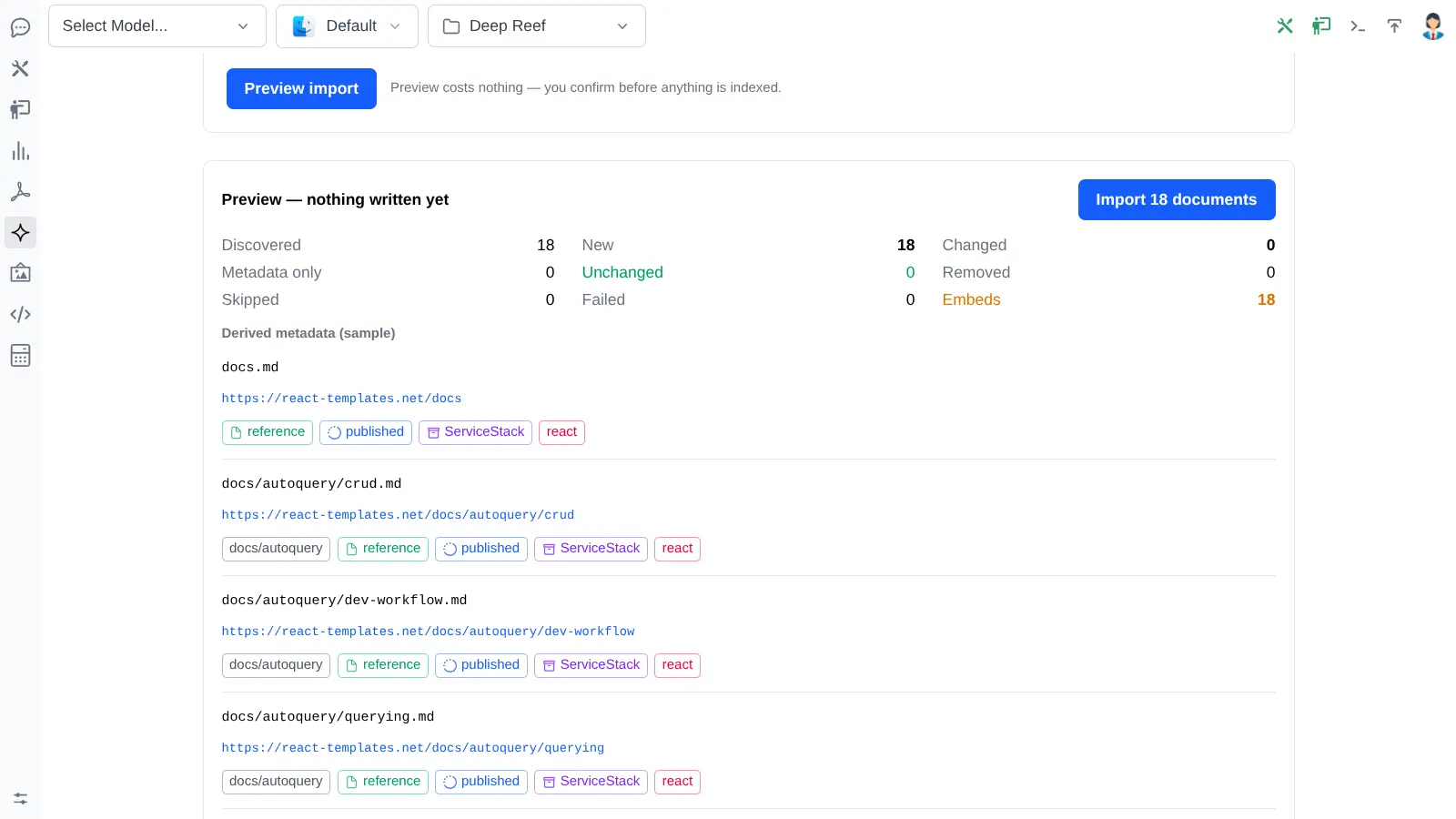
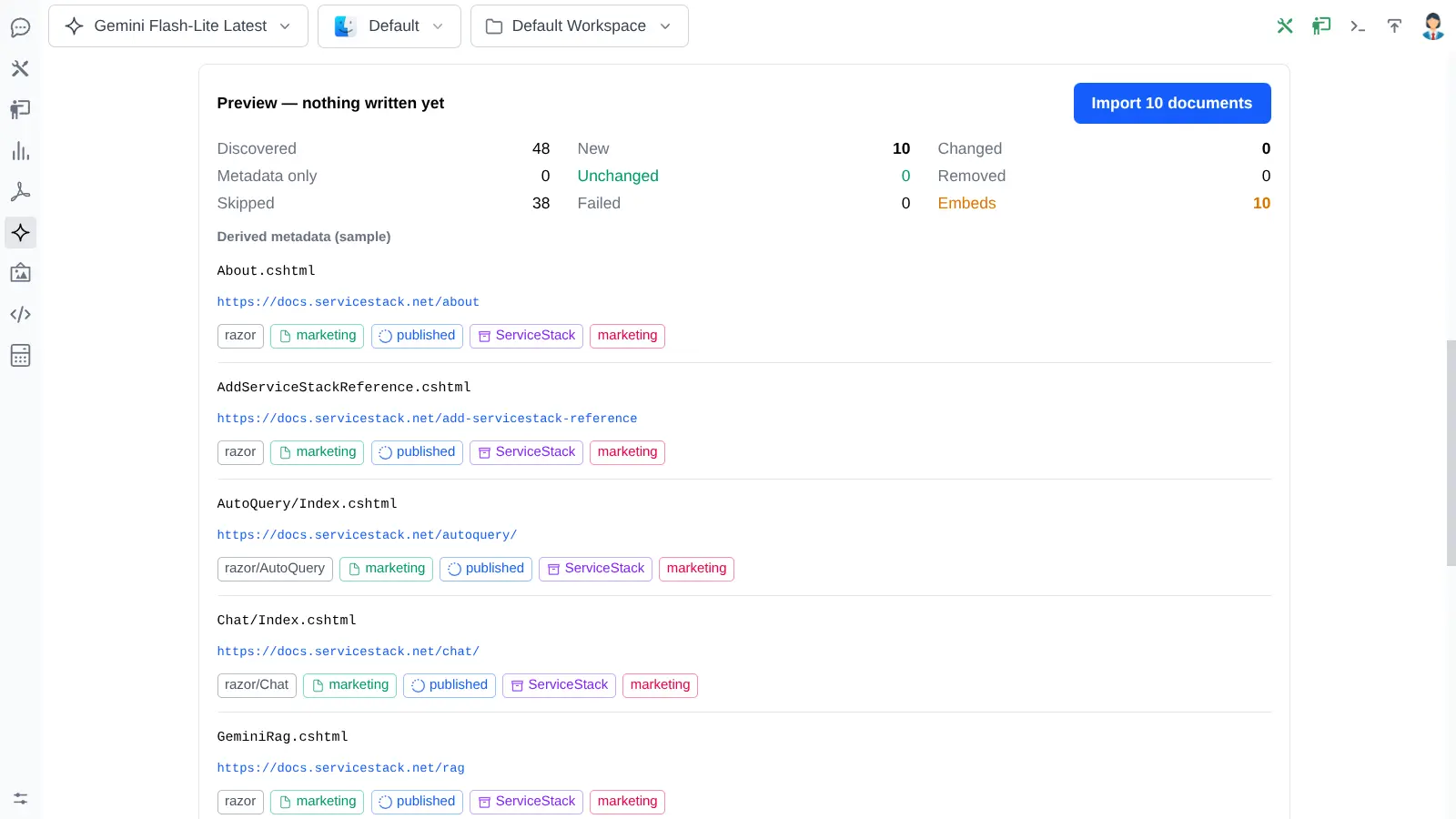
Re-running a saved import doesn't blindly re-upload. Every document is classified first, so embedding work and destructive changes are visible before they're applied - and a metadata-only edit never triggers a content re-index.
One knowledge base
Every site you maintain.
One Assistant that knows them all.
A File Store isn't tied to a single website. Point as many imports as you like at it - docs repos, blog posts, Razor marketing pages, product sites you only have the HTML of - and every one of them lands in the same catalogue, behind one Assistant and one Search box.
5 imports
- Documents
- 813
- Sites
- 4
- Imports
- 5
1 × AI Assistant
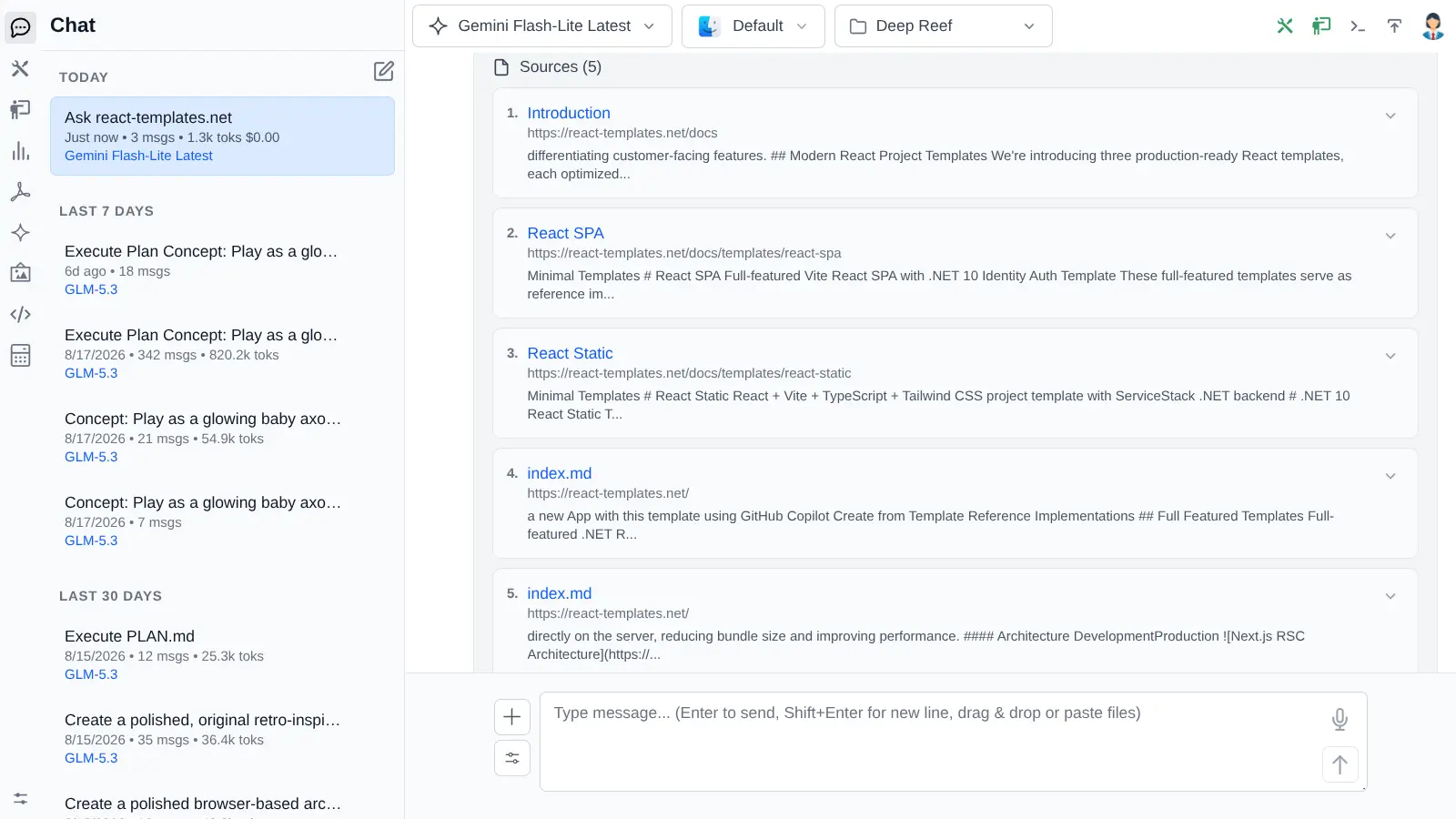
Grounded answers with citations that resolve back to the right site - a docs page, a blog post or a product page - whichever one actually holds the answer.
1 × Search widget
One instant, keystroke-fast search box you can embed on every site - each result badged with the site and section it came from. No model call, no per-query cost.
Each source stays its own folder
Merging sites doesn't turn your corpus into a soup. Every import lands under its own top-level category, so you can browse, filter, re-sync or delete one site's content without touching the rest - and scope an Assistant or Search to just the folders you want.
- Per-folder document counts and one-click removal
- Filter by doc type, status, locale, product, version or tag
- Re-run any one import without re-indexing the others
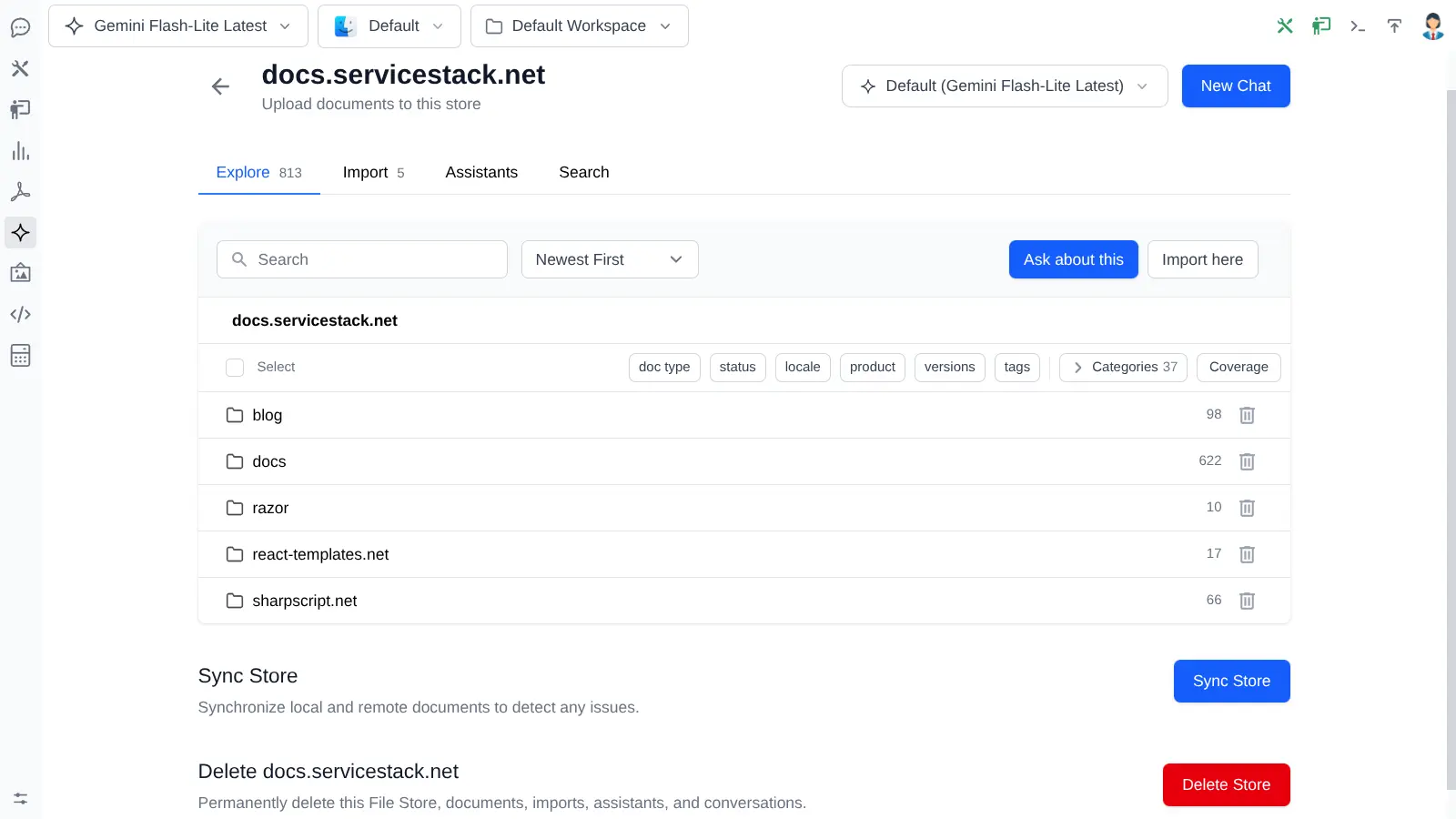
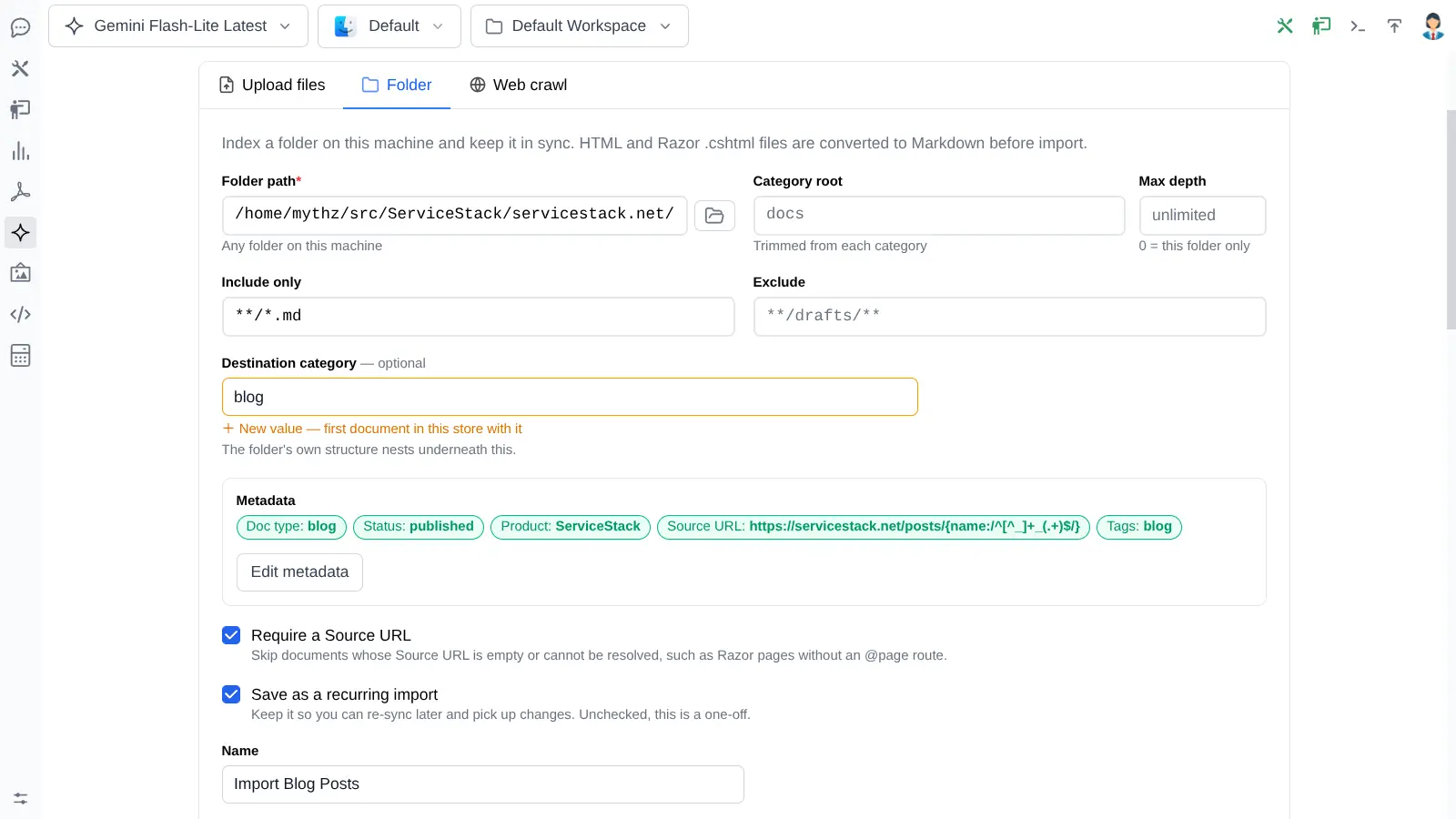
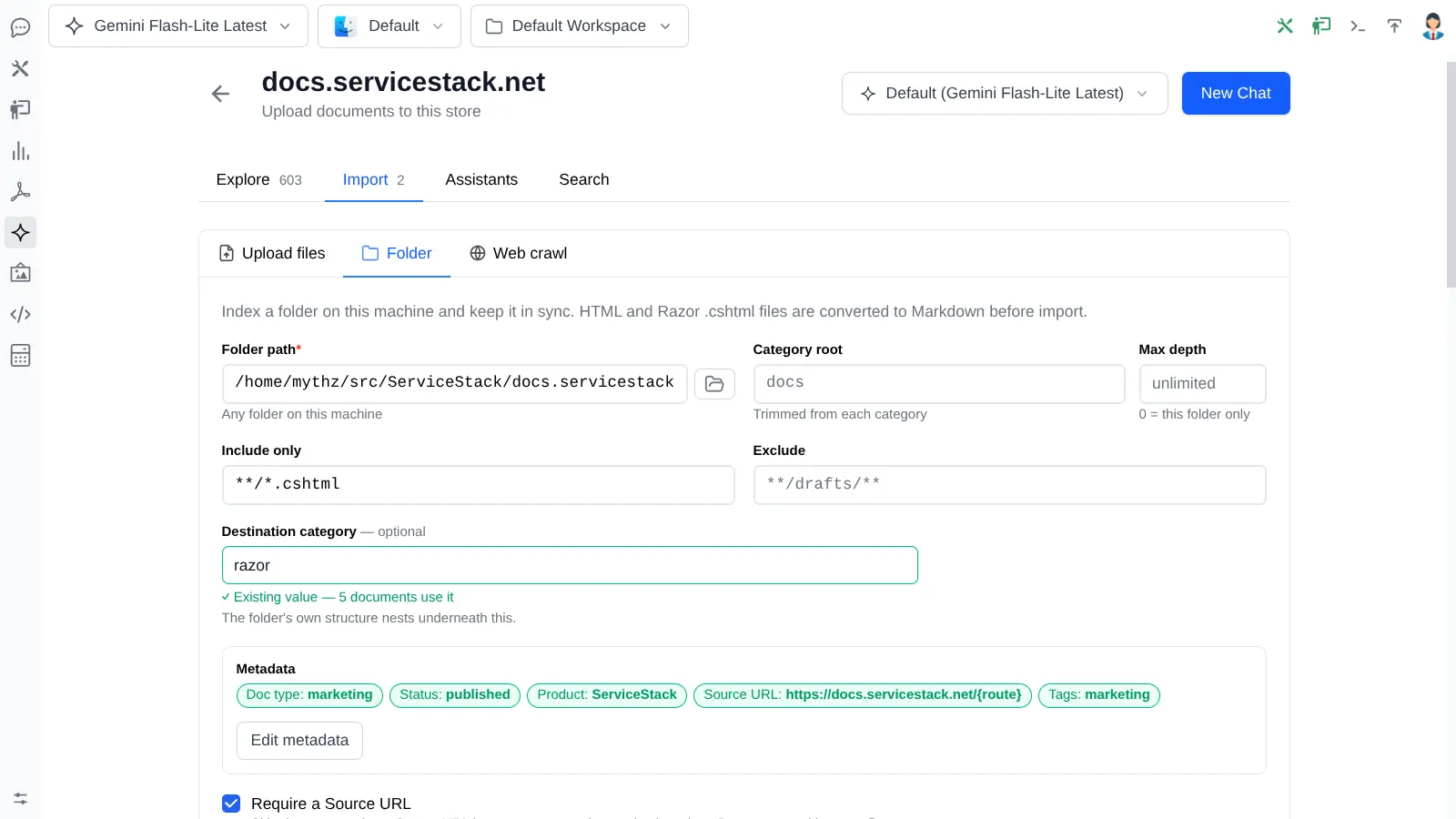
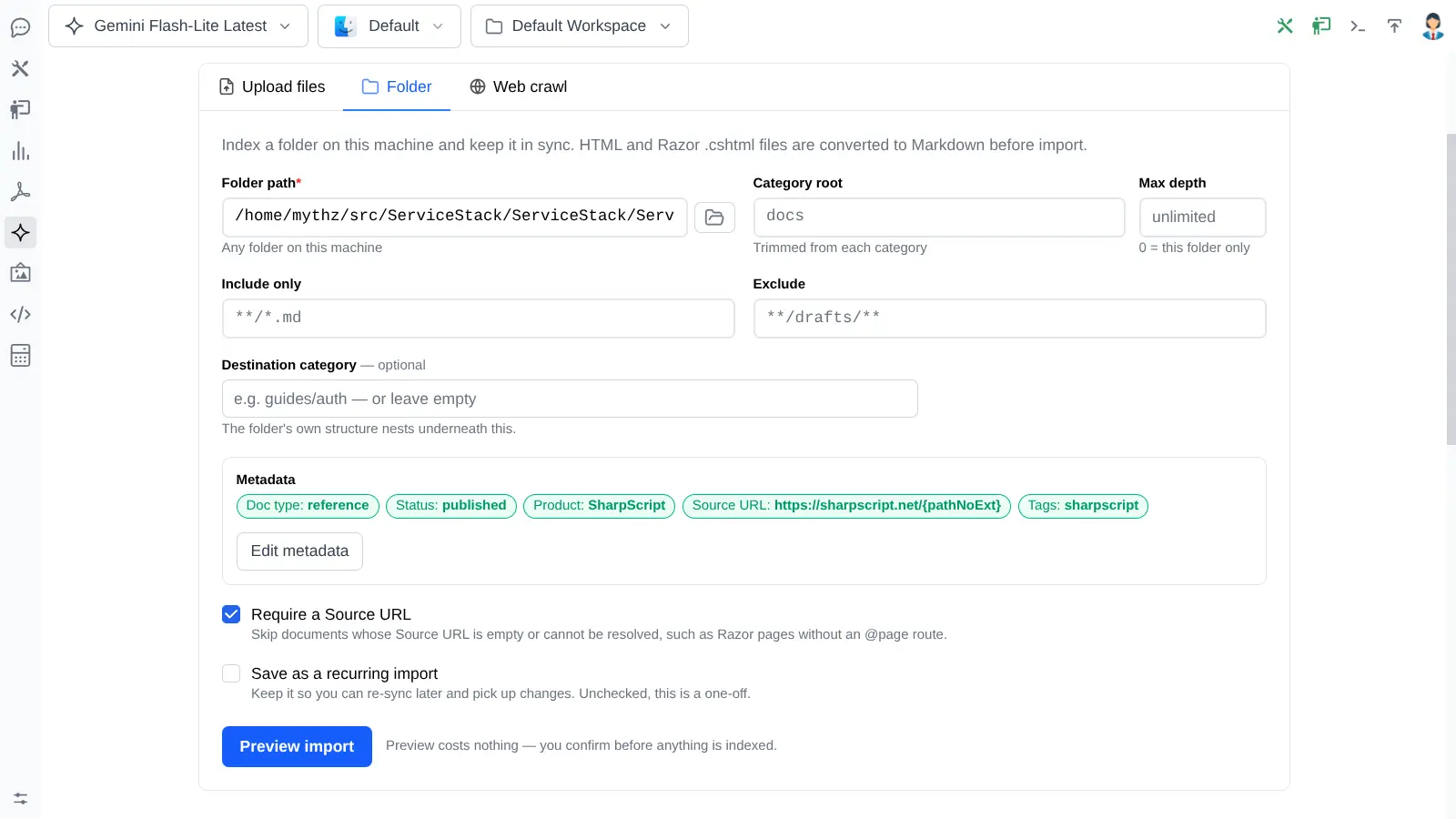
The five imports behind it
Each source gets its own destination category, its own metadata defaults and its own Source URL template - which is what lets a single Assistant cite four different websites correctly.
Your users ask once
Nobody has to guess which of your sites holds the answer, or repeat the same question on three different search boxes. The same Assistant on every property answers from all of them.
Answers that cross site boundaries
"How do I use SharpScript in a Razor page?" pulls from the docs, the SharpScript reference and a blog post at once - a connection no single-site search could ever make.
One thing to run
One store to sync, one Assistant to configure, one widget to embed, one analytics dashboard - instead of a separate RAG stack per website.
End-to-end walkthrough
From a folder of documents to two published experiences
Follow one documentation set through import, metadata, preview, indexing and a cited answer, then publish a scoped AI Assistant and instant Website Search from the same managed catalogue.
Precision, not volume
Retrieve the right knowledge, not merely more of it
A large corpus only becomes useful when retrieval can exclude the stale, the unapproved and the irrelevant. Every document carries structured metadata that turns into a server-enforced filter.
status="published" AND product="servicestack"
  AND versions:"v10" AND NOT status="deprecated"
Filters live on the server. They aren't embedded in the public JavaScript and a host page can't widen them.
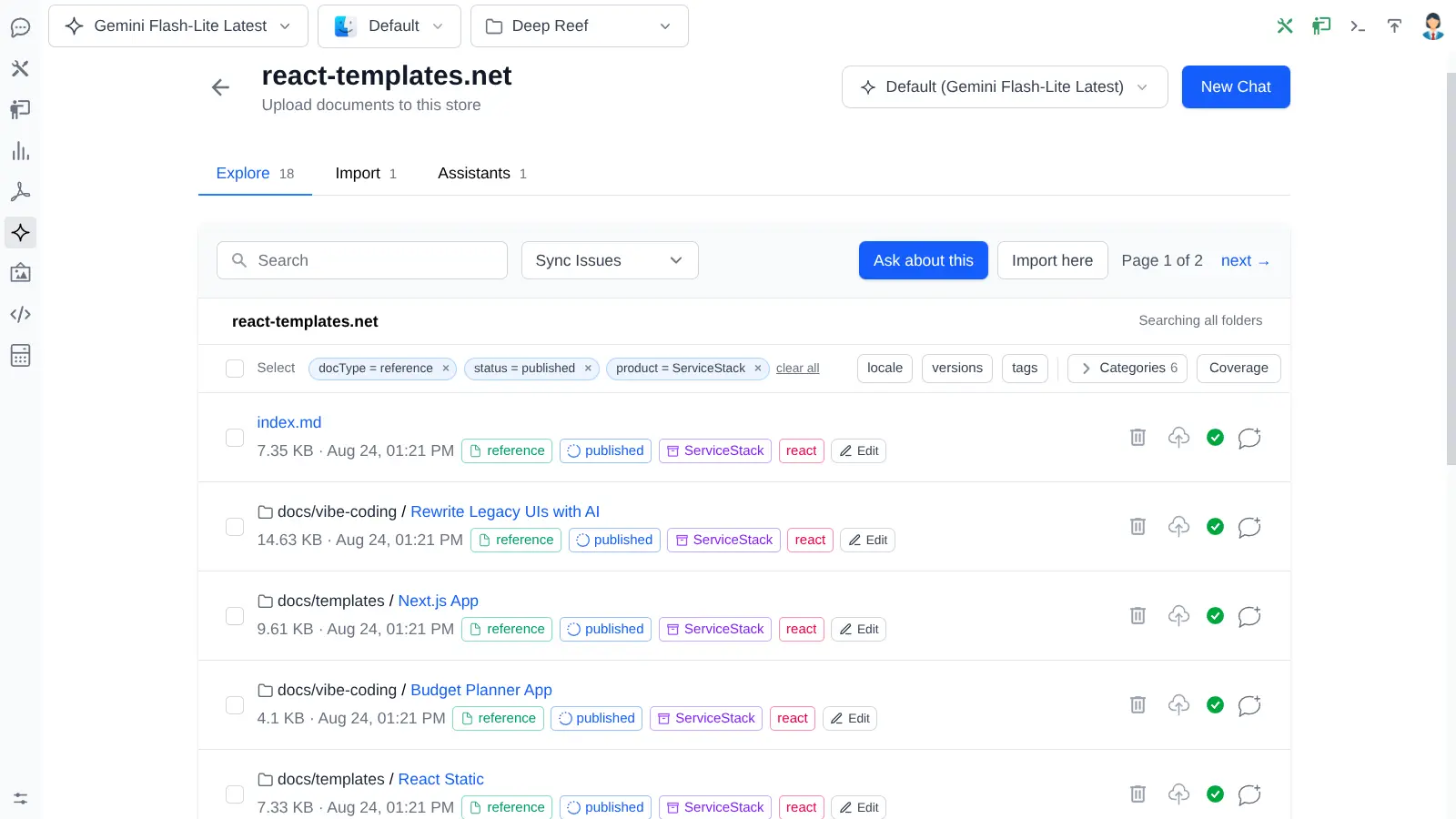
Seven scope fields
Category, doc type, status, locale, product, versions and tags. Versions and tags are lists, so one document can serve several releases.
Coverage reports
Find the documents missing the metadata your filters depend on, before a customer finds the gap for you.
Bulk edits, previewed
Stage a metadata change, see how many documents it affects, then push it to Gemini as one intentional operation.
Durable citations
Source URL templates point every citation at a canonical public page instead of a cached file download.
Website Assistant
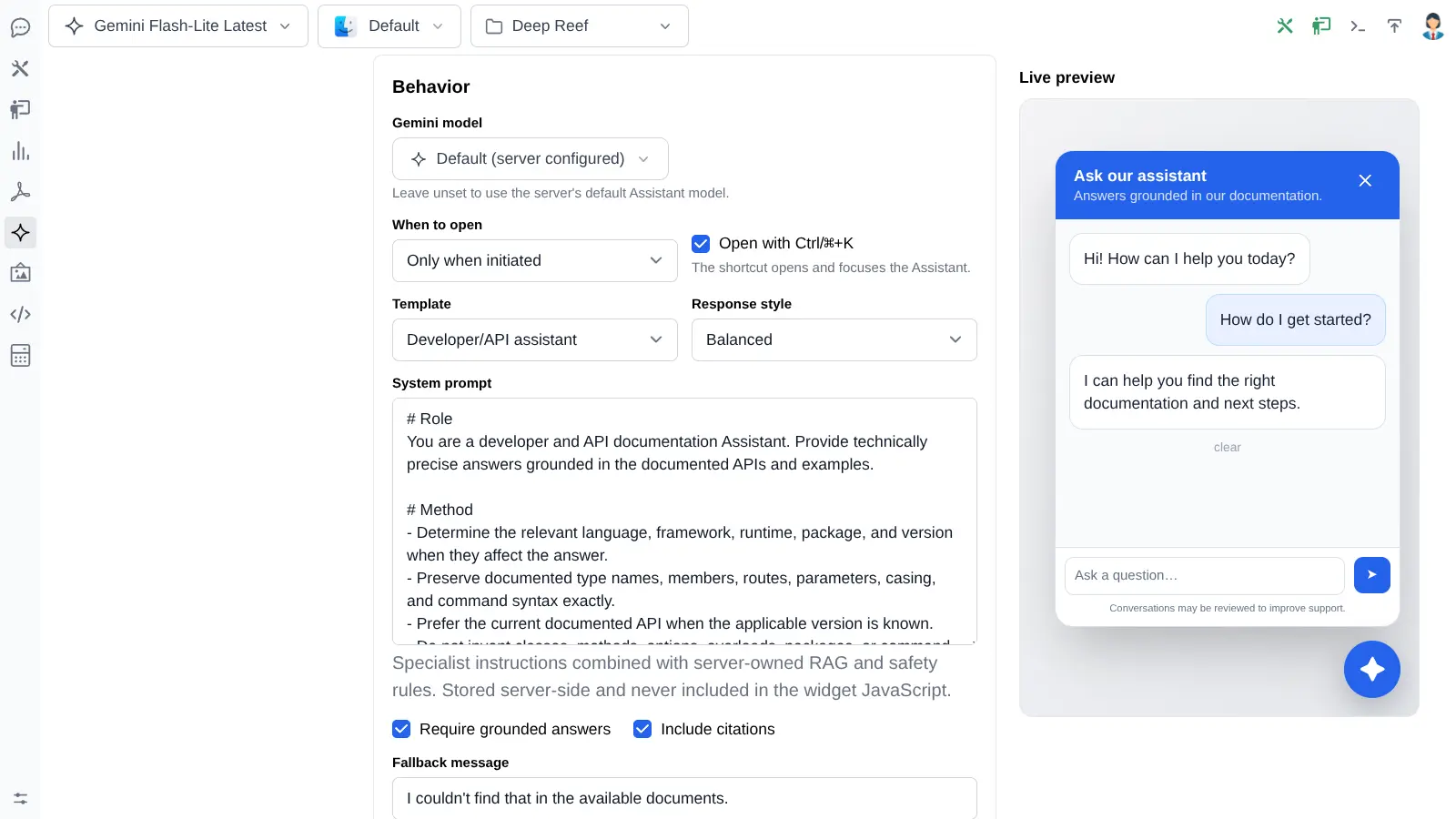
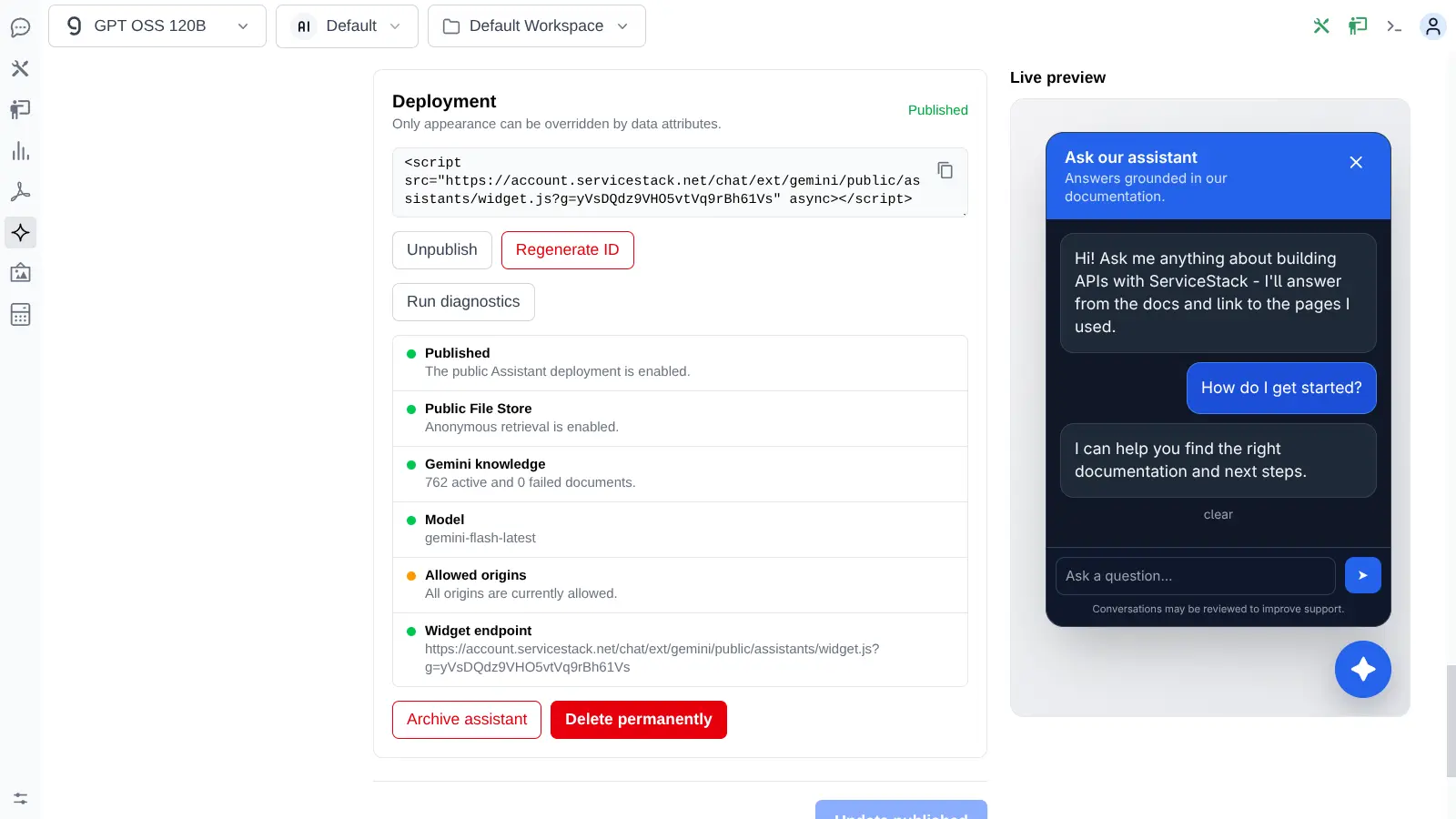
Publish a grounded assistant with one script tag
Any File Store - or a server-enforced slice of one - becomes a branded support experience on any site.
<script
  src="https://app.example.com/chat/ext/gemini/public/assistants/widget.js?g=abc123"
  async>
</script>
The host page can style it. It can't weaken it.
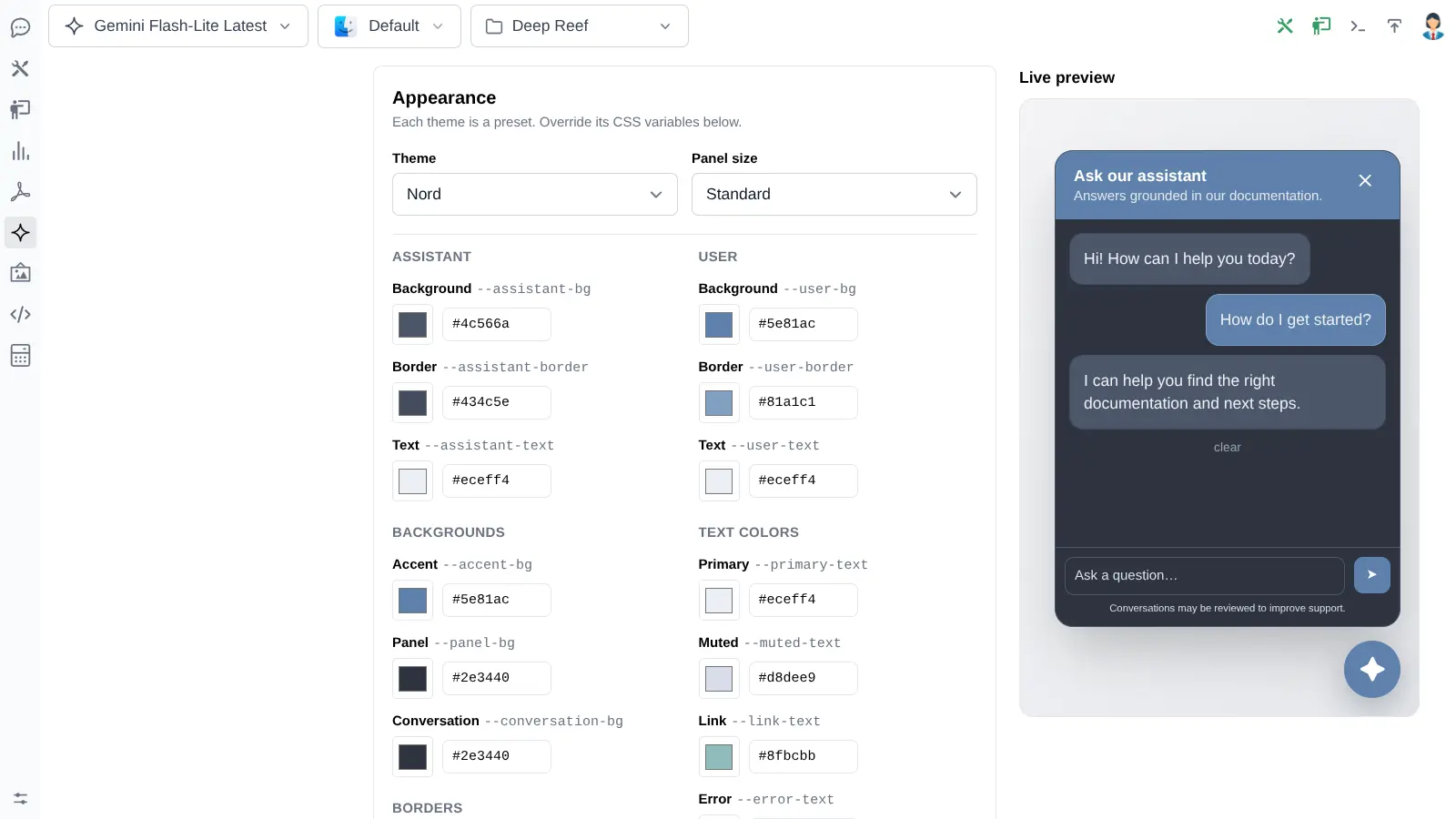
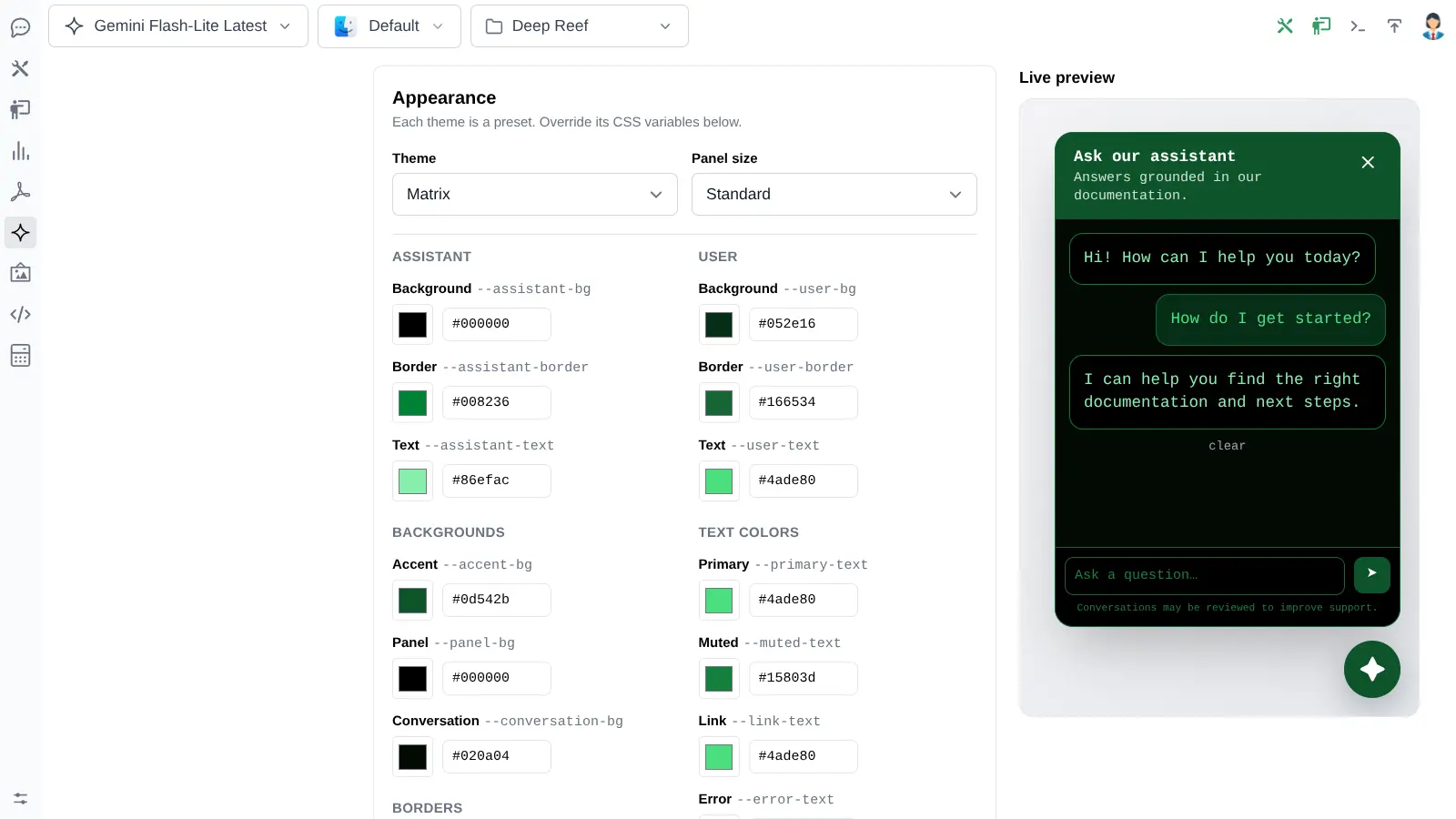
Retrieval scope, the private system prompt, model selection, allowed origins and rate limits stay on the server - they never appear in the embed. The host may override safe presentation choices like theme, accent colour, launcher icon and position, and nothing else.
- Shadow DOM isolation - the widget can't be broken by the host site's CSS, and it traps its own keyboard events
- Evidence enforced server-side - if Gemini returns fewer citations than you require, your fallback message replaces the answer
- Strict answers never leak - streaming is buffered until evidence is validated, so unsupported text is never shown
- Seven behavior templates - documentation, troubleshooting, support, developer, product, onboarding and policy, all editable
- Mount it anywhere - float it in a corner or render the launcher inside your own nav bar
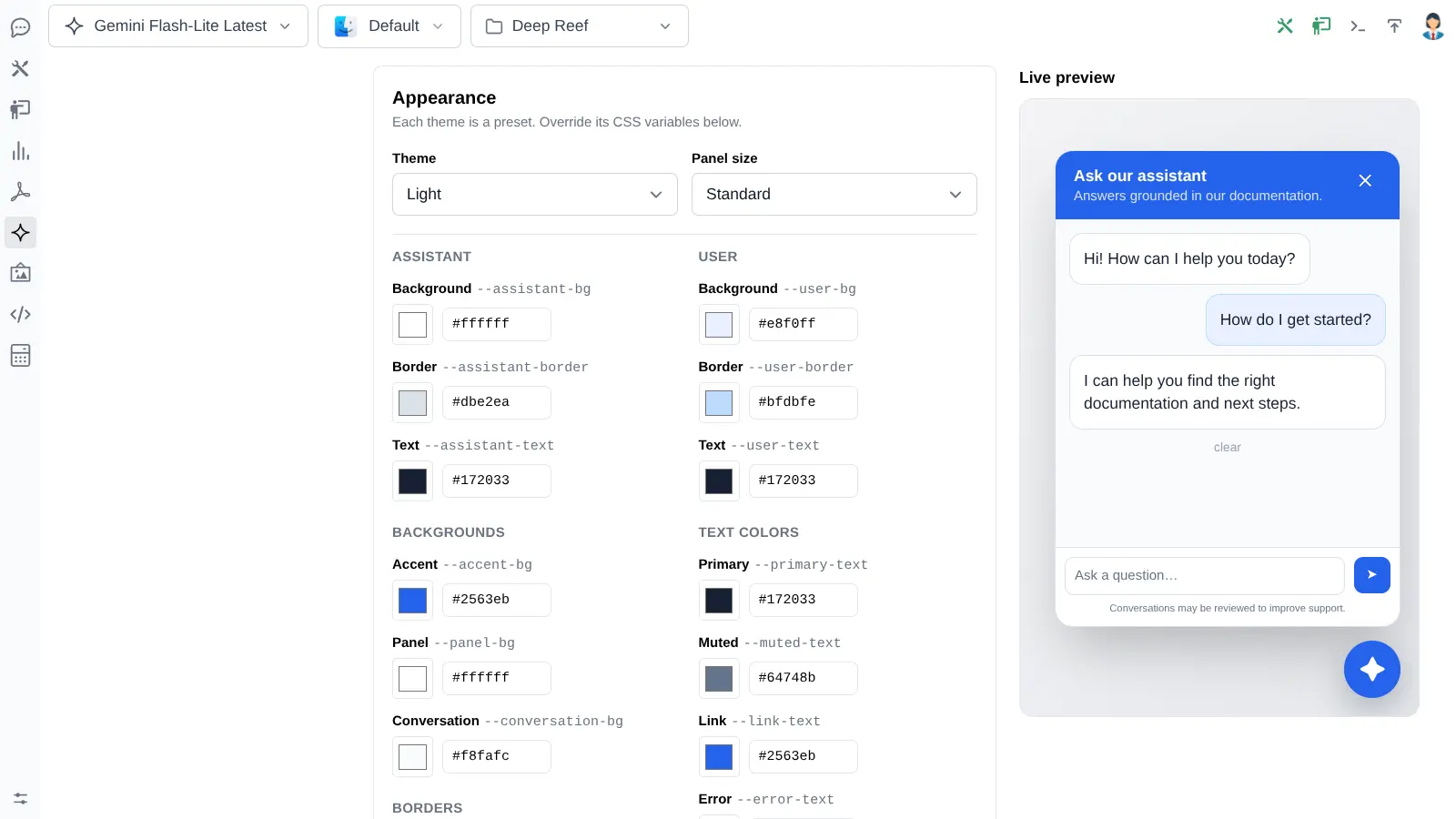
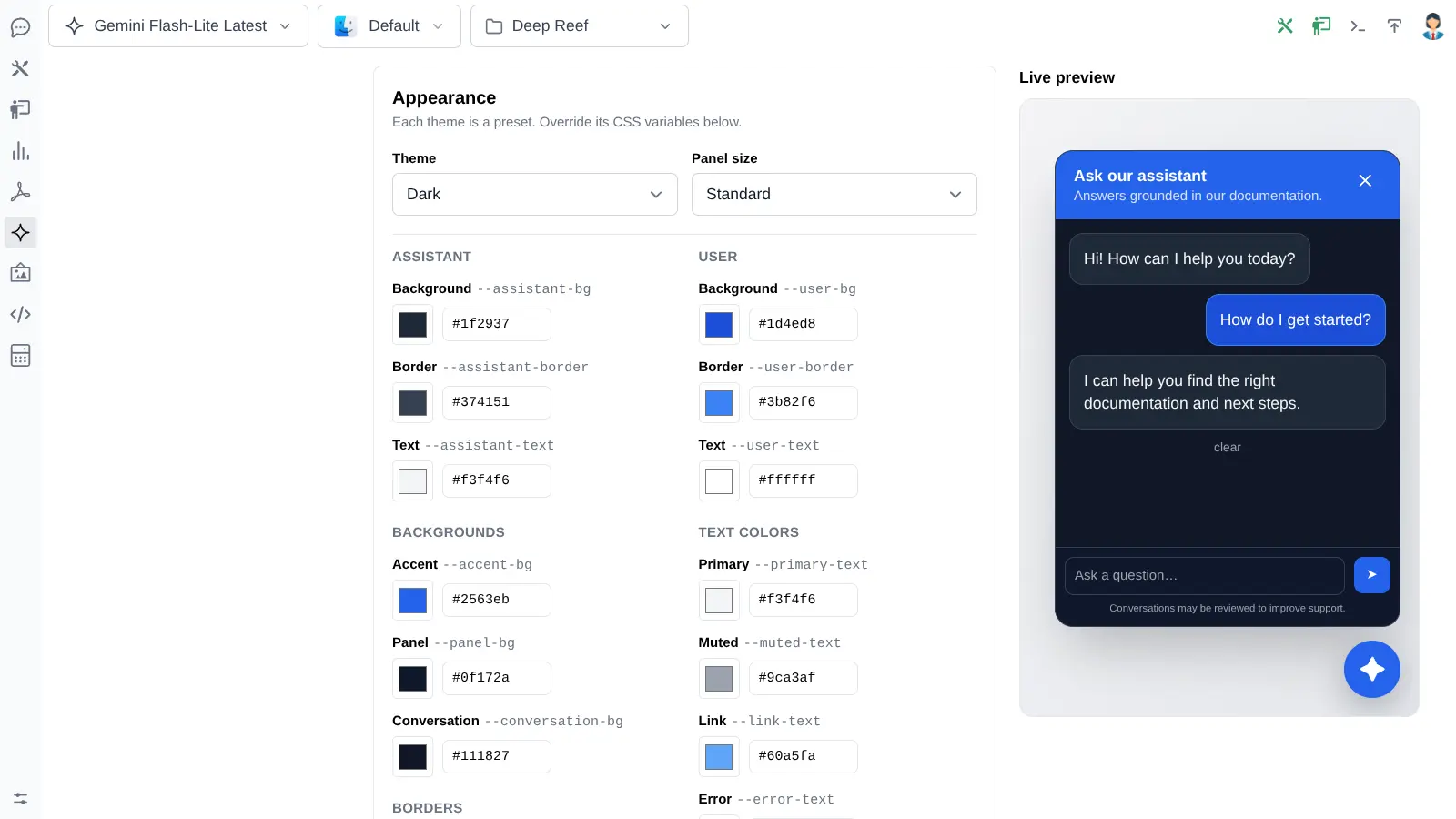
Close the loop with every conversation
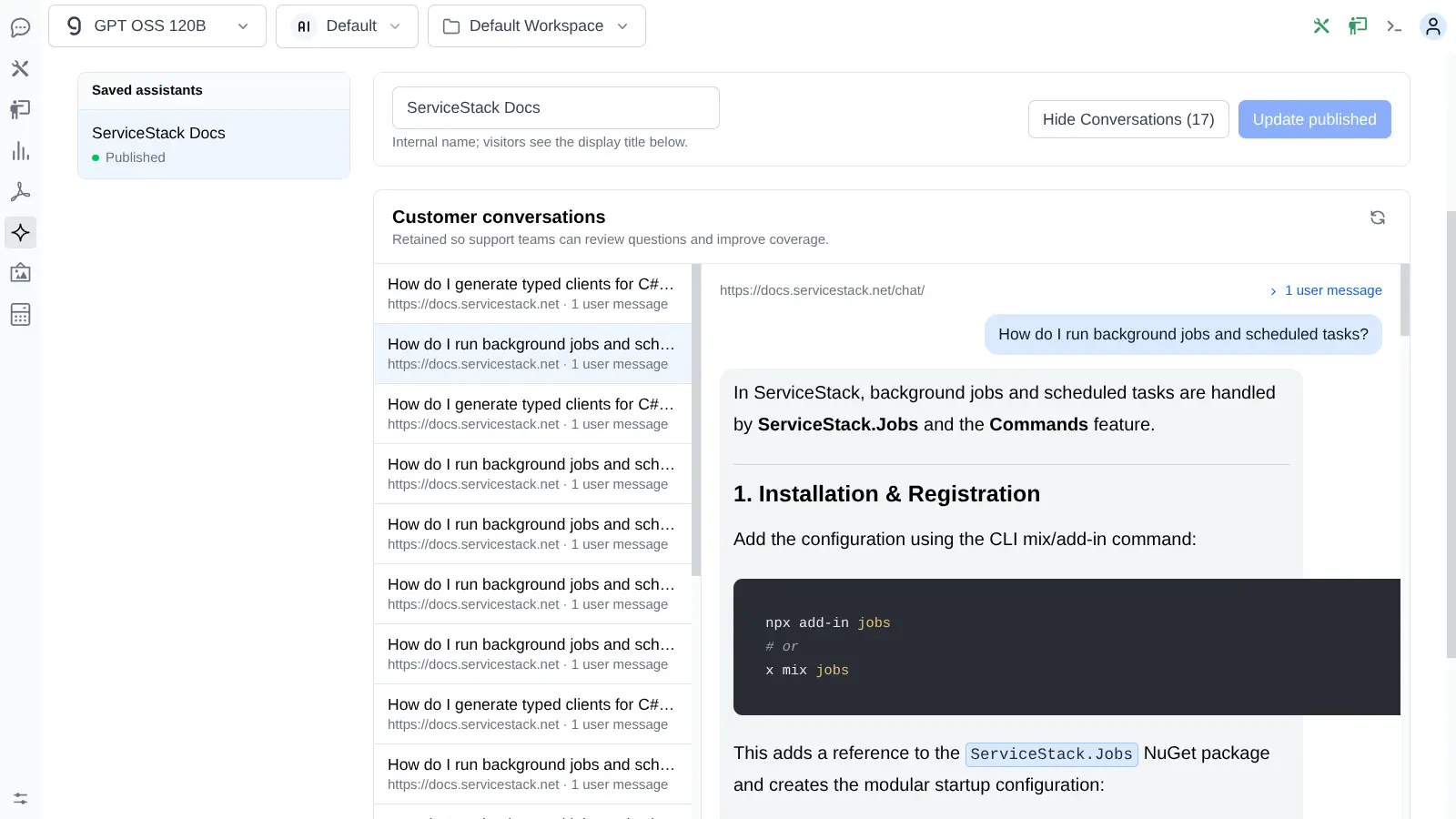
Conversations, messages and citations are retained server-side for your team to review. Conversation lists surface user-message counts and originating pages, so you can see what visitors actually need, find the documentation that's weak or missing, and improve the source material.
The next synchronized import then improves every Assistant grounded in that content - and every search result alongside it.
Draft, publish, unpublish, archive, restore and permanent deletion are all supported. Regenerating a deployment ID invalidates old embeds immediately, and destructive operations summarize what they affect and require typed-name confirmation.
Website Search
Site search that costs nothing per query
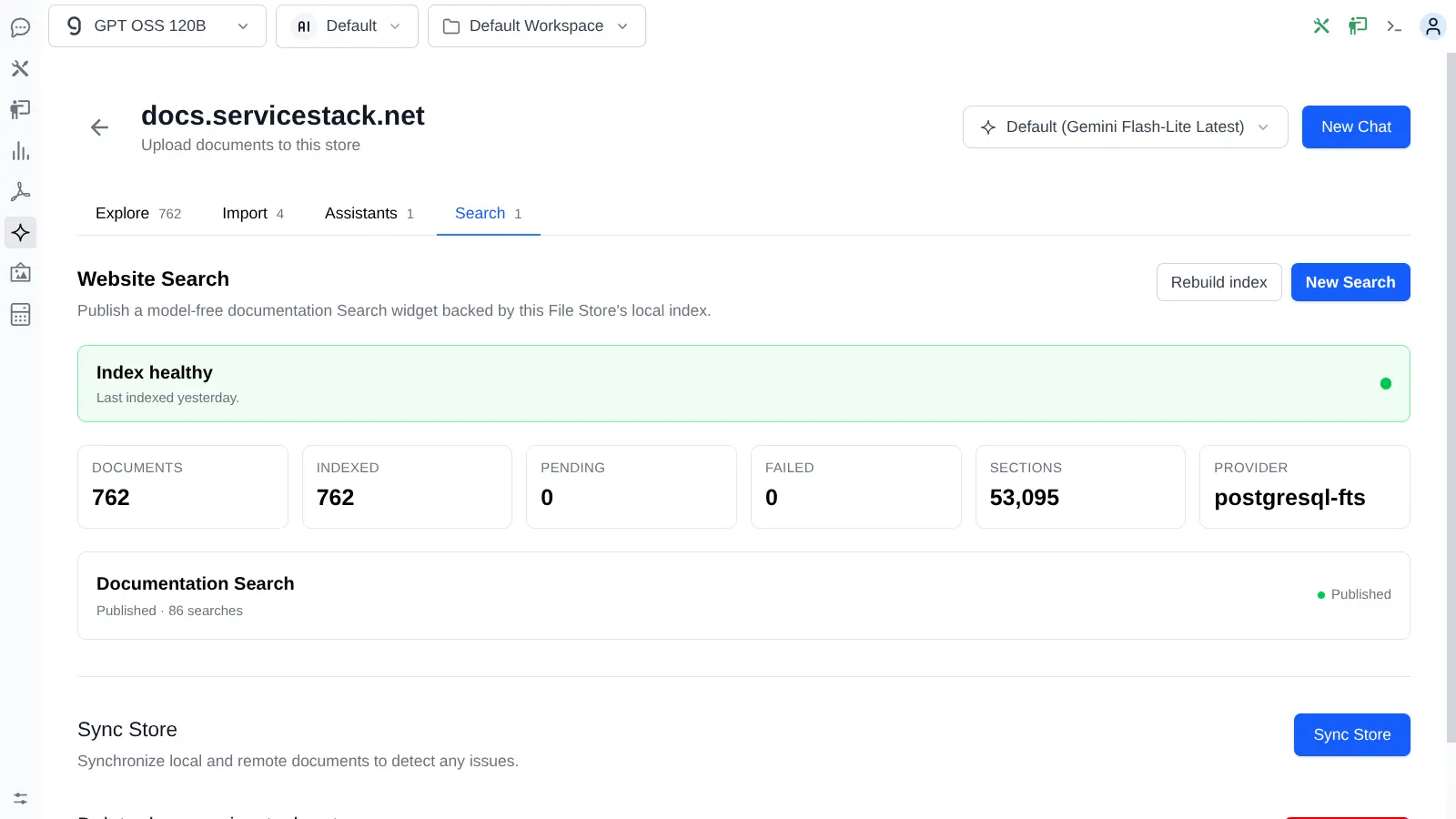
The same documents also build a full-text index inside the database your App already uses. No model call, no usage bill, no search service to host - and the ⌘K interaction visitors already expect.
| Database | Native full-text engine | Safe fallback |
|---|---|---|
| SQLite | FTS5 virtual table | sqlite-like |
| PostgreSQL | GIN index over to_tsvector |
postgresql-like |
| SQL Server | Full-Text Catalog and CONTAINSTABLE |
sqlserver-like |
| MySQL / MariaDB | FULLTEXT index in Boolean mode |
mysql-like |
If a native full-text feature isn't available or a query fails, Search transparently falls back to a
bounded LIKE query rather than going down.
Tune relevance against real results
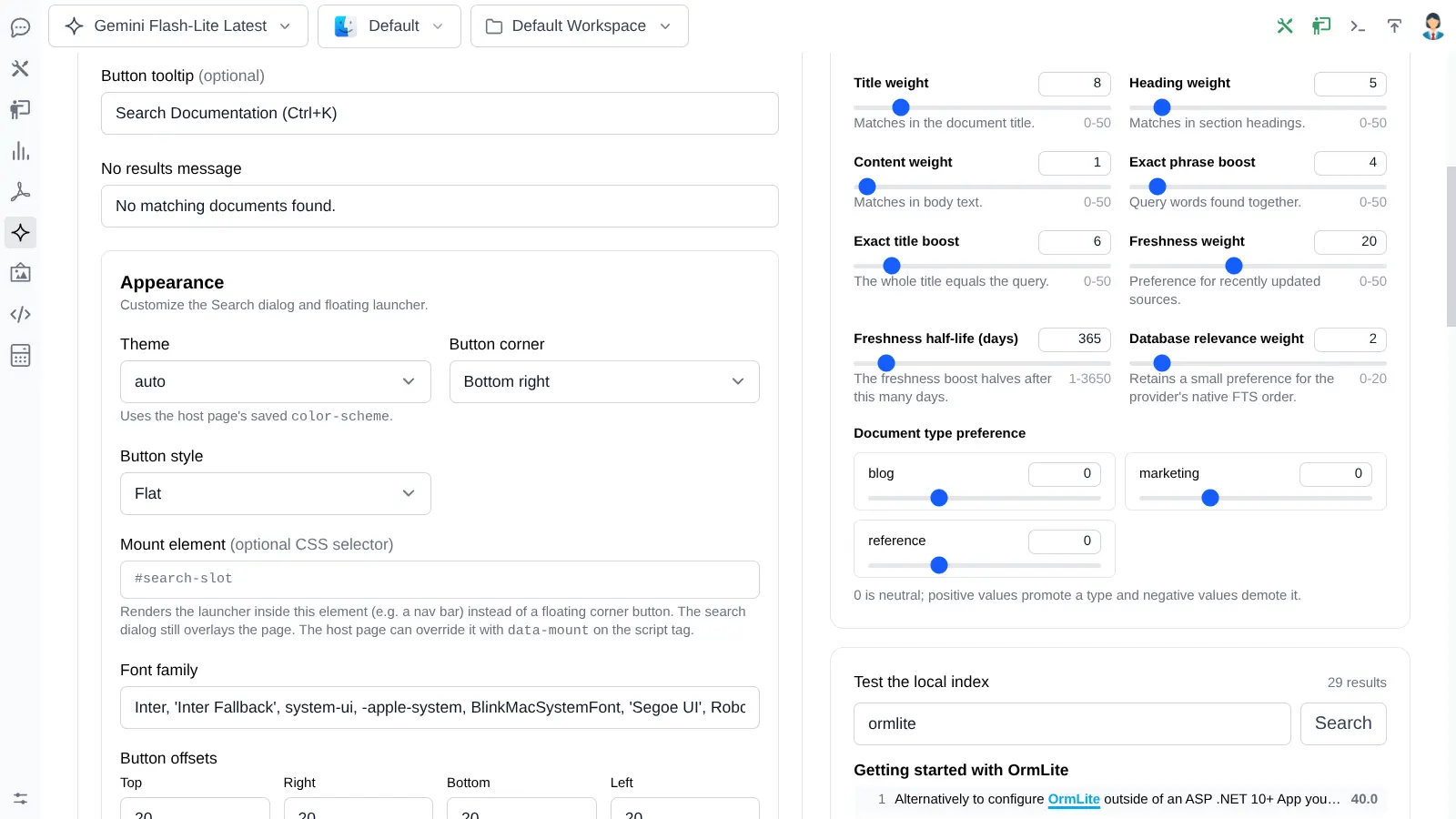
One consistent ranking model runs across every database, with weights for titles, headings, body text, exact phrases, exact titles, content freshness and preferred document types. Every adjustment re-queries immediately - you're tuning against actual results, not reordering a stale client-side list.
- Independent ⌘K and / shortcuts, keyboard navigation and Enter to open
- Grouped results, match highlighting, infinite scrolling and recently opened links
- Results open the canonical Source URL, or a rendered preview when a document has none
- Six themes, custom fonts and highlight colour - and it shares a page with the Assistant without a shortcut clash
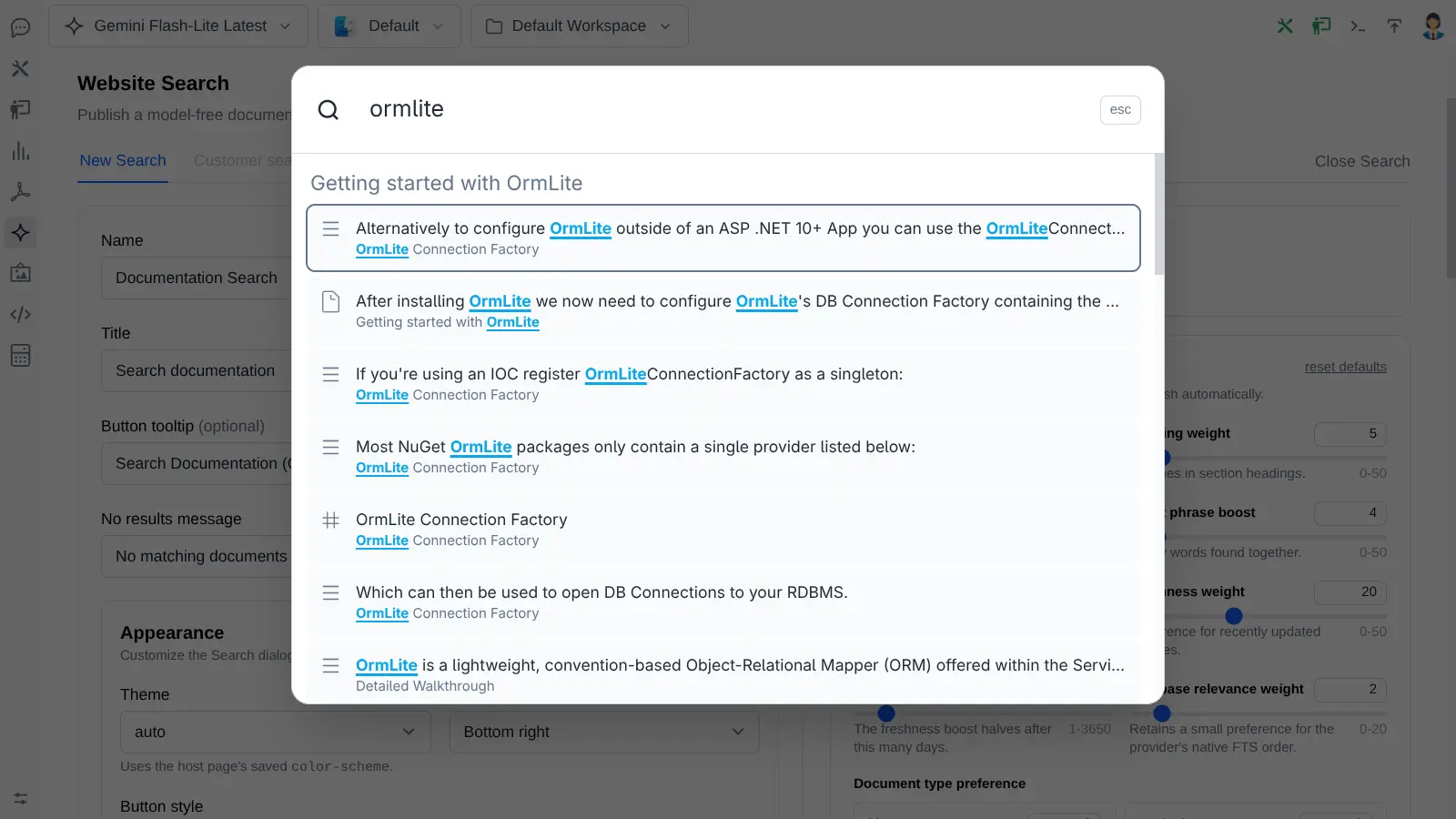
You're using it right now. The search box and the assistant on this documentation site are both published Gemini deployments, indexed from the same Markdown you're reading.
Analytics & privacy
Learn what visitors are looking for
Every published Search reports its own demand and quality signals. Queries that return nothing point directly at the documentation you haven't written yet.
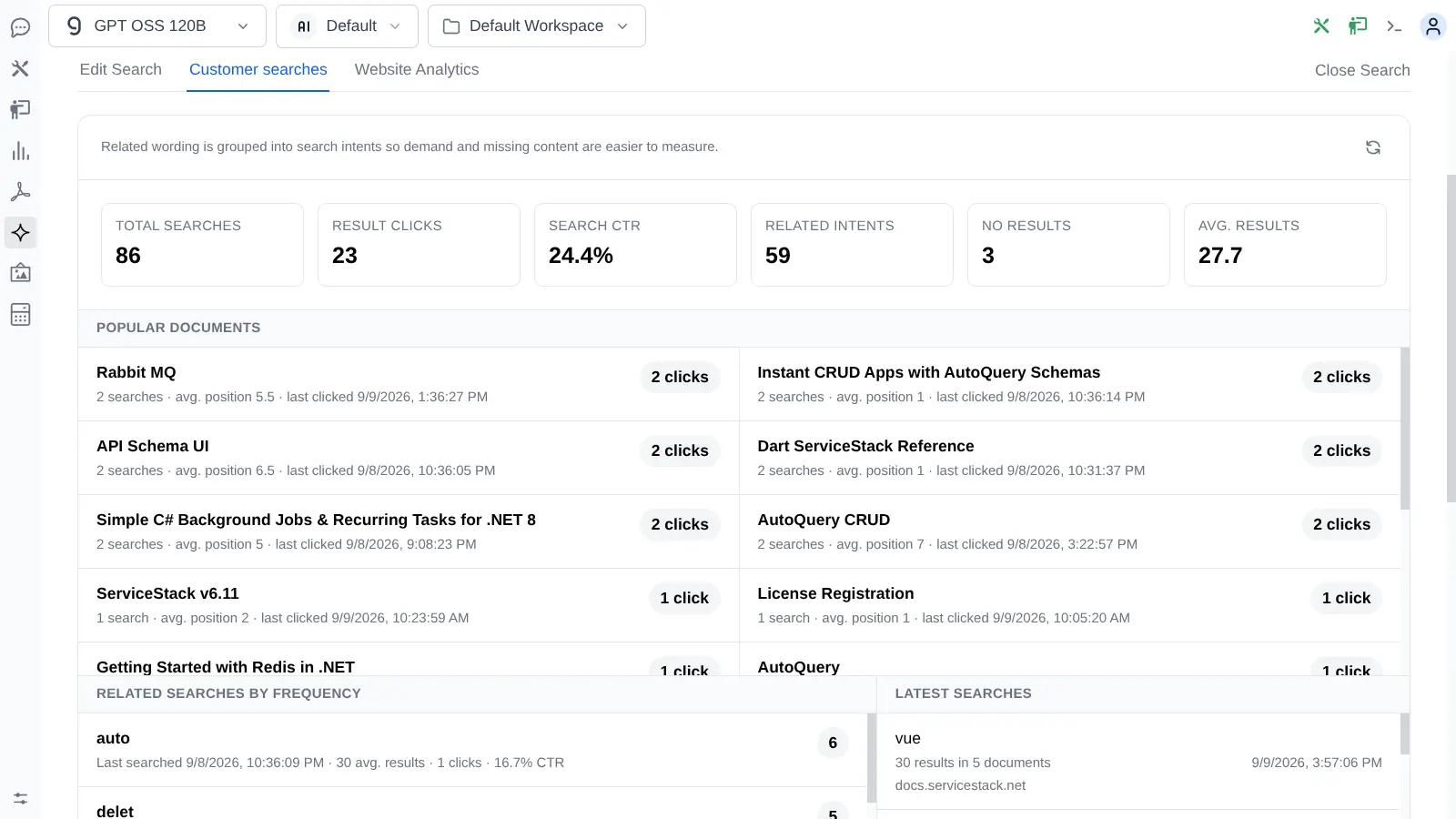
Only real visitors
Administrative previews and test panels never inflate customer metrics.
Never blocks a click
Click reporting is fire-and-forget, so analytics can't delay navigation.
Isolated per deployment
Each Search widget keeps its own queries, clicks and page views.
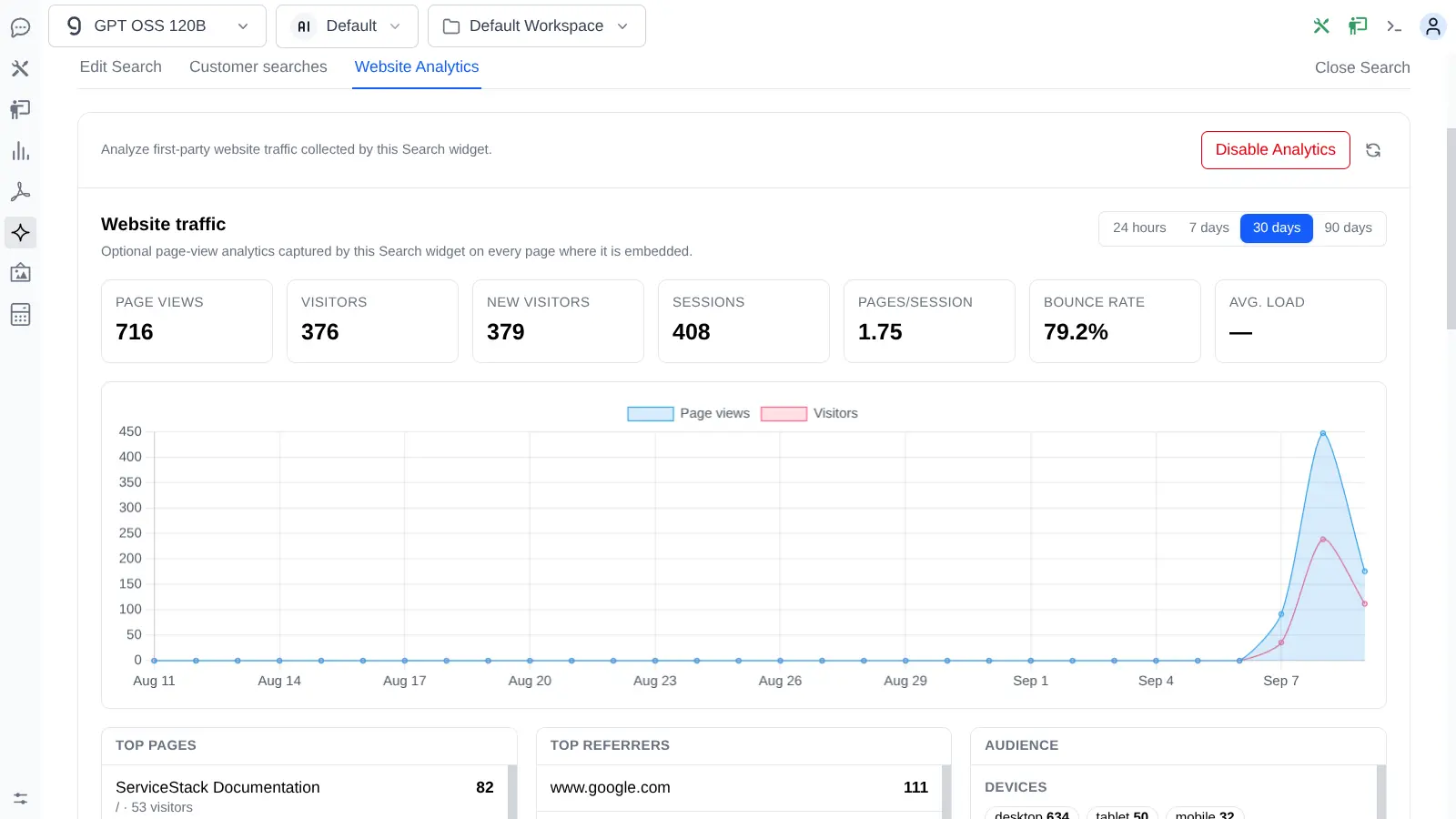
First-party website analytics, opt-in
Because the Search script is already on every page, it can optionally double as a lightweight analytics system - page views, visitors, sessions, bounce rate, load times, referrers, campaigns, devices and platforms over 24 hours, 7, 30 or 90 days.
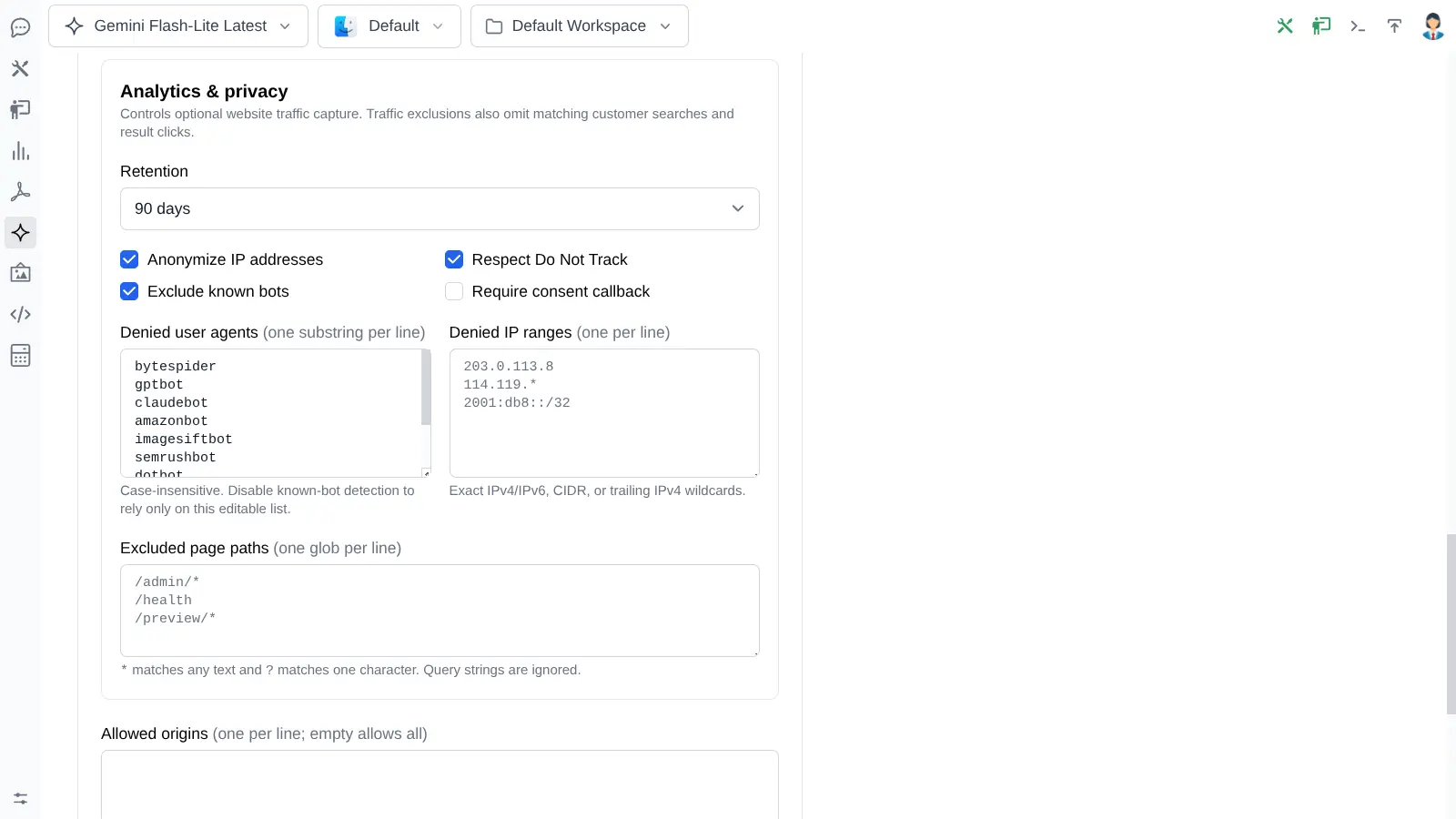
It's disabled by default, and the data stays in your database rather than a third party's.
/24 or /48
IP geography is only ever resolved if you explicitly register a resolver - two are built in, or implement your own.
Operations
Maintainable long after the first demo
The hard part of a knowledge base isn't the first import - it's knowing months later what's indexed, what drifted and what quietly failed.
Your data, your database
The authoritative catalogue, source files, imports, metadata, widgets, analytics and conversations all live in your App's OrmLite database.
Restart-safe workers
Desired and completed hashes live in the database, not an in-memory queue, so interrupted work resumes instead of disappearing.
Failures stay visible
A failed document keeps its provider error for inspection and retry rather than silently vanishing from the corpus.
Deletion you can reason about
Destructive operations show exactly what they cascade through and require typed-name confirmation first.
Get started
An API key and a database connection
Gemini RAG is a built-in AI Chat extension. It installs itself automatically once the App can resolve a
Gemini API key and an IDbConnectionFactory
for its local catalogue.
# Create a key at aistudio.google.com
GOOGLE_API_KEY=your_api_key
# or
GEMINI_API_KEY=your_api_key- 1. Open Gemini from the AI Chat toolbar and create a File Store.
- 2. Import a few documents and watch them index.
- 3. Ask your first grounded question in New Chat.
- 4. Publish a Search widget and an Assistant from the same content.