.NET 10 LTS
We're excited to announce ServiceStack v10 - a major release aligned with Microsoft's newly released .NET 10!
This milestone release brings first-class .NET 10 support across the entire ServiceStack ecosystem, with all packages now shipping native .NET 10 builds optimized for the latest runtime.
As part of this major version upgrade, we've modernized our tooling and streamlined our package offerings:
- All project templates upgraded to .NET 10 - Start new projects on the latest LTS framework
- Adopted the new
.slnxsolution format - Embracing .NET's modern, simplified solution file format - Enhanced Kamal GitHub Action deployments - Streamlined CI/CD that intelligently derives configuration from your repository name and GitHub Action context
Streamlined Package Structure
ServiceStack v10 takes the opportunity to clean up our package ecosystem:
- Retired all
*.Corepackages- These were used to Run ASP.NET Core Apps on the .NET Framework
- If you accidentally referenced them, replace them with the parent (non
.Core) package instead
- Retired
Sqlite.WindowsandSqlite.CliNuGet packages:- .NET Framework users should use
ServiceStack.OrmLite.Sqlite - .NET 6+ users should use
ServiceStack.OrmLite.Sqlite.Data
- .NET Framework users should use
- Removed .NET Standard 2.0 builds from server libraries
- Upgrade to .NET 6+, ideally the new .NET 10 LTS
- Server libraries include target builds for:
net472,net6.0,net8.0,net10.0
- Retired the Blazor WASM project template
- In .NET 10 Blazor WASM is a stand-alone Client App whilst Blazor is a hybrid project supporting all rendering modes
Minimum Supported Versions
ServiceStack v10 establishes a modern baseline for all NuGet packages:
| Platform | Minimum Version |
|---|---|
| .NET | 6.0 LTS |
| .NET Framework | 4.7.2 |
Client Library Compatibility
ServiceStack.Client continues to support .NET Standard 2.0 and .NET 5, ensuring broad compatibility for client applications.
npx scripts
A new v10.0.0 version of the x dotnet tool is now available with support for .NET 10:
dotnet tool install --global x  # install
dotnet tool update -g x         # update
Although this is likely the last .NET runtime that will be supported as the x dotnet tool is being phased out in favor of use-case specific npx scripts which doesn't require a separate install and can be used in all environments without needing .NET installed.
The npx tools have the same behavior as the different x sub-features where you can just replace the command prefix with the npx script equivalent, e.g:
| x command | npx script | description |
|---|---|---|
x new |
npx create-net |
Create a new App from a .NET 10 project template |
x mix |
npx add-in |
Register and configure a Plugin with your App |
x ts |
npx get-dtos ts |
Regenerate latest TypeScript DTOs |
x ts <url> |
npx get-dtos ts <url> |
Generate new TypeScript DTOs for the remote ServiceStack App |
.NET 10 OpenAPI Support
.NET 10 has added support for generating OpenAPI schemas and API Explorer UIs with there now being multiple ways to generate OpenAPI schemas and multiple ways to view them.
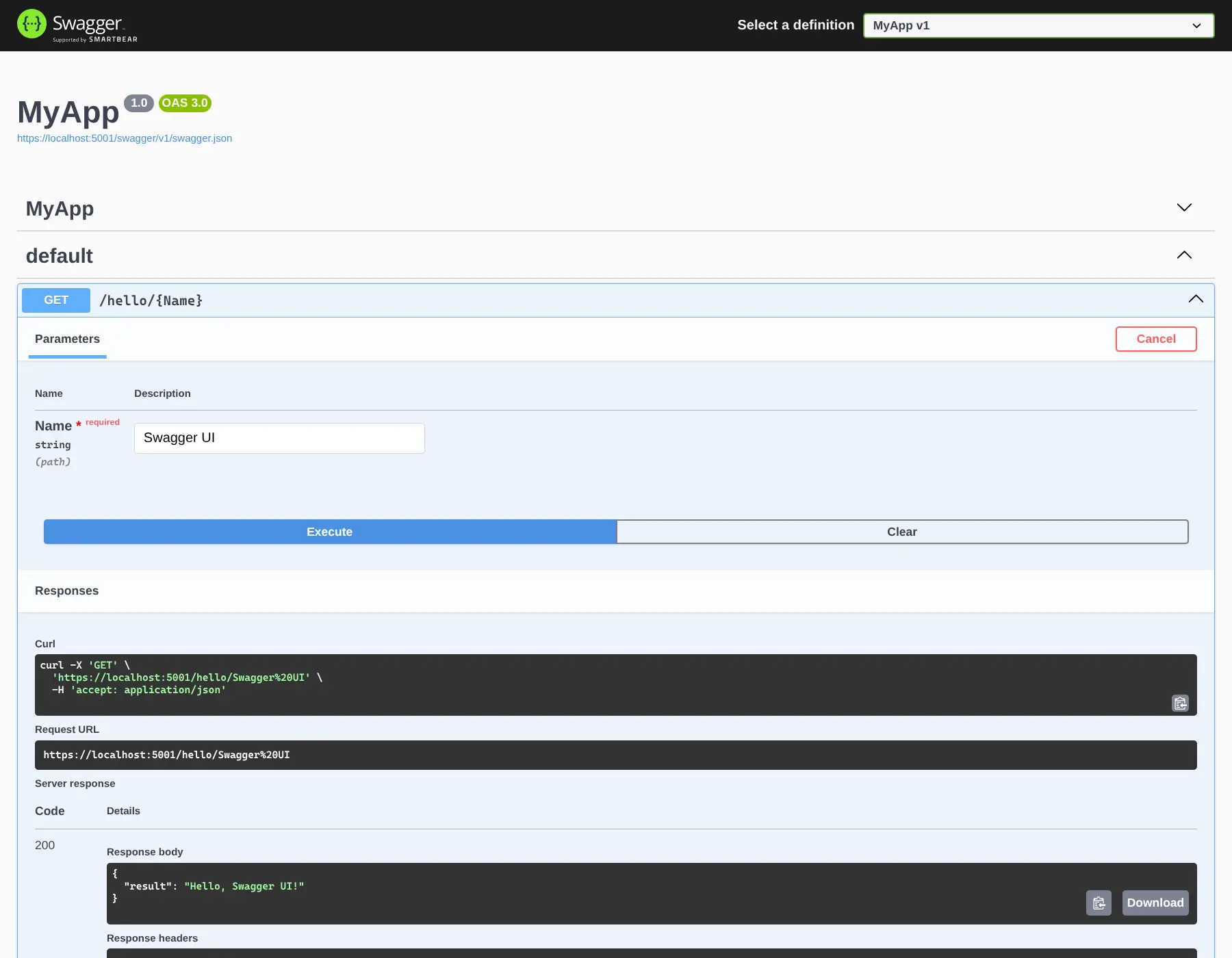
Assuming the trend of Microsoft's defaults having a detrimental influence on the wider .NET ecosystem, we expect Microsoft's new Microsoft.AspNetCore.OpenApi to become the defacto default and Swashbuckle to suffer a slow death as a result, until then it's still the simpler and more popular combination that we've added .NET 10 support for in the new NuGet package:
ServiceStack.OpenApi.Swashbuckle
Depends on:
- Microsoft.OpenApi v2.x
- Swashbuckle.AspNetCore v10.x
Which can be added to .NET 10 Project with:
npx add-in openapi-swagger
Which uses Swashbuckle.AspNetCore for generating OpenAPI schemas and displaying the Swagger UI.
Microsoft.AspNetCore.OpenApi
This was a frustrating package to support starting with not being able to use the latest Microsoft.OpenApi v3 which results in failures at runtime since its latest version is limited to Microsoft.OpenApi v2.
Microsoft.OpenApi v2 use of Analyzers/Interceptors prohibited being able to maintain an easy upgrade path with the existing ServiceStack.AspNetCore.OpenApi NuGet package referencing v1 for existing .NET 8 builds and v2 for .NET 10 builds.
As a result we've had to publish .NET 10 support in the new NuGet package:
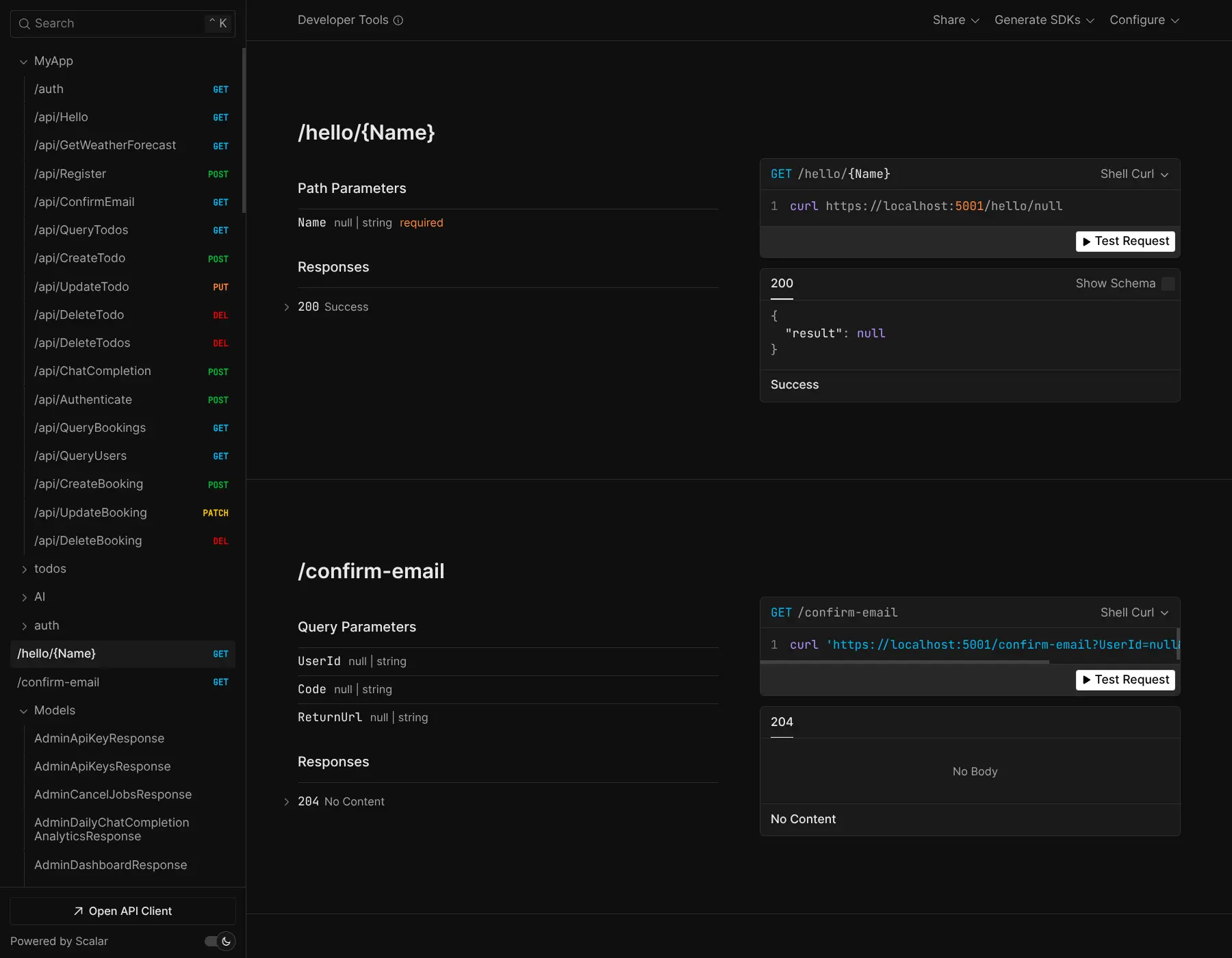
ServiceStack.OpenApi.Microsoft
Depends on:
- Microsoft.OpenApi v2.x
- Microsoft.AspNetCore.OpenApi v10.x
Which can be added to .NET 10 Projects with:
npx add-in openapi-scalar
Which uses Microsoft.AspNetCore.OpenApi to generate OpenAPI schemas and is configured to use Scalar.AspNetCore
to display the newer Scalar UI from the VC-backed scalar.com.
Unfortunately using Microsoft.AspNetCore.OpenApi as-is results in build errors that we're surprised to find its complexity leaking into end-user projects which requires adding <InterceptorsNamespaces> to your MyApp.csproj:
<PropertyGroup>
  <InterceptorsNamespaces>$(InterceptorsNamespaces);Microsoft.AspNetCore.OpenApi.Generated</InterceptorsNamespaces>
</PropertyGroup>
Another alternative we've discovered to resolve build errors is to disable its XML Comment source generator.
API Explorer
Although our personal preference for avoiding this unnecessary complexity is to use the simpler, better integrated and more user friendly API Explorer whose richer metadata enables more optimal form inputs with validation bound forms and code-generation for 11 programming languages.
First Class React
Over the last 2 releases our primary focus has been on enabling first-class support for React, this is quite a contrast from our own decade-long personal preference for Vue which has better affinity with HTML and its support for progressive enhancement that enables a Simple, Modern JavaScript development workflow without requiring npm or any build tools and why it was chosen for all of ServiceStack's built-in UIs. Whilst our focus for Blazor was driven by .NET's preference for Blazor given it's primary positioning by the .NET team.
Software Development has changed forever
Software Development has reached an inflection point where AI Models and tools are now good enough to build featuers in minutes, not hours and rewrite mid-sized application UIs in hours, not months. This fundamentally changes the economics of Software Development.
Whatever our developer preferences were have become significantly less important in the age of AI where the most important factor is now which frameworks AI Models are most proficient in.
The Optimal Stack for AI Development
With an AI-first development model, you're no longer writing the code directly, your task becomes feeding AI Models text prompts and context on what features to implement, so it's more important to choose a framework that AI Models understand well. Currently, that's:
- Next.js 16 - Modern React framework with excellent AI model familiarity
- React 19 - Component patterns that AI models understand deeply
- TypeScript - Type safety that helps AI generate correct code
- Tailwind CSS v4 - Utility-first styling that AI excels at composing
This stack represents the sweet spot where AI models have the most training data, the clearest patterns, and the best ability to generate cohesive, loosely coupled, high-quality code - where it's the de facto standard for instant AI-generated Apps from Replit, Lovable, Google's AI Studio, Vercel's v0 and Claude Code Web.
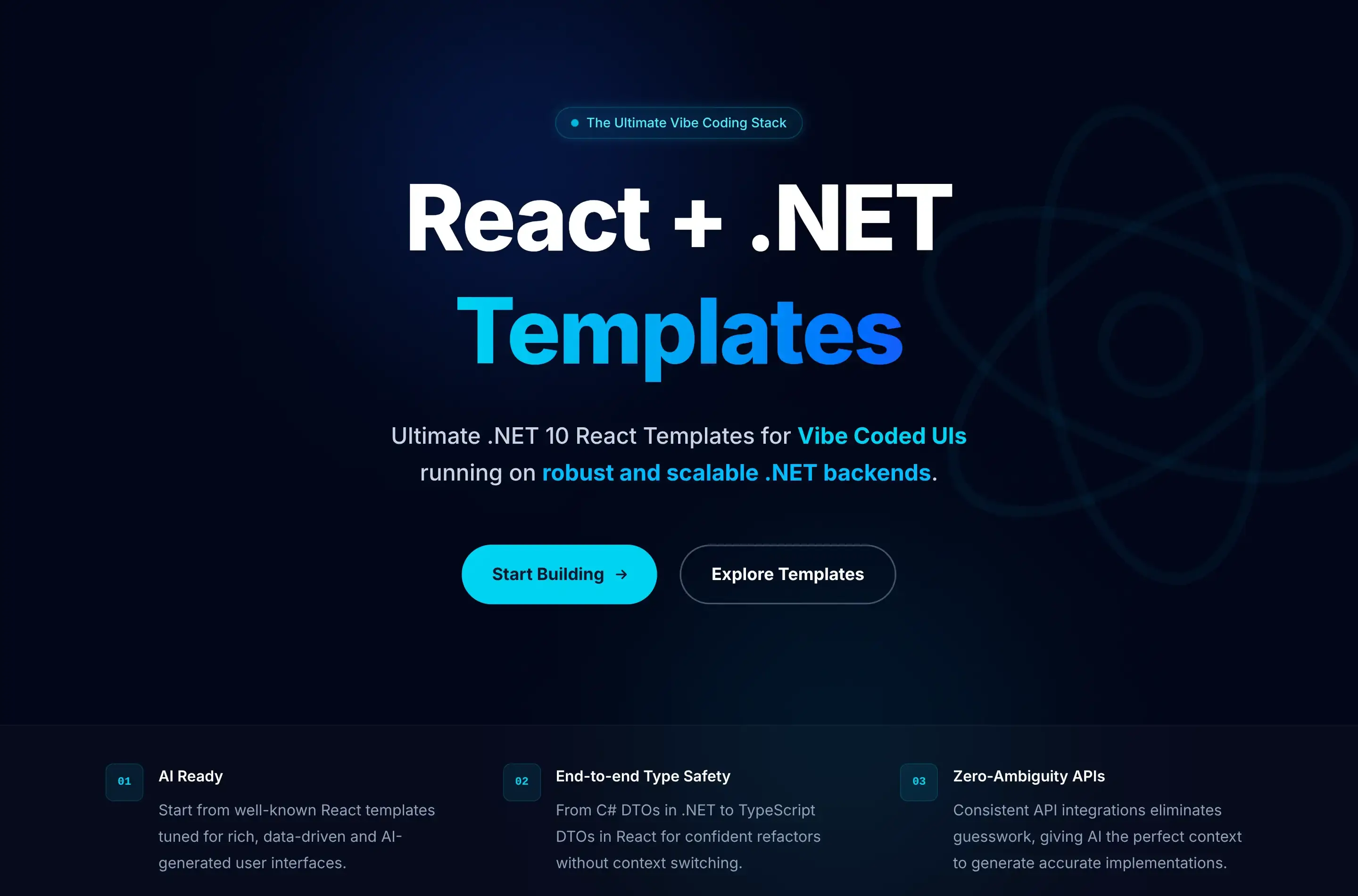
react-templates.net
The culmination of our work on React support is being poured into the new react-templates.net website:
Ultimate Developer Experience
As we expect this to be the future of software development, we've focused on creating the best possible developer experience for all React templates, starting with removing the complexity of needing to manage 2 independent dev servers and local self-signed dev SSL certificates.
Instead you're able to run dotnet watch to run your React App like every other .NET App, where it's accessible at https://localhost:5001:

During development the new NodeProxy takes care of routing all non-matching routes to the underlying Node server, it also takes care of proxying the HotModuleReload (HMR) WebSocket connections of Next.js or Vite React Apps, where we finally get to experience the DX benefits that Vite/Next.js developers have been enjoying for years, with fast, stateful, iterative feedback loops.
Seamless fusion of .NET APIs, Razor Pages and React UIs
Another benefit of this architecture of the .NET App handling all Requests and only proxying unknown requests to the Node server is that it enables a seamless fusion of .NET Razor Pages and React UIs. As many customers have customized Identity Auth flows we've included the Tailwind Identity Auth Razor Pages from the razor template into all new .NET React Templates.
This ability to seamlessly integrate React components within Razor Pages enables a gradual migration strategy, allowing teams to incrementally modernize legacy ASP.NET websites by progressively replacing individual pages or sections with React UIs without requiring a complete rewrite or disrupting existing functionality.
.NET React Templates with Static Exports
All existing SPA Templates have only used static exports, where at deployment a production build of the Node App is generated and published together with the .NET App in its /wwwroot folder, utilizing static file serving to render its UI:

This continues to be the case for 4/5 of the .NET React Templates, starting with 2x new react-static and next-static minimal starting templates - perfect base for your next AI generated projects, starting with the simplest template:
.NET React Templates optimized for AI Development
When your App needs the features from a full-featured Web Framework like Next.js with file-based routing and SEO you choose from the Next.js templates starting with:
Like React Static, Next.js Static is a static export of a Next.js App, but what about when you need the full power of Next.js? For that you can use:
Next.js in Production
Using full Next.js does mean we also need to have a Next.js runtime at production, which looks like:

Fortunately Docker simplifies managing both .NET and Node servers as a single deployable unit, with the next-rsc custom Dockerfile handling the orchestration.
Full-Featured React Templates
In addition to the minimal starting templates above, we've also created 2 full-featured React Templates providing a good reference implementation for integrating several React features including Blog, MDX, Todos and shadcn/ui components alongside .NET features like API Keys, AI Chat & Swagger UI.
Kamal Deployments
All deployments include the GitHub Action workflows to deploy your App to any Linux Server with Kamal using Docker, SSH and GitHub Container Registry (ghcr).
Where you can host it on a Hetzner US Cloud VM for as low as $5 per month or if you have multiple Apps you can delpoy them all to a single VM which we're doing for our .NET Template Live Demos which runs 30 Docker Apps on a 8GB RAM/80GB SSD dedicated VM for $15 /month.
AI-Assisted Development with CLAUDE.md
As part of our objectives of improving developer experience and embracing modern AI-assisted development workflows - all new .NET React templates include a comprehensive AGENTS.md file designed to optimize AI-assisted development workflows.
What is CLAUDE.md?
CLAUDE.md and AGENTS.md onboards Claude (and other AI assistants) to your codebase by using a structured documentation file that provides it with complete context about your project's architecture, conventions, and technology choices. This enables more accurate code generation, better suggestions, and faster problem-solving.
What's Included
Each template's AGENTS.md contains:
- Project Architecture Overview - Technology stack, design patterns, and key architectural decisions
- Project Structure - Gives Claude a map of the codebase
- ServiceStack Conventions - DTO patterns, Service implementation, AutoQuery, Authentication, and Validation
- React Integration - TypeScript DTO generation, API client usage, component patterns, and form handling
- Database Patterns - OrmLite setup, migrations, and data access patterns
- Common Development Tasks - Step-by-step guides for adding APIs, implementing features, and extending functionality
- Testing & Deployment - Test patterns and deployment workflows
Extending with Project-Specific Details
The existing CLAUDE.md serves as a solid foundation, but for best results, you should extend it with project-specific details like the purpose of the project, key parts and features of the project and any unique conventions you've adopted.
Benefits
- Faster Onboarding - New developers (and AI assistants) understand project conventions immediately
- Consistent Code Generation - AI tools generate code following your project's patterns
- Better Context - AI assistants can reference specific ServiceStack patterns and conventions
- Reduced Errors - Clear documentation of framework-specific conventions
- Living Documentation - Keep it updated as your project evolves
How to Use
Claude Code and most AI Assistants already support automatically referencing CLAUDE.md and AGENTS.md files, for others you can just include it in your prompt context when asking for help, e.g:
Using my project's AGENTS.md, can you help me add a new AutoQuery API for managing Products?
The AI will understand your App's ServiceStack conventions, React setup, and project structure, providing more accurate and contextual assistance.
Getting Started
All new react-templates.net include AGENTS.md by default. For existing projects, you can adapt the template to document your App's conventions, patterns and technology choices.
Rewriting Legacy UIs with AI
The revolutionary productivity gains of AI generated software has radicalized how we look at software, in that any time we spend manually Legacy UIs has us questioning if it's worth continuing in developing it in this way. Fortunately rewriting legacy UIs on modern AI-First stacks has never been cheaper and faster than today.
The Legacy UI Problem
Like old buildings, legacy UIs accumulate years of technical debt that makes renovation increasingly expensive:
- Layers of workarounds - Code built on top of framework limitations that no longer exist
- Outdated patterns - Solutions to problems that modern frameworks solve elegantly out-of-the-box
- Dependency hell - Ancient package versions with security vulnerabilities and incompatible upgrades
- Framework quirks - Intimate knowledge required of deprecated APIs and edge cases
- Integration friction - Every new feature must navigate the minefield of existing code
Traditional renovation means dealing with all these nuances. Each new feature requires understanding why things were done a certain way, working around old limitations, and maintaining compatibility with outdated patterns. It's like trying to add a second floor to your house whilst still living in it, technically possible, but an expensive, delicate, and compromised endeavor that's rarely done.
AI-Powered UI Transformation
Modern AI models have transformed UI development from a time-intensive rewrite into a rapid transformation process. By utilizing an AI-first development approach (aka Vibe Coding) we can now leverage existing codebases as detailed specifications they can use as a blueprint, telling them exactly what to build.
Something AI Models excel at is code transformations, they are remarkable at understanding the intent of code and transforming code from one framework to another, a perfect fit for rewriting legacy UIs.
Context is King
With AI code generation, the more details and context you provide, the closer the output matches your intent. With existing code-bases there is no ambiguity, the AI gets to know exactly what features it needs to build and how they work.
What Makes This Possible
The key insight is that your existing codebase is the perfect specification as Legacy UIs already define:
- All features and functionality
- User interactions and workflows
- Data structures and API contracts
- Edge cases and business logic
- Visual layouts and component hierarchy
With just an existing code-base and a detailed migration plan, AI models can translate it to modern frameworks with remarkable accuracy to 90% completion in minutes, whilst you can Vibe Code the rest to get it over the line.
A Real-World Example: TechStacks
Whilst the TechStacks C# ServiceStack backend is over a decade old, its UI has undergone multiple migrations, with the last version rewritten 7 years ago.
- v1: Angular 1 + Bootstrap
- v2: Nuxt.js 1.4 + Vuetify 1
- v3: Next.js 16 + React 19 + Tailwindcss v4 (Vibe Coded UI / Preserved backend .NET APIs)
The previous migration from Angular 1 / Bootstrap to Nuxt.js / Vuetify was done over several weeks whilst the last AI completed migration to React / Tailwindcss was done within a couple of days.
The actual migration and Vibe coded walkthrough itself only took a few hours, as the majority of the time was spent moving the existing deployment from an AWS ECS / RDS setup to a much less expensive Hetzner + PostgreSQL setup, deployed using GitHub Actions and Kamal.
Migration Scope
This wasn't a trivial update. The migration involved:
- 20 pages with complex routing and dynamic content
- 23 components including complex forms and interactive elements
- Complete conversion from Vuetify/Bootstrap to React 19/Tailwindcss
- Migration from JavaScript to strict TypeScript
- Replaced Vuetify with Tailwind CSS + @servicestack/react components
- Implementation of modern patterns (Server Components, App Router)
Where to start:
- Create a detailed Migration Plan - It's vital for big migrations (and other large code generation tasks) to have a detailed plan of what needs to be done, how it will be done, and what the end result will be.
The Migration Prompt
As it's a vital part of AI Assisted development, most AI Tools have planning tools built-in, Since Anthropic gave out free credits to their Claude Code on the web we used it to create the Migration plan:
Create a detailed plan for completely rewriting this old Nuxt.js Vuetify website into a
new modern beautiful Next.js 16 Web App utilizing the existing C# ServiceStack back-end.

The entire UI can be erased to make way for a modern, visually stunning React 19,
TypeScript and Tailwindcss v4 App.

Use the existing Nuxt Vuetify pages to learn how to call its C# ServiceStack APIs with
the TypeScript JsonServiceClient and Typed DTOs in ./TechStacks/src/shared/dtos.ts.

Do not generate code, only generate a comprehensive detailed plan for how to rewrite
the UI layer for the existing C# back-end APIs. All Data is already available in the
existing C# APIs.
The result of which was the NEXTJS_MIGRATION_PLAN.md.
After reviewing the plan and making the necessary changes to match what you want to build it's time to execute the migration.
Executing the Migration
We took a copy of the existing Nuxt.js / Vuetify code-base with the migration plan and instructed Claude Code to execute the migration with the prompt:
Implement the NEXTJS_MIGRATION_PLAN.md
With access to both the Migration Plan and existing code-base, Claude Code was able to generate the entire new Next.js UI within 20 minutes, for less than $10 (in free credits).
The initial AI-generated code wasn't perfect, but it generated an excellent starting point that converted most of the existing Nust/Vuetify implementation into a modern Next.js App, with its preferred project structure.
Vibe Code the rest
The most time consuming part of the mgiration is walking through the entire Application, in tandem with your existing App to test that everything functions as it did before. Fortunately you never need to take the reins to get it over the line, as now that we have a modern AI-friendly Next.js/React/Tailwind UI we can just use Vibe Coding to prompt the AI Models to implement any missing features or fix any issues that you find along the way.
If this is your first time using AI Models for all development, it can seem like unrealistic magic from the future. But not only is it possible, it's the most productive development model we've ever experienced, and is all likely to be the future of software development.
Old vs New UI
Here's a sample set of screenshots of the old vs new UIs:
Whilst we keep the old UI around for reference, you can view both UIs side-by-side at:
- Old (AWS + ECS + RDS): https://vuetify.techstacks.io
- New (Hetzner + PostgreSQL): https://techstacks.io
Why UIs Are Perfect Candidates for Replacement
Unlike backend systems where "tear down and rebuild" is far riskier and requires a more methodical approach, UIs are uniquely suited for complete replacement:
1. WYSIWYG Validation The end result is immediately visible. You can see if it works correctly just by using it. No hidden business logic, no subtle data corruption bugs - it just needs to look and behave right.
2. Clear API Boundaries When your UI integrates with existing, battle-tested backend APIs, you're building on proven business logic. The API contract is your safety boundary - preventing you from accidentally introducing server-side vulnerabilities or data corruption.
3. No Legacy Baggage Start fresh without inheriting:
- Workarounds for bugs in older framework versions but never updated
- CSS hacks for IE11 compatibility that we no longer need
- State management patterns designed before modern solutions existed
- Build configurations accumulated over years of framework updates
4. Better Modern Frameworks Today's frameworks solve problems that required custom code in legacy stacks:
- Server Components eliminate entire categories of client-side state management
- Modern CSS (Grid, Flexbox, Container Queries) replaces brittle layout hacks
- TypeScript catches errors that required runtime checks and defensive coding
- Built-in optimizations (code splitting, lazy loading) that were manual before
5. Separation of Concerns The UI layer is just the presentation layer. All the critical business logic, validation, authorization, and data integrity remains safely in the backend where it's been tested and proven over years of production use.
The AI-First Advantage
The real return on migrating isn’t the one-time rewrite, it’s the velocity that's gained afterward. After migrating to an AI‑native stack (Next.js, React, TypeScript, Tailwind), AI agents are better able to reliably implement new features asynchronously, i.e. without human intervention.
Changes like "Add dark mode support", "Implement infinite scrolling" or "Add export to CSV" become natural‑language prompts instead of full developer-assigned tickets. Iteration cycles of most UI features get compressed down to seconds, where it now takes less time to get AI Agents to implement features than it would take to describe the feature to a developer. Code becomes a disposable resource that's become cheap to write, where complete UI rewrites, prototypes, and experiments are now feasible.
Most importantly, a high quality product is the result of multiple dev iterations, i.e. continuously improving on features until they work exactly as intended and AI Agents enables far greater iteration velocity than hand coded implementations, at a fraction of the cost – that's able to supercharge the productivity of existing developers.
This is the primary benefit of rewriting to an AI‑native stack: creating a new foundation that enables "Vibe Coding" - where UI changes are described by text prompts and implemented by AI Agents.
Work that once took hours of human effort can now be done using AI Agents in minutes, with the migration typically paying for itself within the first few features.
Looking Forward
We're at the beginning of a fundamental shift in how we approach software development. AI Assistance has become a mandatory tool for developers, amplifying their capabilities and automating away tedious, repetitive work. AI models are only going to get better at understanding codebases and generating accurate implementations. The frameworks and patterns that work best with AI will become the new standard.
For organizations with legacy applications, it means modernization is now economically viable. Barriers that made UI rewrites prohibitively expensive have eroded. What was once a multi-month project requiring dedicated teams is now achievable in days with AI assistance.
Add ServiceStack Reference
Other disruptive changes in this release include nullable reference type annotations are now enabled by default, where it's now assumed ServiceModel projects have <Nullable>enable</Nullable>.
Previously DTOs would only include nullable annotations for Nullable Value Type properties, now nullable reference types like string? Notes:
public partial class CreateBooking
    : IReturn<IdResponse>, ICreateDb<Booking>
{
    [ValidateNotEmpty]
    public string Name { get; set; }

    public RoomType RoomType { get; set; }

    [ValidateGreaterThan(0)]
    public int RoomNumber { get; set; }

    public DateTime BookingStartDate { get; set; }
    public DateTime? BookingEndDate { get; set; }

    [ValidateGreaterThan(0)]
    public decimal Cost { get; set; }

    public string? Notes { get; set; }
    public bool? Cancelled { get; set; }
}
Will be reflected in the generated DTOs for languages that support nullable annotations. Required reference properties like Name are required and optional reference properties like Notes are correctly annotated as optional:
// C# Geenrated DTOs
public partial class CreateBooking
    : IReturn<IdResponse>, ICreateDb<Booking>
{
    [Validate("NotEmpty")]
    public virtual string Name { get; set; }

    public virtual RoomType RoomType { get; set; }
    [Validate("GreaterThan(0)")]
    public virtual int RoomNumber { get; set; }

    public virtual DateTime BookingStartDate { get; set; }
    public virtual DateTime? BookingEndDate { get; set; }
    [Validate("GreaterThan(0)")]
    public virtual decimal Cost { get; set; }

    public virtual string? Notes { get; set; }
    public virtual bool? Cancelled { get; set; }
}
The same type annotations are also applied to TypeScript DTOs:
// TypeScript Geenrated DTOs
export class CreateBooking implements IReturn<IdResponse>, ICreateDb<Booking>
{
    // @Validate(Validator="NotEmpty")
    public name: string;

    public roomType: RoomType;
    // @Validate(Validator="GreaterThan(0)")
    public roomNumber: number;

    public bookingStartDate: string;
    public bookingEndDate?: string;
    // @Validate(Validator="GreaterThan(0)")
    public cost: number;

    public notes?: string;
    public cancelled?: boolean;

    public constructor(init?: Partial<CreateBooking>) { (Object as any).assign(this, init); }
    public getTypeName() { return 'CreateBooking'; }
    public getMethod() { return 'POST'; }
    public createResponse() { return new IdResponse(); }
}
Override Nullable Annotations
Languages with nullable annotations like TypeScript will allow you to control optional properties for each property with IsPropertyOptional, e.g:
TypeScriptGenerator.IsPropertyOptional = (ts, type, prop) =>
{
    // Custom Impl
    if (ShouldBeOptional(type, prop))
        return true;
    if (ShouldBeRequired(type, prop))
        return false;

    // Default Impl
    return TypeScriptGenerator.DefaultIsPropertyOptional(ts, type, prop);
};
SVG Creator
To reduce the artifacts in our starting project templates we're replacing SVGs for pre-configured users to use inline data URIs which is now generated using the new SvgCreator class which lets you create random SVG images from the first letter of a users name and a random background color:
newUser.ProfileUrl ??= SvgCreator.CreateSvgDataUri(char.ToUpper(newUser.UserName![0]));
AutoQuery
New Min%, Minimum% and Max%, Maximum% implicit conventions for querying Enum Flag fields when they match
ALL enum field values or include ANY of them:
new AutoQueryFeature()
{
    ImplicitConventions = new() {
        //...
        {"Min%",     "{Field} >= {Value}"},
        {"Minimum%", "{Field} >= {Value}"},
        {"Max%",     "{Field} <= {Value}"},
        {"Maximum%", "{Field} <= {Value}"},
    }
}
Which allows:
public class QueryBookings : QueryDb<Booking>
{
    //...
    public int MinCost { get; set; }
    public int MaxAge { get; set; }
}
That can be queried with:
var response = await client.Get(new QueryBookings { MinCost = 1000, MaxAge = 30 });