API Tools let AI Models discover, learn and call your existing ServiceStack APIs. Your typed Request DTOs, metadata, validation, authorization and Services remain the single source of truth - there is no parallel schema, no bespoke function-calling gateway and no AI-specific application backend.
Three tools, not one per API
Sending every API schema to a Model on every request would be expensive, slow and confusing - a mature application's whole API surface is far too large to keep in context (270 APIs is roughly 156K tokens of schema). Instead, ServiceStack exposes three stable tools:
Only the search index is loaded eagerly; a Model pays for an API's schema only when it actually uses it.
Progressive discovery, end to end
Nothing about the menu was memorized from a prompt. The Model isn't given a snapshot of your application, it's taught how to find and use its live capabilities - so the same conversation keeps working as products, prices, options and APIs change.
Enabling API Tools
API Tools are on by default once ChatFeature is registered, but nothing is exposed until you opt an API in. There are three ways to do so:
services.AddPlugin(new ChatFeature {
    ApiTools = {
        // expose every API with these [Tag]s in bulk
        IncludeTags = ["CoffeeShop", "Bookings"],

        // expose these Request DTOs by name, for APIs you can't annotate
        IncludeTypes = ["QueryCustomers"],

        // never expose these, whatever else includes them
        ExcludeTypes = ["DeleteAllOrders"],
    },
});
Plus the per-API opt-in, which is always included:
[Tool("the user wants to browse the coffee shop menu")]
public class GetCoffeeShopMenu : IGet, IReturn<GetCoffeeShopMenuResponse> { }
| Property | Default | Description |
|---|---|---|
IncludeTags |
[] |
Expose every API carrying one of these [Tag]s |
IncludeTypes |
[] |
Expose these Request DTOs by name |
ExcludeTypes |
[] |
Never expose these, whatever else includes them |
DefaultTake |
25 |
Rows returned when neither the Agent nor [Tool(Take)] specifies a limit |
MaxTake |
100 |
Maximum rows an Agent can ask for, whatever it requests |
MaxResultLength |
32 KB |
Result JSON longer than this is truncated |
Tools.EnableApiTools = false removes the capability entirely.
The [Tool] attribute
Existing API metadata is used as-is and should not be repeated. [Description] and [Notes] document what the API does, [Tag] groups it, and property-level [Description], [ApiMember] and [ApiAllowableValues] become the JSON Schema an Agent reads. [Tool] adds only what an Agent needs beyond that.
[Tag("CoffeeShop")]
[Description("Returns the complete coffee shop menu with product IDs, prices, " +
             "valid sizes, temperatures and customization options")]
[Tool(
    "the user wants to browse the coffee shop menu, learn what can be ordered, " +
    "check prices, or build an order",
    Safety = ToolSafety.ReadOnly,
    Keywords = ["coffee", "drink", "food", "bakery", "customizations"])]
[Route("/coffee-shop/menu", "GET")]
public class GetCoffeeShopMenu : IGet, IReturn<GetCoffeeShopMenuResponse> { }
| Property | Description |
|---|---|
WhenToUse |
The situation that calls for this API. The single most valuable thing you can add - [Description] tells a developer what the API does; this tells an Agent when to pick it |
Name |
The name the Agent calls this tool by. Defaults to the Request DTO name. Conventionally snake_case |
Keywords |
Extra search terms a user might say that don't already appear in the name, route, tags or description |
Aliases |
Alternative names and user vocabulary that should resolve to this API |
Examples |
Example JSON request payloads returned alongside the schema |
Prerequisites |
APIs the Agent should normally call first |
Preview |
A read-only API that previews or validates this API's proposed arguments |
FollowUps |
APIs commonly useful after this one succeeds |
Safety |
Auto, ReadOnly, Write or Destructive |
RequiresApproval |
Require a human decision before every call, regardless of Safety |
Fields |
Comma-delimited fields the response is reduced to by default |
Take |
Default row limit for result sets |
Group |
Tool group this API is listed under. Defaults to its first [Tag] |
Exclude |
Hide this API even though something else would include it. Takes precedence over every opt-in |
WhenToUse
WhenToUse is what makes discovery work. Phrase it as the user's situation, not the API's behaviour:
// ✅ the situation that calls for it
[Tool("the user asks about a customer's orders, spend or contact details")]

// ❌ what the API does - [Description] already says this
[Tool("queries the Customers table and returns matching rows")]
Examples
The highest accuracy-per-token you can buy for APIs whose usable inputs aren't obvious from their type alone. AutoQuery's implicit conventions (%StartsWith, %Between, orderBy, fields, take) don't appear in the generated schema at all - one realistic example teaches them all:
[Tag("Northwind")]
[Description("Search Customers by company, contact or country")]
[Tool("the user asks who a customer is, where they're based or how to contact them",
    Keywords = ["client", "account", "buyer"],
    Examples = ["""{"countryStartsWith":"UK","take":10}"""],
    Fields = "id,companyName,country", Take = 25)]
public class QueryCustomers : QueryDb<Customer> { }
Fields and Take
The main defence against a single call flooding the Agent's context. A table with 90 columns costs more to return once than the entire tool index costs to keep loaded:
[Tool(Fields = "id,companyName,country", Take = 25)]
Both only limit the default - the Agent can still request other fields, bounded by MaxTake.
Preview and workflow metadata
For consequential workflows, point the Agent at a read-only API that validates and prices a proposed request before the real one runs:
[Tool("the user has finished choosing an order and wants to place or submit it",
    Safety = ToolSafety.Write,
    RequiresApproval = true,
    Prerequisites = ["GetCoffeeShopMenu"],
    Preview = "PreviewCoffeeShopOrder",
    FollowUps = ["GetCoffeeShopOrder"],
    Keywords = ["buy", "checkout", "place order"])]
[Route("/coffee-shop/orders", "POST")]
public class CreateCoffeeShopOrder : IPost, IReturn<CreateCoffeeShopOrderResponse>
{
    [Description("Name to put on the order")]
    [ValidateNotEmpty]
    public string CustomerName { get; set; } = "";

    [Description("Final order items. The approval form lets the user edit " +
                 "these before submission")]
    [ValidateNotEmpty]
    public List<OrderItemRequest> Items { get; set; } = [];
}
Safety
Safety defaults to Auto, inferred from the API's HTTP verb - GET/HEAD is read-only, DELETE is destructive, everything else is a write. Set it explicitly when the verb lies about the consequences: a POST that only runs a report is ReadOnly, a POST that emails every customer is Destructive. RequiresApproval = true demands a human decision for every call regardless of Safety.
See Tool safety for how the classification is used across the whole Tool Registry.
Agent-facing instructions with [Mcp]
[Description] is read by API Explorer, Admin UIs, OpenAPI generators and your own clients, so it's the wrong place for imperative instructions aimed at an Agent. [Mcp(Description)] adds wording only MCP consumers see:
[Description("Submits and charges a coffee shop order.")]
[Mcp(Description =
    """
    Submits and charges a coffee shop order.
    IMPORTANT: Before calling this API you MUST first call PreviewCoffeeShopOrder, present the
    itemized summary and total price to the human customer verbatim, and WAIT for their explicit
    natural-language confirmation of both the items and the total in a subsequent user turn.
    """)]
[Tool("the user wants to place an order",
    Safety = ToolSafety.Write,
    RequiresApproval = true)]
public class CreateCoffeeShopOrder : IPost, IReturn<CreateCoffeeShopOrderResponse> { }
When set, MCP responses - api_search, api_describe and confirmation summaries - prefer it over [Description], whilst every non-MCP consumer continues to see the original.
Most Assistants infer the need for confirmation from MCP's safety annotations, but some need telling explicitly so they don't route around the two-phase confirmation without asking a human.
Your metadata becomes AI context
API Tools reuse the machine-readable information your Apps already contain:
- Request and Response DTOs
- Routes and HTTP methods
- Property and API descriptions
- Required fields and declarative validation
- Enums and allowable values
- Authentication, roles, permissions, claims and scopes
- AutoQuery conventions and result types
- UI metadata such as
[Input]and[Ref]
This is used to generate the JSON Schemas the Model reads and the schema-driven forms users edit. Existing investment in well-described, well-validated APIs immediately improves AI reliability.
Human approval
Giving a Model access to an API should not mean giving it permission to perform every operation unattended. AI Chat infers safe defaults from HTTP semantics: reads execute immediately, whilst writes and destructive operations pause and render the proposed Request DTO as an editable form.
Only an approved request reaches the Service, and only a successful Service response lets the assistant report success. Afterwards the Model is told whether the user approved the proposal as-is or made changes, so it can acknowledge modifications.
The valuable part is that no API-specific Chat component has to be written. The approval form is generated from the API's own schema, so nested DTOs, collections, allowable values, descriptions and validation are all visible and editable - and every API you add later gets the same treatment for free.
The AI acts as the authenticated user
API Tools are not a privileged backdoor into your application:
- Search, description and execution all run within the current HTTP request and authenticated identity.
- APIs the user cannot access are omitted from search, cannot be described and cannot be called.
- Existing authentication requirements, API-key rules, roles, permissions, claims and scopes remain enforced.
- Calls are deserialized into the real Request DTO and executed through ServiceStack's in-process Service Gateway.
- DTO validation, Service filters, business rules and database behaviour remain authoritative.
API tools can only run on behalf of a request - without one there is no user to run as, and executing anyway would run the App's APIs unauthenticated.
The recommended workflow
The most dependable pattern for consequential operations:
Each participant does what it's best at:
- The Model understands the user's language and chooses a workflow.
- ServiceStack supplies authoritative schemas and live capabilities.
- Read APIs resolve current IDs, allowed values, prices and state.
- Preview APIs normalize and validate without side effects.
- The user approves the exact operation that will be performed.
- Write APIs enforce business rules and persist the result.
Better APIs produce better Agents
API Tools remove most of the integration work but not the value of thoughtful API design. Models are most reliable when:
- APIs are focused and do one thing
- Names are clear and describe intent
[Description]explains what an API is for- Validation is declarative and at the boundary
- Write workflows provide a read-only preview
- Result sets are bounded with
FieldsandTake
Where API Tools fit
That's what makes /chat useful past a demo page: a natural language operations console for internal users, a guided assistant for customers, or the fastest way to test whether your APIs carry enough context for autonomous workflows.
Example App
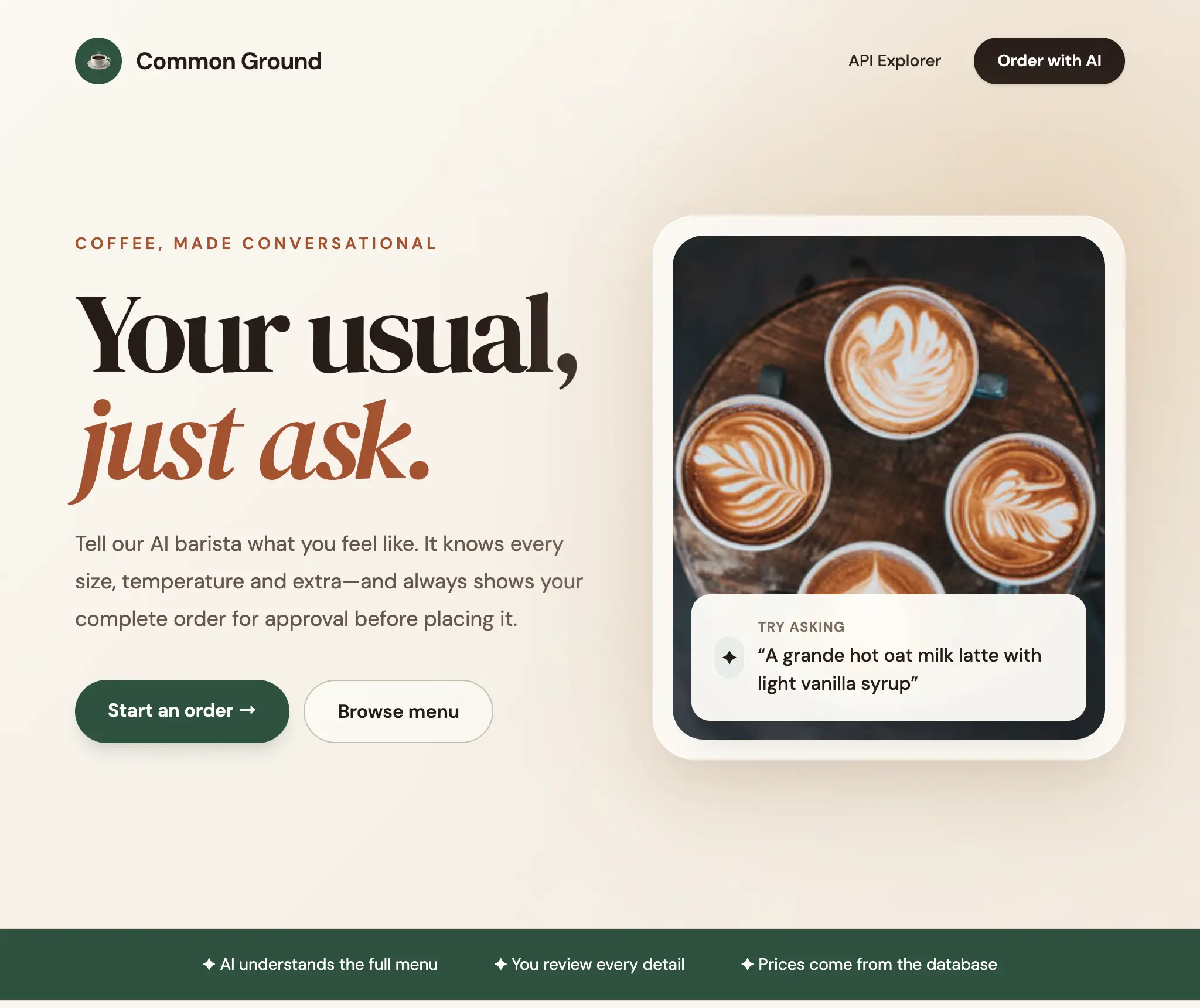
NetCoreApps/CoffeeShopChat is a complete natural-language ordering workflow built entirely from ordinary ServiceStack APIs:
Getting started
API Tools ship with AI Chat, so a .NET 8+ ServiceStack App gets both from:
npx add-in chat
Then open /chat and ask for something your APIs can do - see Install AI Chat for what's registered.
On an existing App the smallest useful step is one API: pick a read-only one, add a [Tool] attribute describing when to use it, and ask AI Chat a question that should reach it. Once discovery works for one API, adding the rest is just metadata.
To let external AI Assistants use the same three tools, name the group over MCP and point them at https://example.org/chat/mcp with a ServiceStack API key as the Bearer token:
Mcp = {
    ToolGroups = ["api_tools"],
}
See MCP Server and Connect MCP Clients.