Documentation
ProjectTemplates React Vue DTOs AutoQuery Background Jobs AI RAG PDF Auth OrmLite Redis gRPC Locode Security
Project Templates Start new .NET Apps from ready-to-run Vue, React, Blazor & Razor React Tailwind React Components and templates for Vibe Coded UIs Vue Tailwind Vue Component Library for building ServiceStack Apps DTOs End-to-end typed API Clients for 15 programming languages AutoQuery Instant queryable & CRUD APIs from declarative Request DTOs Background Jobs Durable Jobs, queues, workflows and recurring tasks in your existing DB AI Modular AI Chat, Agents, MCP and API Tools for ServiceStack Apps RAG Build Gemini RAG knowledge bases from your docs and websites PDF PDF Studio for generating branded documents and reports Auth Identity Auth, API Keys, JWT and securing your APIs OrmLite Code-first, fast, lightweight ORM for major RDBMS Redis .NET's leading C# Redis Client gRPC Code-first, high-performance HTTP/2 typed services Locode Instant data management UIs for your AutoQuery APIs Security Security assurance, SBOM & VEX downloads, vulnerability reporting and EU CRA readiness
Browse all sections
Project Templates React Vue DTOs AutoQuery Background Jobs AI RAG PDF Auth OrmLite Redis gRPC Locode Security
Redis
  • Getting Started
  • Redis Client Managers
  • Redis Client Usage
  • Redis Async

Redis Use-Cases

  • Solving Problems with Redis
  • Caching Patterns
  • Rate Limiting
  • Leaderboards & Rankings
  • Queues & Background Work
  • Counters & Analytics
  • Geospatial

Redis - Advanced

  • Redis Generic Custom Commands
  • Redis PubSub
  • Redis Streams
  • Hash Field Expiration
  • IDistributedCache
  • Redis Sentinel
  • Redis Lua
  • Redis Distributed Locking
  • Redis Troubleshooting

Redis - Related Docs

  • Redis Client
  • Redis Typed Client
  • Redis Transactions
  • Redis Typed Transactions
  • Redis Stats
  • Redis Profiling
  • Redis Admin Desktop
  • Automatic Retries
  • Designing a NoSql Database
  • Data migrations with Redis

Redis Stats

The RedisStats class provides better visibility and introspection into your running instances:

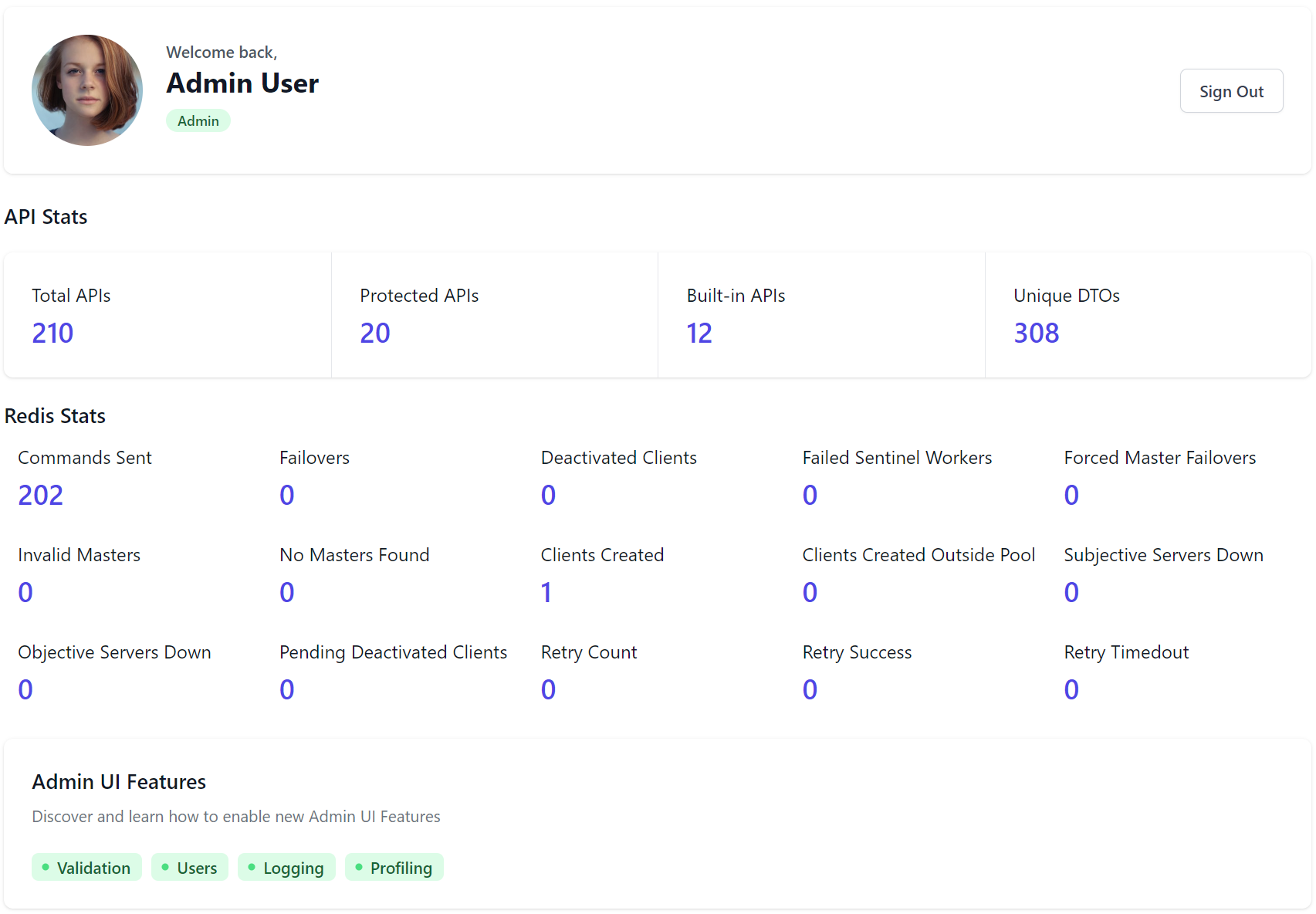
Redis Stats in Admin UI Dashboard​

These Stats are displayed in the Admin UI Dashboard
Log to Console​

Alternatively you can get and print a dump of all the stats at anytime with:

RedisStats.ToDictionary().PrintDump();

And Reset all Stats back to 0 with RedisStats.Reset().

Edit this page on GitHub
Redis Typed Transactions
Redis Profiling
On This Page
  • Redis Stats in Admin UI Dashboard
  • Log to Console